Test Procedures
32
Continuous Test
The OmiSmoke will make a continuous smoke reading and report the K value on a
continuous basis. This test is useful for engine analysis during service repair or
diagnostic work and can be of use over the whole engine speed range. This test will
not hold the peak K value as would the Peak test.
The continuous test result will NOT produce the same K value that would be achieved
in the MOT FAS test procedure as it is used for relative performance only.
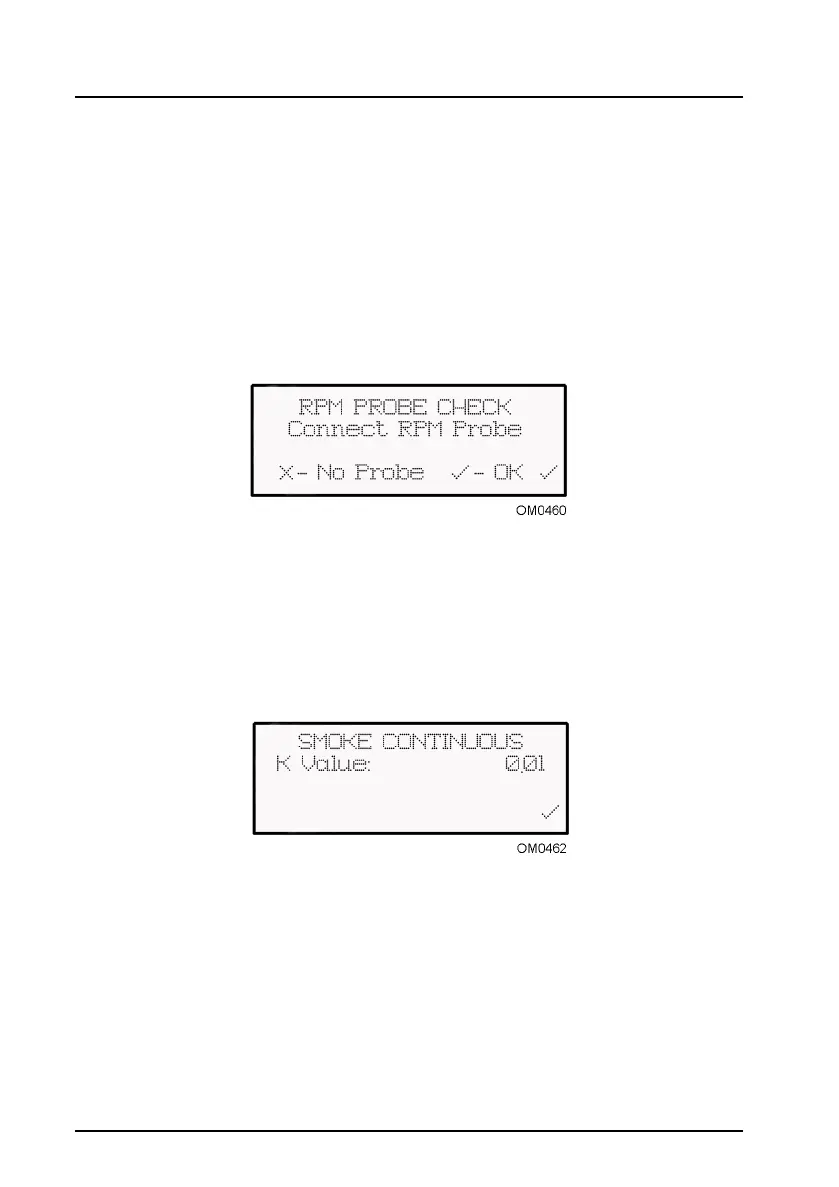
Select ‘Continuous Test’ from the main menu and follow the on-screen instructions.
On ‘RPM Probe Check’ menu, confirm you have a RPM probe (OmiSpeed)
connected by pressing the tick key. If you do not have a RPM probe, press the cross
key.
The OmiSmoke then goes through a warm-up procedure, an automatic contamination
check and a zero check before the smoke measurement screen is displayed. Insert
the sample probe as requested, start the vehicle and confirm by pressing the tick key.
The ‘K Value’ is displayed on the ‘Smoke Continuous’ screen. Once the smoke
measurement is complete, turn off the vehicle, remove the probe and the press the
tick button to confirm. The OmiSmoke performs another zero check and returns to the
main menu.


 To Next Page