EasyManua.ls Logo

Omitec OmiSmoke - Page 48

Omitec OmiSmoke
50 pages
Print Icon
To Next Page IconTo Next Page
To Previous Page IconTo Previous Page
Loading...
Troubleshooting
48
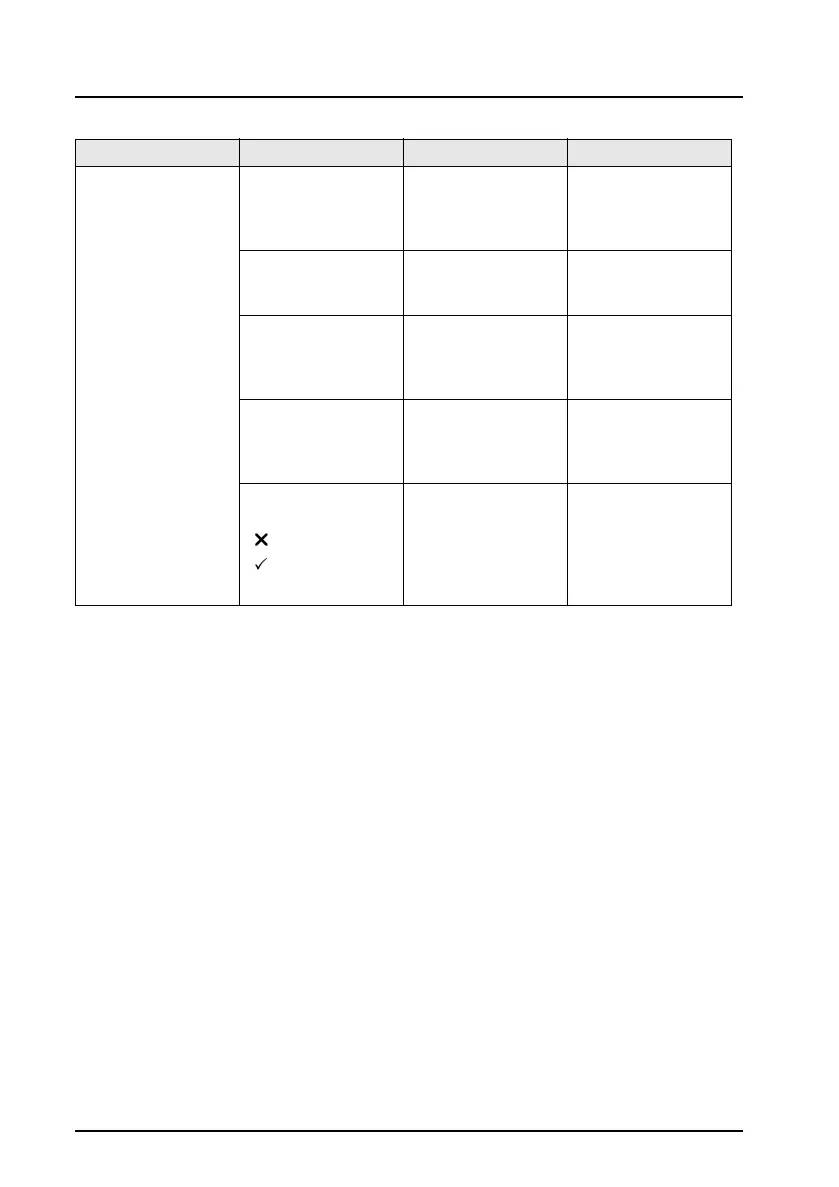
Smart card error Smart card reader
NOT detected.
Check
connections.
Smart card reader
was not detected
Check smart card
reader is switched
on. Check cable to
handset.
Smart card error.
report failure to
helpdesk.
Data on the smart
card is faulty.
Please contact the
smart card/ reader
helpdesk.
Software error.
Report failure to
meter
manufacturer
Smart card
received incorrect
message from
smoke meter
Contact Omitec
Helpdesk.
Check details and
that you are
logged on
correctly
Incorrect VRM or
test number used
to interrogate
smart card
Smart card NOT
detected.
- Cancel
- Retry
No smart card
detected
Insert smart card
or check that card
reader is powered
and correctly
connected to
handset.
Symptom/ Fault Message Cause Action