So, after uploading a preset to the unit from the remote, simply save any preset as a new name, rename a preset or
delete a preset using the front panel jog wheel and the uploaded preset should then show up in the front panel’s
preset list.
I/O Configuration File Transfer
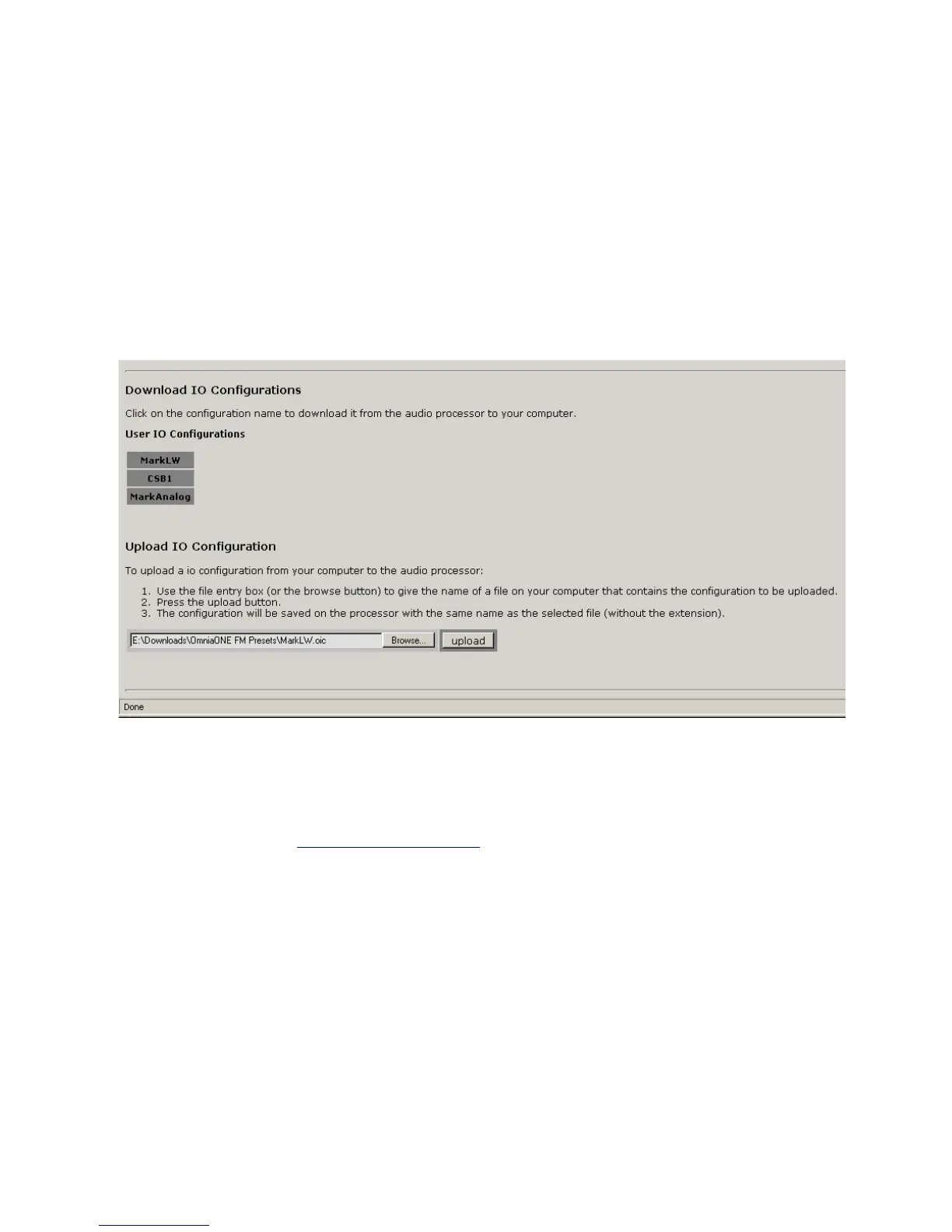
Similarly, I/O configurations can be saved to or loaded from your computer.
Shown below is the bottom half of the “File Transfer” screen, which is used for saving and loading I/O
configurations to and from your computer.
I/O Configuration download and upload operations work similarly to the Preset download and upload operations
described above with the exception that the filename extension for I/O configurations is “.oic”.
Trigger Scripts
Please note that Trigger Script functionality is not yet implemented in the current software but will be available with
a free downloadable software update. Please check the Omnia website for new software announcements, download
links and manual updates at: http://www.omniaaudio.com/


 To Next Page