EasyManua.ls Logo

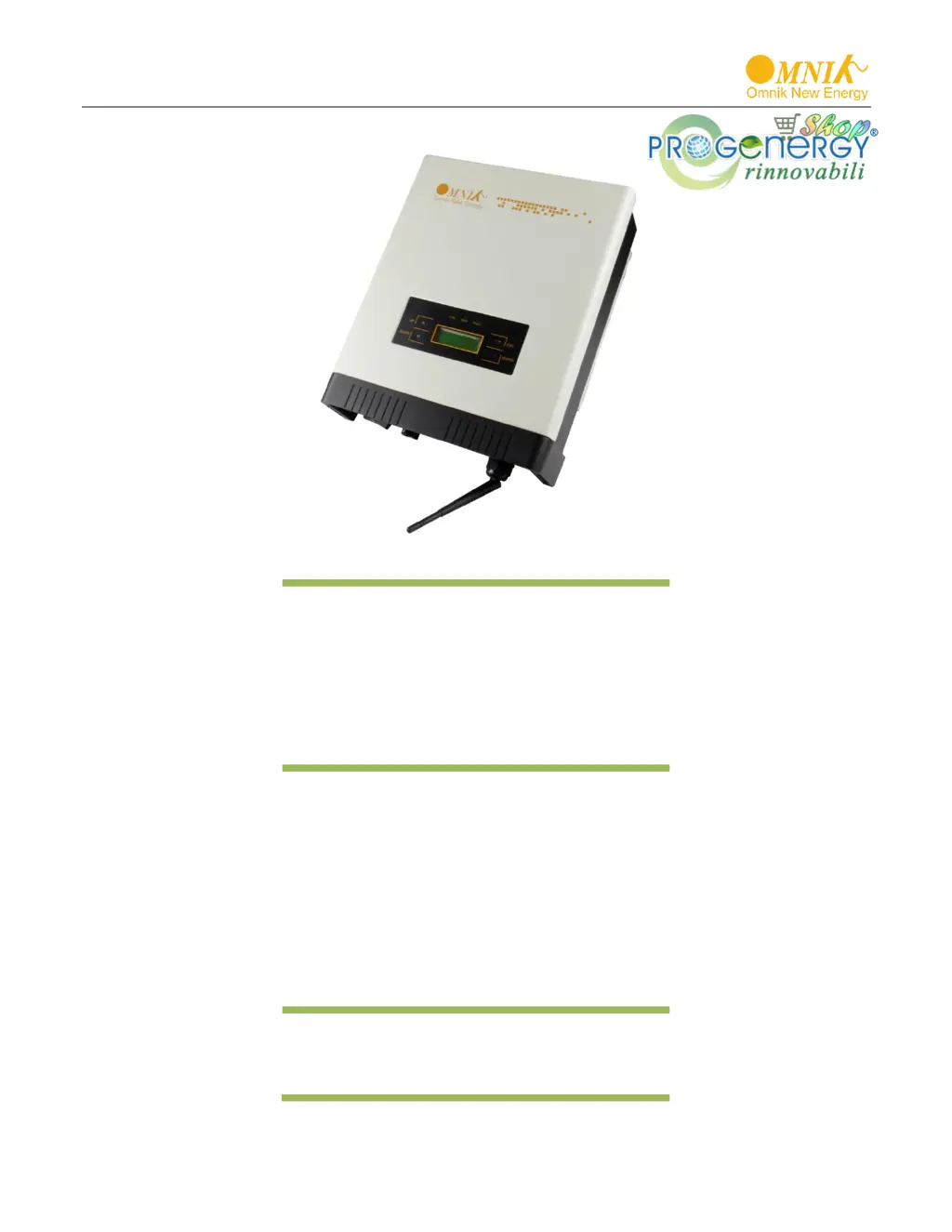
Omnik Omniksol-1k-TL2 - User Manual

Omnik Omniksol-1k-TL2
51 pages
Print Icon
To Next Page IconTo Next Page
Loading...
User Manual V1.0
User Manual
-Installation
-Operation
Omniksol-1k-TL2
Omniksol-1.5k-TL2
Omniksol-2k-TL2
Omniksol-2.5k-TL2-M
Omniksol-3k-TL2-M
Omnik New Energy Co., Ltd.
www.progenergy.com
RIVENDITORE AUTORIZZATO

Questions and Answers

  • K
    Kirsten MarshAug 2, 2025
    What to do if my Omnik Omniksol-1k-TL2 shows 'No Utility' error?
    • A
      andreaandrewsAug 2, 2025
      If your Omnik Inverter displays a 'No Utility' error, first check the grid connection cables to ensure they are properly connected. Then, verify the grid's usability. If the grid is functioning correctly and the issue persists, it is possible that the fuse in the inverter is open.
  • T
    Taylor BrownAug 6, 2025
    How to fix an 'Over Temp Fault' on my Omnik Omniksol-1k-TL2?
    • B
      Billy RamirezAug 6, 2025
      If your Omnik Inverter shows an 'Over Temp Fault', this indicates that the internal temperature is higher than the specified normal value. You should try to reduce the ambient temperature around the inverter or move it to a cooler environment.
  • A
    Allen LoveAug 10, 2025
    What to do if my Omnik Omniksol-1k-TL2 Inverter is showing a 'Current Fault'?
    • S
      Sandra ReyesAug 10, 2025
      A 'Current Fault' on your Omnik Inverter typically means the ground current is too high. To resolve this, disconnect the AC side connection, then unplug the inputs from the PV generator and inspect the peripheral AC system. After clearing the cause of the high current, re-plug the PV panel and AC connection, and check the PV-Inverter status.
  • A
    Alan WilsonAug 14, 2025
    Why does my Omnik Omniksol-1k-TL2 show 'Master Grid Freq Fault' or 'Master Grid Volt Fault'?
    • H
      hannah58Aug 14, 2025
      If you are experiencing 'Master Grid Freq Fault' or 'Master Grid Volt Fault' with your Omnik Inverter, wait for a moment to see if the grid returns to normal. The PV-Inverter will automatically restart if the grid stabilizes. Ensure that your grid voltage and frequency meet the required specifications.
  • P
    phillip39Aug 19, 2025
    What causes a 'PV Voltage Fault' on my Omnik Omniksol-1k-TL2?
    • T
      Tammy AndersonAug 19, 2025
      If your Omnik Inverter displays a 'PV Voltage Fault', check the open PV voltage. Ensure it is not greater than or too close to 500VDC (specifically for Omniksol-1k-TL2, Omniksol-1.5k- TL2, Omniksol-2k-TL2, Omniksol-2.5k-TL2-S or Omniksol-3k-TL2-S models). If the PV voltage is less than 500VDC and the problem persists, further assistance is needed.
  • K
    kjohnsonAug 23, 2025
    How to troubleshoot an 'Isolation Fault' on an Omnik Inverter?
    • C
      Charles GoodwinAug 25, 2025
      If your Omnik Inverter displays an 'Isolation Fault', check the impedance between PV (+) & PV (-) and ensure the inverter is earthed. The impedance must be greater than 2M?. Also, verify whether the AC-side has any contact with earth.
  • R
    Robert BaileyAug 28, 2025
    What to do for 'Relay1 Fault' or 'Relay2 Fault' on Omnik Omniksol-1k-TL2?
    • W
      William WaltonAug 28, 2025
      If your Omnik Inverter displays 'Relay1 Fault' or 'Relay2 Fault', disconnect ALL PV (+) or PV (-). Wait for a few seconds until the LCD switches off, then reconnect and check again.

Summary

Notes on this manual

Scope of Validation

Details the purpose of the manual and the inverter types covered.

Symbols Used

Explains the meaning of DANGER, WARNING, and CAUTION symbols.

Target Group

Identifies intended users and required qualifications for installation.

Preparation

Safety Instructions

Provides critical safety instructions for installation and operation.

Explanations of Symbols on Inverter

Details symbols found on the inverter and their meanings.

Product Information

Overview

Provides a general overview of the inverter's industrial layout and features.

Major Characteristics

Highlights key characteristics, efficiency, reliability, and protection methods.

Datasheet

Presents detailed technical specifications for various Omniksol inverter models.

Packing checklist

Assembly parts

Lists all components included in the inverter package with descriptions.

Product Appearance

Illustrates the front and bottom appearance of the inverter with labeled components.

Product Identification

Details how to identify the inverter model using the side name plate.

Further Information

Provides contact information and website for additional inquiries.

Installation

Safety

Crucial safety warnings related to installation, fire, and electrical shock.

Mounting Instructions

Provides guidance on the correct orientation and placement for mounting the inverter.

Safety Clearance

Specifies minimum clearance requirements around the inverter for heat dissipation.

Mounting Procedure

Details the step-by-step procedure for mounting the inverter bracket on the wall.

Safety lock

Explains how to use a padlock to secure the inverter to the mounting bracket.

Electrical Connection

Safety

Highlights safety precautions for electrical connections, focusing on shock and fire hazards.

AC Side Connection

Provides assembly instructions for connecting the AC cable to the inverter.

DC Side Connection

Details DC side connection instructions and MC4 connector assembly.

Communication and Monitoring Device

Describes the RJ45 plugs for multipoint communication and monitoring.

Display and Operation

LCD Panel

Details the LCD panel layout, including LED indicators and function keys.

Commissioning

Guides through the initial setup and commissioning process for the inverter.

System operation interface

Illustrates various system operation interfaces and their displayed information.

Interface introduction

Introduces different interfaces like Safety, Info, Error, and Set for system configuration.

State Information

Lists and explains various operational states and fault codes displayed by the inverter.

Recycling and Disposal

Troubleshooting

Resumable Faults

Troubleshooting for faults that can be resolved by restarting or checking connections.

Permanent Faults

Troubleshooting for permanent faults, requiring service or further investigation.

Error Code List

A comprehensive list of error codes and their corresponding descriptions.

Abbreviation

Contact

Omnik Omniksol-1k-TL2 Specifications

General IconGeneral
ModelOmniksol-1k-TL2
TypeGrid-tied Inverter
Rated Power1000 W
Max. DC voltage450 V
Number of MPPTs1
Max DC Input Current10 A
MPPT voltage range160-480V
Nominal AC power1000 W
Output Voltage230 V
Nominal AC voltage230 V
Output Frequency50/60 Hz
European Efficiency96.2%
CoolingNatural Convection
Weight7.5 kg
Protection DegreeIP65
Max. AC power1000 VA
Dimensions310 x 315 x 147 mm
Operating Temperature Range-25°C to +60°C
Maximum DC Input Power1.2 kW
Rated Output Power1 kW

Related product manuals