EasyManua.ls Logo

Omnik Omniksol-2k-TL3-S - User Manual

Omnik Omniksol-2k-TL3-S
83 pages
Print Icon
To Next Page IconTo Next Page
Loading...
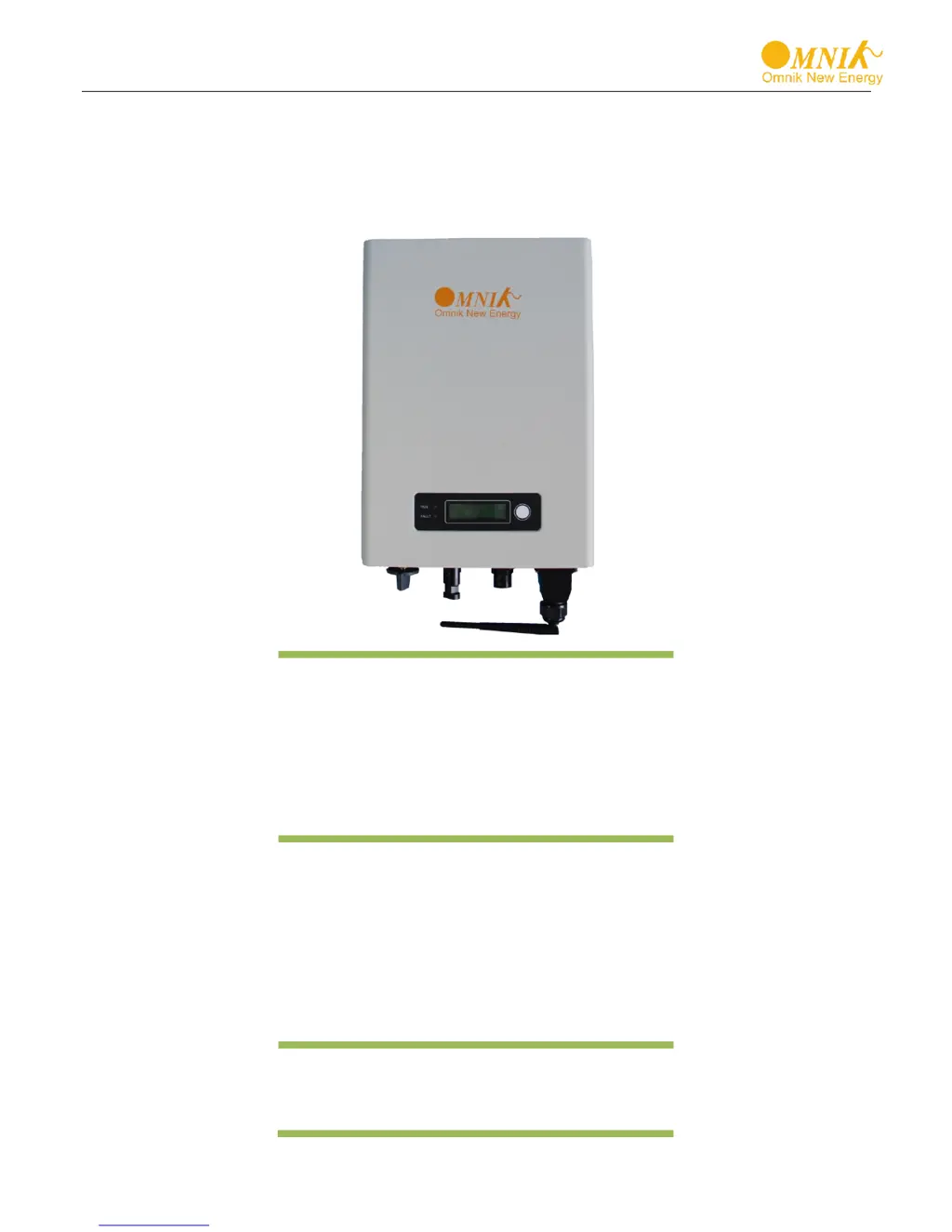
User Manual V1.1
User Manual
-Installation
-Operation
Omniksol-1k/1.5k-TL2-M
Omniksol-2k/2.5k/3k-TL3-S
Omniksol-3k/3.68k/4k-TL3
Omniksol-5k/6k-TL3
Omnik New Energy Co., Ltd.

Questions and Answers

  • S
    Susan HubbardSep 23, 2025
    What does 'Over Temp Fault' mean on my Omnik Omniksol-2k-TL3-S Inverter?
    • H
      Henry SmithSep 23, 2025
      An 'Over Temp Fault' on your Omnik Inverter indicates that the temperature of an internal device exceeds 80 degrees. This rarely happens and the inverter can typically be used normally.
  • W
    William ScottAug 25, 2025
    Why is my Omnik Omniksol-2k-TL3-S Inverter showing a Grid Fault Fac Over Range Vac Over Range error?
    • C
      Cynthia JohnsonAug 25, 2025
      The Omnik Inverter might display a Grid Fault Fac Over Range Vac Over Range error when the grid conditions are outside of normal parameters. Wait for a moment to see if the grid returns to normal operation. The PV-Inverter will automatically restart when the grid conditions are back to normal. Ensure that the grid voltage and frequency meet the required specifications.
  • B
    Brianna Ray DDSAug 25, 2025
    What to do if my Omnik Omniksol-2k-TL3-S Inverter displays a Ground I Fault?
    • H
      hwagnerAug 26, 2025
      If your Omnik Inverter shows a Ground I Fault, it means the ground current is too high. First, disconnect the AC side connection. Then, unplug the inputs from the PV generator and inspect the peripheral AC system. After resolving the cause, reconnect the PV panel and AC connection. Finally, check the PV-Inverter status.
  • A
    Ashley WilsonAug 27, 2025
    How to fix Over Temperature error on Omnik Omniksol-2k-TL3-S?
    • K
      Kimberly CarneyAug 27, 2025
      If your Omnik Inverter is showing an Over Temperature error, it indicates that the internal temperature is higher than the specified normal value. You should try to reduce the ambient temperature around the inverter or move it to a cooler environment.
  • D
    Devin WilsonAug 27, 2025
    What does Isolation Fault mean on my Omnik Inverter and how to fix it?
    • D
      dannymaynardAug 27, 2025
      To address an Isolation Fault on your Omnik Inverter: * Check the impedance between PV (+) & PV (-) and the inverter is earthed, ensuring it's greater than 2MΩ. * Check whether the AC-side has contacts with earth.
  • M
    Mandy ValdezSep 15, 2025
    What does 'Current DC Offset' mean on my Omnik Inverter?
    • N
      Nathan JamesSep 15, 2025
      A 'Current DC Offset' on your Omnik Inverter indicates a larger deviation in a phase current waveform that is detected. Change it to another standard with wider protection range under authorization.
  • A
    Angel PowellSep 12, 2025
    What does 'Grid Volt Fault' mean on my Omnik Omniksol-2k-TL3-S and how to fix it?
    • D
      Dave DavilaSep 13, 2025
      A 'Grid Volt Fault' on your Omnik Inverter means the grid voltage detection within a period is anomalous. Try changing the grid voltage protection range.
  • D
    Donald TrujilloSep 14, 2025
    What does 'Bus Unbalance' mean on my Omnik Omniksol-2k-TL3-S Inverter?
    • P
      Patricia HendricksSep 14, 2025
      A 'Bus Unbalance' error on your Omnik Inverter could be due to an inverter control circuit problem or significantly different values of two rows of bus capacitance. Try restarting to check. If the problem continues, try re-flashing the software. If the issue persists, consider replacing the part or inverter.
  • T
    Tiffany BrownSep 5, 2025
    What should I do if my Omnik Omniksol-2k-TL3-S Inverter displays 'PV Volt High'?
    • D
      Debra Stevens DDSSep 5, 2025
      If your Omnik Inverter shows 'PV Volt High', it means the DC voltage is too high due to incorrect installation. Correct the installation by removing panels. If the problem continues, try re-flashing the software. If that doesn't work, you may need to replace the part or the inverter.
  • A
    alexduranSep 2, 2025
    What does it mean when my Omnik Omniksol-2k-TL3-S Inverter displays 'GFCI Device Fault'?
    • A
      Alexis GomezSep 3, 2025
      A 'GFCI Device Fault' on your Omnik Inverter indicates an issue with the inverter's GFCI detector. To resolve this, first restart the inverter to check if the issue clears. If the problem persists, try re-flashing the software. If neither of these steps works, the part or the entire inverter may need to be replaced.

Summary

Manual Overview and Safety Symbols

Manual Scope and Supported Models

Defines the scope of the user manual and the inverter series covered.

Hazard Symbol Meanings

Explains hazard symbols (Danger, Warning, Caution) and their meanings.

Intended User and Qualifications

Identifies the intended audience and their required qualifications for using the inverter.

System Preparation and Safety

Inverter Safety Precautions

Details critical safety precautions for inverter operation and installation.

Inverter On-Device Symbol Guide

Provides meanings for various symbols found on the inverter itself.

Inverter Product Details

Product Overview and Layout

Provides a general introduction and visual layout of the Omnik inverter.

Key Features and Protections

Lists key features and integrated protection methods of the Omnik inverter.

Technical Specifications Datasheet

Presents detailed technical specifications for various Omniksol inverter models.

Package Contents and Identification

Included Assembly Components

Lists and illustrates all components included in the inverter package.

Inverter Physical Appearance

Details the physical appearance and components of the inverter's front and bottom.

Nameplate Identification Guide

Explains how to identify the inverter model using its nameplate.

Inverter Installation Guide

Installation Safety Procedures

Covers crucial safety warnings related to inverter installation to prevent hazards.

Mounting Guidelines and Orientation

Provides guidelines on how to properly mount the inverter unit.

Required Installation Clearances

Specifies required clearances around the inverter for heat dissipation and access.

Step-by-Step Mounting Process

Outlines the step-by-step process for physically installing the inverter mount.

Securing the Inverter with a Lock

Details how to use a padlock for securing the inverter.

Electrical Connection Procedures

Electrical Connection Safety

Emphasizes safety precautions for electrical connections involving the inverter.

AC Grid Connection Steps

Explains how to connect the inverter to the AC power grid.

DC PV Connection Steps

Details the process of connecting the DC input from PV modules to the inverter.

Inverter Display and Status

LCD Panel Overview

Describes the inverter's LCD panel, including status indicators and function keys.

LCD Screen Navigation and Content

Explains the content and navigation of the inverter's LCD screen.

Safety Standard Selection on Power-up

Guides users on selecting the correct safety standard during initial setup.

Inverter State and Fault Codes

Lists and explains various states and fault codes displayed by the inverter.

Communication Module Setup

GPRS Card Installation and Use

Introduces the optional GPRS card for data monitoring.

GPRS;WiFi Card Installation Guide

Provides instructions for installing GPRS or WiFi communication cards.

Monitoring Website Registration Process

Guides users through the process of registering on the Omnik monitoring portal.

PV Monitoring System Login

Explains how to log in to the Omnik PV monitoring system.

WiFi Card Installation and Use

Introduces the optional WiFi card for data monitoring.

WiFi Network Configuration

Details how to configure network settings for WiFi connectivity.

Ethernet Card Installation and Use

Introduces the optional Ethernet card for wired network connection.

Ethernet Card Installation Guide

Provides instructions for installing the Ethernet communication card.

RS485 Communication Card Guide

Introduces the RS485 communication card and its connectors.

Omnik Omniksol-2k-TL3-S Specifications

General IconGeneral
ModelOmniksol-2k-TL3-S
Rated Power2000 W
Number of MPPT2
Max. AC Power2000 W
Nominal AC Voltage230 V
Maximum Input Current11 A
AC Output Voltage230 V
AC Output Frequency50 Hz / 60 Hz
Cooling TypeNatural Convection
Protection DegreeIP65
TypeGrid-tied Inverter
Protection ClassClass I
Operating Temperature Range-25°C to +60°C

Related product manuals