EasyManua.ls Logo

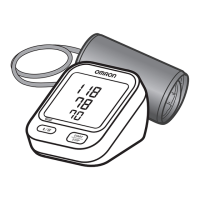
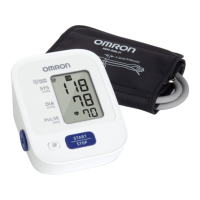
Omron BP5100 - User Manual

Omron BP5100
31 pages
Print Icon
To Next Page IconTo Next Page
Loading...
INSTRUCTION MANUAL
Bronze
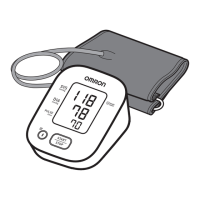
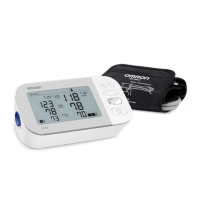
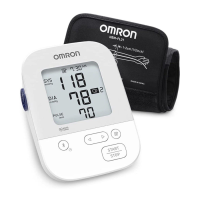
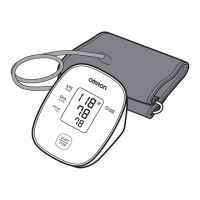
Upper Arm Blood Pressure Monitor
Model BP5100
®
ENGLISH

Questions and Answers

  • M
    Melissa LopezAug 17, 2025
    How to fix no power on Omron BP5100?
    • M
      Melinda PorterAug 17, 2025
      If your Omron Blood Pressure Monitor displays no power and nothing appears on the screen, replace all the batteries with new ones. Also, check that the batteries are installed correctly, paying attention to the battery polarities.
  • C
    Chad AdamsAug 20, 2025
    Why does Omron BP5100 Blood Pressure Monitor give high or low readings?
    • A
      Alan ThompsonAug 20, 2025
      If you notice that measurement values appear too high or too low on your Omron Blood Pressure Monitor, remember that blood pressure varies constantly. This can be due to many factors, including stress, the time of day, and how you wrap the cuff. Please review sections 1.2 and 3.3.
  • M
    Mr. Trevor HaasAug 22, 2025
    What to do if Omron BP5100 Blood Pressure Monitor batteries are depleted?
    • H
      Heather LynchAug 23, 2025
      If your Omron Blood Pressure Monitor indicates that the batteries are depleted, you should replace them with new ones immediately. Refer to section 2.1 for instructions.
  • L
    Leslie WillisAug 25, 2025
    How to resolve clothing interfering with Omron BP5100 Blood Pressure Monitor arm cuff?
    • J
      Joseph HopkinsAug 26, 2025
      To resolve the issue of clothing interfering with the arm cuff of your Omron Blood Pressure Monitor, remove any clothing that is causing interference. Refer to section 3.1 for additional guidance.
  • T
    Trevor BishopAug 27, 2025
    What to do if Omron Blood Pressure Monitor detects irregular heartbeats?
    • S
      Shawn DuncanAug 28, 2025
      If your Omron Blood Pressure Monitor detects irregular heartbeats, remove the arm cuff. Wait 2 to 3 minutes before taking another measurement, repeating the steps outlined in section 3.3. If the error persists, it is advisable to contact your physician.
  • J
    Jamie TorresAug 30, 2025
    What to do if Omron BP5100 Blood Pressure Monitor shows movement during measurement?
    • E
      Emily MatthewsAug 30, 2025
      If your Omron Blood Pressure Monitor displays an error due to movement during measurement, carefully read and repeat the steps in section 3.3.
  • A
    Ashlee JohnsonSep 1, 2025
    What to do if Omron BP5100 Blood Pressure Monitor arm cuff was inflated exceeding the maximum allowable pressure?
    • M
      martinezanthonySep 2, 2025
      If the arm cuff is inflated exceeding the maximum allowable pressure, and then deflated automatically when inflating the arm cuff manually on your Omron Blood Pressure Monitor, do not touch the arm cuff or bend the air tube during measurement. Also, do not inflate the arm cuff more than necessary. Please refer to section 3.3.
  • T
    Tiffany GutierrezSep 4, 2025
    What to do if Omron Blood Pressure Monitor shows movement and cuff not inflated?
    • A
      Ashley GuzmanSep 4, 2025
      If your Omron Blood Pressure Monitor displays an error related to movement during measurement and insufficient arm cuff inflation, repeat the measurement, ensuring you remain still and silent throughout the process. See section 3.3. If “E2” appears repeatedly, manually inflate the cuff to 30-40 mmHg above your previous reading. See section 3.3.
  • N
    nixoncourtneySep 6, 2025
    What to do if Omron Blood Pressure Monitor says the batteries are low?
    • M
      matthew42Sep 6, 2025
      If your Omron Blood Pressure Monitor indicates that the batteries are low, replace them with new ones as soon as possible. Refer to section 2.1 for instructions.
  • J
    Jeffery MckenzieSep 9, 2025
    What to do if air is leaking from Omron BP5100 arm cuff?
    • M
      maria49Sep 9, 2025
      If air is leaking from the arm cuff of your Omron Blood Pressure Monitor, replace the arm cuff with a new one. Refer to section 5.5 for guidance.

Summary

Introduction

Safety Instructions

Read and understand all instructions for safe and proper use of the monitor. Consult physician if unsure.

Intended Use

Device for measuring blood pressure and pulse rate in adult patients at home.

Receiving and Inspection

Check the monitor for damage upon receiving it from the packaging. Contact support if damaged.

Symbols Glossary

Information on symbols used in the manual and on the device is available online.

Contraindications

Monitor is not intended for use in ambulatory environments or on aircraft.

Important Safety Information

1. Know Your Monitor

1.1 Display and Symbols

Classification of BP (Blood Pressure)

1.2 Blood Pressure Measurement Tips

2. Preparation

2.1 Battery Installation

Steps to remove the battery cover, insert batteries, and replace the cover correctly.

3. Using the Monitor

3.1 Applying the Arm Cuff

Instructions on how to insert the air plug and apply the arm cuff correctly to the arm.

3.2 How to Sit Correctly

Instructions on proper posture and arm placement for accurate measurement.

3.3 Taking a Measurement

Steps to initiate measurement, including pressing the START/STOP button and monitoring inflation.

3.4 Using the Memory Function

How the monitor stores results and how to view stored measurement values.

To Delete All the Values Stored in Memory

Steps to delete all stored measurement values from the monitor's memory.

4. Error Messages and Troubleshooting

4.1 Error Messages

Table listing error displays, their causes, and recommended solutions for common issues.

E1, E2, E3, E4, E5 Error Displays

Details specific error codes (E1-E5), their causes, and solutions for the blood pressure monitor.

4.2 Troubleshooting

Addresses common problems like no power or incorrect readings with causes and solutions.

5. Maintenance

5.1 Maintenance

General guidelines to protect the monitor from damage and a caution against disassembly.

5.2 Storage

Instructions for storing the monitor and arm cuff in a clean, safe location.

5.3 Cleaning

How to clean the monitor and arm cuff using appropriate materials and methods.

5.4 Disposal

Guidelines for disposing of the monitor and accessories according to local regulations.

5.5 Optional Medical Accessories

Information on available optional arm cuffs with their circumference sizes.

6. Specifications

Notes

Contains notes regarding specifications, validation, and IP classification.

Pictogram on the Product

Explains the meaning of product pictograms related to artery positioning and cuff compatibility.

7. FCC;ISED Statement

8. Limited Warranty

9. Guidance and Manufacturers Declaration

Important information regarding Electromagnetic Compatibility (EMC)

Information on the BP5100's compliance with EMC standards and where to find further documentation.

Omron BP5100 Specifications

General IconGeneral
BrandOmron
ModelBP5100
CategoryBlood Pressure Monitor
LanguageEnglish

Related product manuals