3-4
PMAC EtherNet/IP Settings
Perform the EtherNet/IP settings.
Precautions for Correct Use
Check that devices are connected with Ethernet cables before you perform the following proce-
dures. If devices are not connected, turn OFF the power supply to them, and then connect
Ethernet cables.
3-4-1
Setting Connection 1
1
Connect the PMAC and devices with
Ethernet cables.
• For the settings of connected devi-
ces, refer to the manuals for the con-
nected devices.
2
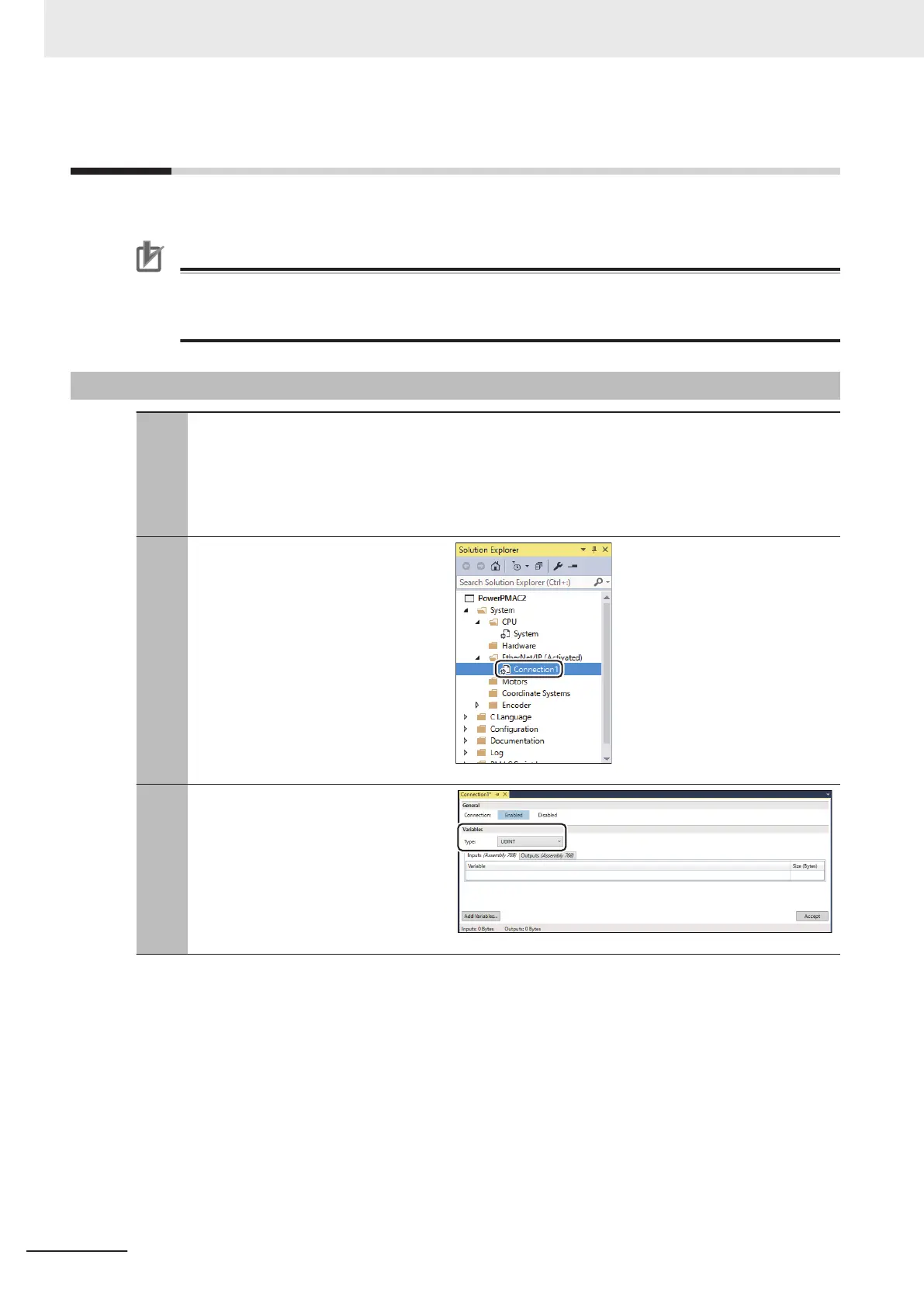
Setting Connection 1
In the Solution Explorer
, select System
–
EtherNet/IP(Deactivated) –
Connection1.
3
Selecting the type of variables to add to
Connection 1 (Input)
Select the data type of variables to add
to Connection1.
3 EtherNet/IP Connection Procedures
3-16
CK3E/CK3M/CK5M Series EtherNet/IP Connection Guide (O903)


 To Next Page
 Loading...