13
EN
2.How to use the device
How to treat
1. Push the Massage (M)
Button.
Each time you push the
Massage Button, the
massage method flashes
in the order of Tapping,
Kneading, Pushing, and
Rubbing.
2. Select your favourite
massage method accord-
ing to your symptom.
The massage type will
change every time you
push the massage but-
ton.
* A blinking yellow light
indicates the function
you have selected.
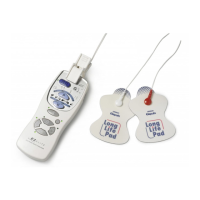
Treat an area by selecting one of the programmes within Relief, Region or Massage
Treat an area with the button
When you want to treat an area according to your symp-
tom and favourite operation by selecting the massage
method from Tapping, Kneading, Pushing, and Rubbing
P
M
POINT
WIDE
R
SPECIAL
MODE
REPEAT
SOFT
1
W
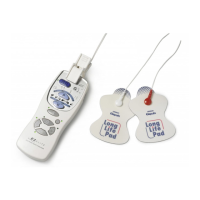
ELECTRONIC
NERVE STIMULATOR
M
1
2
6789
6789
5
43
HV-F127 manual.book Page 13 Monday, June 14, 2010 12:07 PM


 To Next Page