8
2.How to use the device
2. How to use the device
2.1 How to insert batteries
1. Turn the Intensity Adjustment Dial/Power Switch to the
“OFF” position.
2. Open battery cover on the back of the
main unit.
3. Insert batteries according to the
polarities (+ and -) shown in the bat-
tery compartment.
4. Close the battery cover.
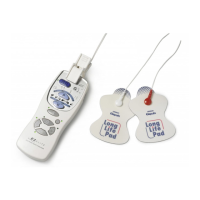
2.2 How to connect the electrode cord
1. Turn the Intensity Adjustment Dial/
Power Switch to the “ ” position.
2. Insert the Electrode Cord Plug into
the Electrode Cord Jack on the
main unit.
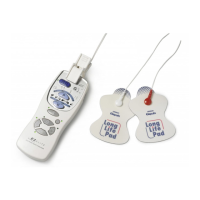
3. Connect the Electrode Cord to the
Long Life Pads.
Place the Pads on a flat surface
and securely connect the Elec-
trode Cord Plugs to the Pads.
* Although Electrode Cord Plugs
are provided in red and white,
either plug can be connected
with one of the Pads irrespec-
tive of color.
1.5V LR03
OOOOOO
SIZU'AAA'
1.5V LR03
OOOOOO
SIZU'AAA'
Standard for battery replacement
If you feel the massage stimulation is weak, the batter-
ies may be worn. Replace the batteries with new ones.
General advice from OMRON on the handling of batteries
• The supplied batteries are for the trial use only and may
wear out in less than three months.
• Replace the worn batteries with new ones immediately.
• If you are not going to use the unit for more than three
months, remove the batteries.
• If you leave the unit without using it for a long time when
the batteries are included inside, leakage from the batter-
ies may occur.
• Do not use new and worn batteries together or different
types of batteries together.
• Insert the batteries with the polarities (+ and –) in correct
alignment.
• When handling the batteries, be sure to read the notes
on the batteries.
• Dispose of the used batteries according to the applicable
local regulations.
When using the unit for the first time
Take out the Pads from the clear plastic bag.
* Do not peel off the clear film attached to the Pad at this
time.
General advice from OMRON on the handling of Electrode Cord
• Avoid excessive bending and pulling of the Electrode
Cord.
• Hold the Electrode Cord Plug when unplugging the Elec-
trode Cord from the Main Unit.
• If the Electrode Cord is torn or has a problem, please
contact the store where you purchased the unit or at the
nearest OMRON dealer.
HV-F127 manual.book Page 8 Monday, June 14, 2010 12:07 PM


 To Next Page