EasyManua.ls Logo

Omron E5AC - User Manual

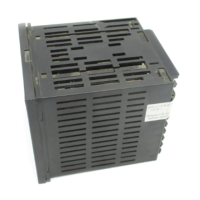
Omron E5AC
440 pages
Print Icon
To Next Page IconTo Next Page
Loading...
Digital Temperature Controllers
User’s Manual
E5@C
H174-E1-14
Appendices
Index
Preparations
Introduction
Advanced
Operations
Basic
Operation
Part Names and
Basic Procedures
User Calibration
Parameters
1
2
3
4
5
6
7
A
I

Table of Contents

Other manuals for Omron E5AC

Questions and Answers

  • B
    Bryan WhiteAug 30, 2025
    What to do if the temperature is not rising on my Omron E5AC?
    • R
      rsmithAug 30, 2025
      If the temperature isn't rising on your Omron Temperature Controller, it might be due to the specified operation being unsuitable for the required control. The default is reverse operation, so select either forward or reverse operation depending on what you need. Also, check the heater for burnout or deterioration.
  • T
    Timothy SnyderAug 29, 2025
    Why is my Omron E5AC overshooting, undershooting, or hunting?
    • M
      Misty CraigAug 29, 2025
      Overshooting, undershooting, or hunting can occur with the Omron Temperature Controller if ON/OFF control is enabled. To resolve this, select PID control and execute either ST (self-tuning) or AT (auto-tuning). When using self-tuning, turn ON the power supply to the Digital Controller and load (heater, etc.) at the same time, or turn ON the load power supply first. Also, check if the control period is too long compared to the speed of temperature changes and shorten it if necessary. Unsuitable PID constants can also cause this issue; set appropriate PID constants using either autotuning or manual settings. Finally, investigate any errors detected by the HS alarm function and use breeder resistance if leakage current is the problem.
  • J
    Jason GarrettAug 28, 2025
    Why are communications not possible with my Omron Controller?
    • W
      wdanielAug 28, 2025
      Communications issues with your Omron Controller may arise if a non-recommended adapter is being used. Ensure that the connected device is not faulty.
  • P
    Patrick GomezAug 27, 2025
    Why aren't the set points or RUN/STOP status changing for slaves on my Omron Temperature Controller?
    • J
      Justin KellyAug 27, 2025
      If the set points or the RUN/STOP status will not change for any of the slaves, check that: * The wiring to the master (i.e., the Controller with communications unit number 0) is not correct. * The communications settings in the master are not correct.
  • E
    Erin RoseAug 27, 2025
    Why can't I always change set points on my Omron E5AC Temperature Controller?
    • C
      challAug 27, 2025
      If it's sometimes not possible to change the set points or RUN/STOP status on your Omron Temperature Controller, there may be noise interference. Connect terminating resistance to both ends of the communications line.
  • S
    Sara ThomasAug 25, 2025
    How to prevent Omron E5AC Temperature Controller communication data corruption due to environmental noise?
    • D
      Daniel MorganAug 26, 2025
      If the communications data is being corrupted by noise, try using a slower baud rate. Also, separate the communications cable from the source of the noise.
  • M
    Michael BrownAug 25, 2025
    How to fix a large temperature error (S.Err display) on my Omron E5AC?
    • R
      ryanmorrisonAug 25, 2025
      A large temperature error or an input error (S.Err display) on your Omron Temperature Controller can be caused by an input type mismatch. Check the sensor type and reset the input type correctly. It can also be caused by the thermometer not being installed properly. Check the thermometer installation location and polarity and install correctly.

Omron E5AC Specifications

General IconGeneral
Mounting TypePanel Mount
Sampling Period50 ms
Protection structureIP66 (front panel)
Control MethodON/OFF
Input TypeThermocouple, RTD
Supply Voltage100 to 240 VAC
Output TypeRelay, Voltage, Current
Control OutputRelay, voltage, current
Dimensions96 x 96 mm
Display TypeLCD
Number of Displays2
Alarm OutputRelay
CommunicationRS-485
Ambient Operating Temperature-10 to 55°C
Ambient Operating Humidity25% to 85% RH

Related product manuals