E5ED-800
30
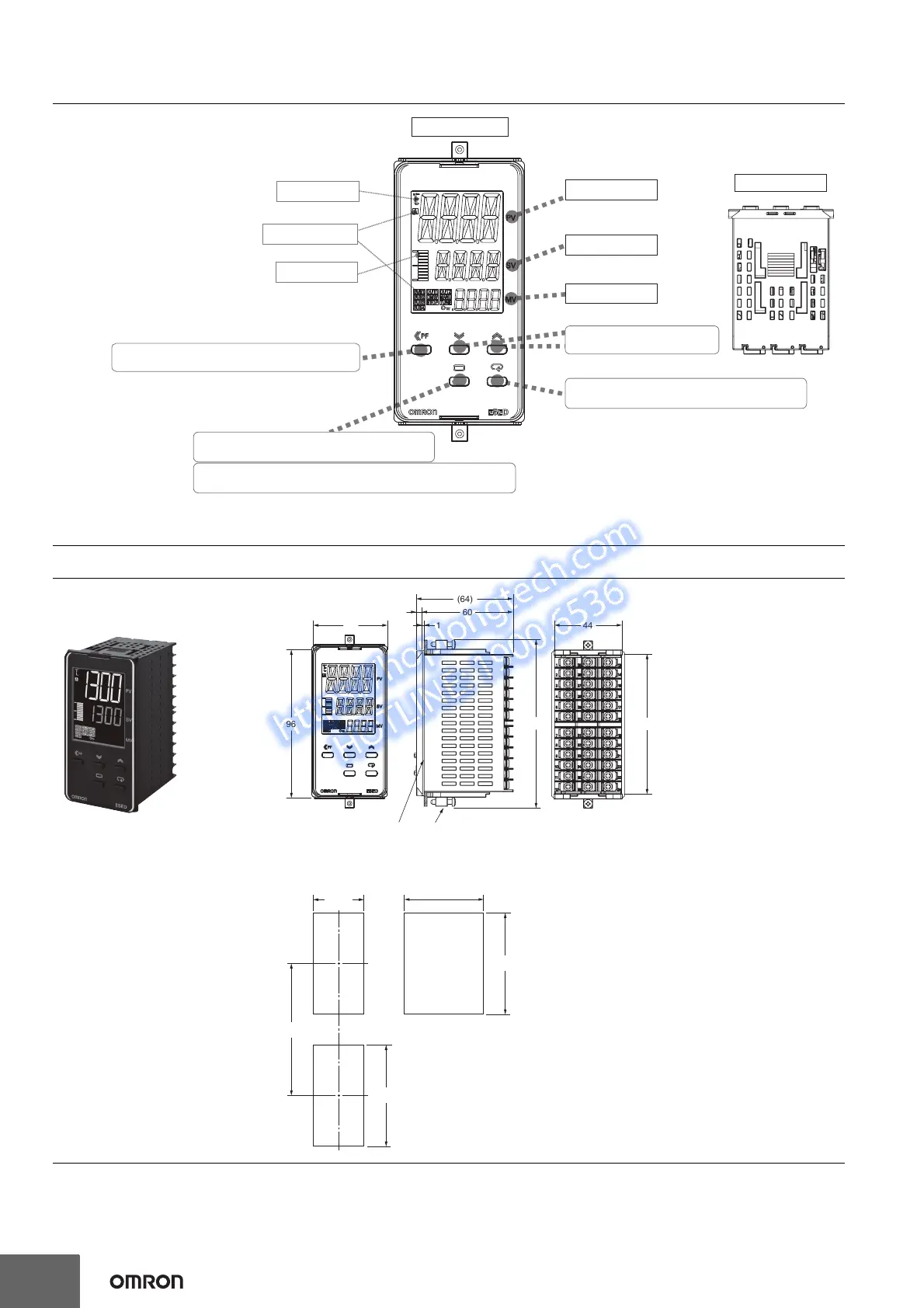
Nomenclature
Dimensions
(Unit: mm)
Controllers
No. 3 display
Manipulated value or other value
Press O Key once to go to Adjustment Level.
Press O Key for at least 3 seconds to go to Initial Setting Level.
Operation indicators
No. 1 display
No. 2 display
Temperature unit
Front panel
PV or specified parameter
SP or specified parameter value
Top View
Use the M Key to change to another parameter.
Use S Key to change the digit (default setting).
Use the U D Keys to set the
parameter.
Bar display
45
+0.6
0
92
+0.8
0
120 min.
(48 × number of units - 2.5)
+1.0
0
Mounted Separately
Group Mounted
92
+0.8
0
Group mounting does not allow
waterproofing.
Mounting Adapter
(Accessory)
Waterproof Packing
(Accessory)
96
110
48
60
(64)
4
44
91
1
E5ED-800
• Recommended panel thickness is 1 to 8 mm.
• Group mounting is not possible in the vertical direction. (Maintain the specified mounting
space between Controllers.)
• To mount the Controller so that it is waterproof, insert the waterproof packing onto the
Controller.
• When two or more Controllers are mounted, make sure that the surrounding temperature
does not exceed the allowable operating temperature specified in the specifications.



 To Next Page