EasyManua.ls Logo

Omron E5CC-T - User Manual

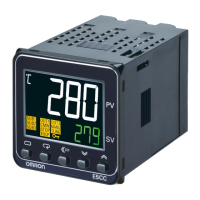
Omron E5CC-T
438 pages
Print Icon
To Next Page IconTo Next Page
Loading...
At the end of this document you will find links to products related to this catalog. You can go directly to our shop by
clicking HERE. HERE

Table of Contents

Other manuals for Omron E5CC-T

Questions and Answers

  • J
    Jonathan FischerAug 18, 2025
    Why is my Omron E5CC-T Temperature Controller overshooting, undershooting, or hunting?
    • T
      trevor08Aug 18, 2025
      If your Omron Temperature Controller is showing overshooting, undershooting or hunting, it could be due to several reasons. First, if ON/OFF control is enabled, select PID control and perform autotuning. Second, if the control period is too long compared to the temperature's rise and fall speed, shorten the control period. Third, unsuitable PID constants can cause this issue; execute AT (autotuning) or manually set appropriate PID constants. Finally, an HS alarm operation fault may be the cause; use breeder resistance if leakage current is the problem and investigate errors detected by the HS alarm function.
  • B
    bryanhurleyAug 23, 2025
    What to do if Omron E5CC-T shows a large temperature error (S.Err)?
    • J
      Jason LawsonAug 23, 2025
      If your Omron Temperature Controller displays a large temperature error or an input error (S.Err), check the sensor type and reset the input type correctly. Also, ensure the thermometer is installed properly, checking its installation location and polarity. Make sure that the connected device is not faulty.
  • J
    John MossAug 26, 2025
    Why is the temperature not rising in my Omron Temperature Controller?
    • B
      Brian BuckleyAug 27, 2025
      If the temperature is not rising on your Omron Temperature Controller, first, ensure that the specified operation (forward or reverse) is suitable for the required control. Check for heater burnout or deterioration and verify the heater's heating capacity is sufficient. Also, check if a cooling system is in operation. Finally, ensure that any peripheral devices with heat prevention are set to a value higher than the set temperature of the Digital Controller.
  • C
    Cheryl BeasleyAug 28, 2025
    Why won't my Omron E5CC-T Temperature Controller operate?
    • S
      Shannon MartinAug 28, 2025
      If your Omron Temperature Controller will not operate, ensure the Run/Reset parameter is set to Run. Check whether the thermometer has burnt out or short-circuited. Ensure thermometer lead wires and power lines are in separate conduits, or wired using a more direct path. The connection between the Digital Controller and thermocouple should use the thermocouple’s lead wires directly, or compensating conductors suitable for the thermocouple. Verify the thermometer's installation location is suitable and set a suitable input shift, or set the input shift value to 0.0 if not required.
  • A
    Alyssa ArmstrongAug 31, 2025
    Why won't the output turn on in my Omron Temperature Controller?
    • S
      steven73Aug 31, 2025
      If the output of your Omron Temperature Controller will not turn ON, ensure the Run/Reset parameter is set to Run. Select either forward or reverse operation depending on the required control. Set a suitable value for the hysteresis. Supply the specified power from the terminals, as the output will not turn ON while the Digital Controller is being operated with power supplied through the USB-Serial Conversion Cable.
  • L
    Lucas HooverSep 2, 2025
    Why is the control unstable on my Omron Temperature Controller?
    • C
      christopher74Sep 2, 2025
      If the control is unstable on your Omron Temperature Controller, retighten terminal screws to a torque of 0.43 to 0.58 N·m. If the internal components have reached the end of their service life, replace the Digital Controller and all other Digital Controllers purchased in the same time period.
  • M
    Maria ParkerSep 4, 2025
    How to unlock Omron E5CC-T keys?
    • U
      umcdonaldSep 5, 2025
      If the keys on your Omron Temperature Controller will not operate, turn OFF setting change protect.
  • J
    Jesus HollowaySep 7, 2025
    Why can't I shift levels on my Omron E5CC-T?
    • T
      Tristan TaylorSep 7, 2025
      If you cannot shift levels on your Omron Temperature Controller, set the operation/adjustment protect, initial setting/communications protect, and setting change protect values as required.
  • J
    jenkinsmarkSep 10, 2025
    Why isn't the SP changing as programmed on my Omron E5CC-T?
    • K
      kendra50Sep 10, 2025
      If the SP (Set Point) does not change as programmed on your Omron Temperature Controller, set Program SP Mode.
  • R
    Ronald ThompsonSep 12, 2025
    Why isn't the segment advancing on my Omron E5CC-T Temperature Controller?
    • J
      jacqueline53Sep 12, 2025
      If the segment does not advance on your Omron Temperature Controller, set the wait band correctly.

Summary

Introduction

Appearance, Features, and Functions of the E5@C-T

Describes the physical appearance, key features, and functions of the E5@C-T controllers.

I;O Configuration and Model Number Legend

Details the input/output configuration and how to interpret model numbers for E5@C-T series.

Preparations

Installation

Covers essential steps for installing the controller, including dimensions and panel cutouts.

Using the Terminals

Explains how to connect sensors, outputs, power supply, and options using the terminal blocks.

Insulation Block Diagrams

Illustrates the electrical insulation between different parts of the controller for safety.

Using the Setup Tool Port

Details how to connect and use the setup tool port for controller configuration via computer.

Part Names and Basic Procedures

Basic Application Flow

Outlines the fundamental workflow for operating the digital controller from power on to starting operation.

Power ON

Describes the procedure and expected displays when the digital controller is powered ON.

Part Names, Part Functions, and Setting Levels

Details the names and functions of the controller's parts and explains the different setting levels.

Procedures after Turning ON the Power Supply

Provides a step-by-step guide for initial setup operations after the power supply is turned ON.

Basic Operation

Moving between Setting Levels

Explains how to navigate through different setting levels like Operation, Initial Setting, and PID Setting.

Initial Setup Examples through Starting Program Operation

Provides practical examples for initial setup using step time and rate of rise programming.

Setting the Input Type

Guides on how to set the input type parameter to match the connected sensor.

Selecting the Temperature Unit

Explains how to select the temperature unit (°C or °F) for display and operation.

Selecting PID Control or ON;OFF Control

Describes how to select between PID and ON/OFF control methods for the controller.

Setting Output Specifications

Details how to set control periods, direct/reverse operation, and assigned output functions.

Setting Programs

Explains how to create and configure programs, including segments, timing, and patterns.

Setting the Fixed SP

Guides on setting a fixed set point (SP) for specific operational purposes like autotuning.

Determining PID Constants (Autotuning and Manual Setting)

Explains how to determine PID constants through autotuning or manual setup.

Alarm Outputs

Describes how to configure alarm outputs, types, and values for process monitoring.

Alarm Hysteresis

Explains how to set alarm hysteresis to stabilize ON/OFF switching and manage standby sequences.

Using Heater Burnout (HB) and Heater Short (HS) Alarms

Details the setup and usage of Heater Burnout (HB) and Heater Short (HS) alarms.

Using ON;OFF Control

Explains how to configure and use ON/OFF control, including hysteresis and set point adjustments.

Customizing the PV;SP Display

Guides on how to customize the Process Value (PV) and Set Point (SP) display contents.

Advanced Operations

Shifting Input Values

Describes how to adjust PV slope coefficient and input shift for sensor input compensation.

Setting Scaling Upper and Lower Limits for Analog Inputs

Explains how to set scaling limits and decimal points for analog inputs.

Executing Heating;Cooling Control

Details how to configure and execute heating/cooling control using outputs and auxiliary assignments.

Using Event Inputs

Explains how to assign functions to event inputs for controlling operation status and parameters.

Setting the SP Upper and Lower Limit Values

Describes how to set the set point limiter to define upper and lower boundaries for the set point.

Using the Key Protect Level

Explains how to use key protect levels to restrict access to parameters and operations.

Hiding Parameters

Details how to hide parameters to simplify configuration or prevent incorrect settings.

OR Output of Alarms

Explains how to use integrated alarms to combine multiple alarm conditions into a single output.

Alarm Delays

Describes how to set ON and OFF delays for alarms to prevent false triggers.

Loop Burnout Alarm (LBA)

Explains how to configure the Loop Burnout Alarm (LBA) to detect control loop failures.

Performing Manual Control

Guides on how to perform manual control of the MV and outputs.

Using the Transfer Output

Details how to use the transfer output function to send PV, SP, or MV data.

Using PID Sets

Explains how to set up and use multiple PID sets for different control scenarios.

Determining PID Constants for PID Sets (Autotuning for All PID Sets)

Describes the process of autotuning all PID sets simultaneously for automatic calculation and setting of PID constants.

Program-related Functions

Covers various program-related functions like advance, hold, wait, links, and time signals.

Output Adjustment Functions

Details functions for adjusting output limits, MV at reset, and MV at PV error.

Using the Extraction of Square Root Parameter

Explains how to use the square root extraction parameter for certain analog inputs like flow meters.

Setting the Width of MV Variation

Guides on setting the MV change rate limit to control the speed of MV variation.

Setting the PF Key

Explains how to assign functions to the PF Key for quick access to operations.

Displaying PV;SV Status

Describes how to configure the PV and SV status displays for different information.

Controlling Valves (Can Be Used with a Position-proportional Model)

Details how to control valves using position-proportional, close, or floating control methods.

Logic Operations

Explains how to use the CX-Thermo software for logic operations and work bit assignments.

Using the CX-Thermo to Set Programs

Guides on using the CX-Thermo software for creating and managing controller programs.

Parameters

Conventions Used in This Section

Explains conventions used for icons, parameter displays, and order of parameters in the section.

Protect Level

Details the four levels of protection: operation/adjustment, initial setting/communications, setting change, and PF Key.

Operation Level

Describes how to perform control operations, run/reset programs, and monitor values.

Program Setting Level

Explains how to set set points, times, rates of rise, and other parameters for each program.

Adjustment Level

Provides access to basic controller parameters for PID and heating/cooling control, including AT execution.

PID Setting Level

Allows setting PID values for each PID set and MV limits.

Monitor;Setting Item Level

Explains how to display monitor/setting items using the PF Key, allowing custom views.

Manual Control Level

Details how to enter manual mode and adjust the Manual MV parameter.

Initial Setting Level

Used to set basic specifications like input type, set point limits, alarm modes, and other operations.

Advanced Function Setting Level

Used for optimizing controller performance, including various advanced settings and functions.

Communications Setting Level

Covers settings for communication protocols, baud rates, data length, and other communication parameters.

User Calibration

User Calibration

Explains the user calibration process for temperature input and analog input, with caveats.

Parameter Structure

Illustrates the hierarchical structure of parameters within the calibration mode.

Thermocouple Calibration

Details the procedure for calibrating thermocouple inputs, including preparations and wiring.

Resistance Thermometer Calibration

Guides on calibrating resistance thermometer inputs using a precision resistance box.

Calibrating Analog Input

Explains the calibration process for current and voltage analog inputs.

Calibrating the Transfer Output

Details the procedure for calibrating the transfer output signal for 4-20mA and 1-5V signals.

Checking Indication Accuracy

Describes how to check the indication accuracy after input calibration for various sensor types.

Appendices

Specifications

Provides detailed specifications for supply voltage, power consumption, sensor inputs, outputs, and more.

Current Transformer (CT)

Details the specifications and dimensions for current transformers (CTs) used with the controller.

USB-Serial Conversion Cable and Conversion Cable

Provides specifications and diagrams for the USB-Serial conversion cables used for PC connection.

Error Displays

Lists common error codes displayed by the controller and suggests actions to take to resolve them.

Troubleshooting

Offers guidance on diagnosing and resolving common problems encountered during controller operation.

Parameter Operation Lists

Lists parameters by level (Operation, Program Setting, Adjustment, PID Setting, Initial Setting, etc.) with their characters, settings, and pages.

Sensor Input Setting Range, Indication Range, Control Range

Details the setting, indication, and control ranges for various sensor input types.

Setting Levels Diagram

Provides a visual diagram illustrating the different setting levels and how to navigate between them.

Parameter Flow

Shows the flow and relationships between parameters across different setting levels.

Omron E5CC-T Specifications

General IconGeneral
ModelE5CC-T
TypeDigital Temperature Controller
Display TypeLCD
Display Digits4
Input TypeThermocouple, RTD, Analog
Alarm OutputYes
Dimensions48 x 48 x 78 mm
MountingPanel Mount
Ambient Operating Temperature0 to 55 °C
Output TypeRelay, Voltage, Current
Power Supply100-240 VAC
Control MethodON/OFF
CommunicationRS-485
Alarm Output Points2
Setting Resolution0.1°C

Related product manuals