EasyManua.ls Logo

Omron E5CC-800 - User Manual

Omron E5CC-800
100 pages
Print Icon
To Next Page IconTo Next Page
Loading...
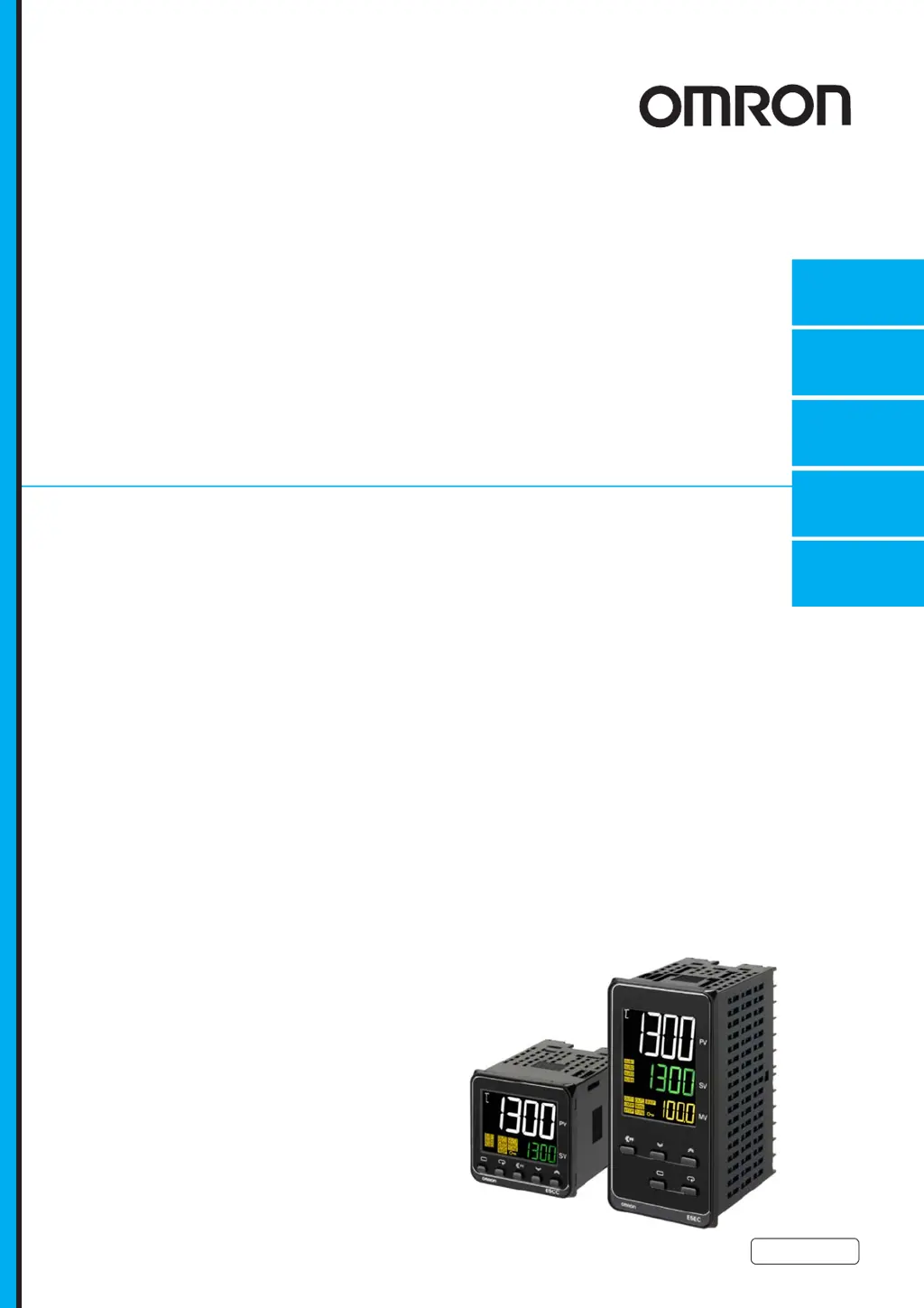
Digital Temperature Controllers
(Simple Type)
User’s Manual
E5CC-800
E5EC-800
H211-E1-02
Preparations
Introduction
Index
Appendices
Part Names and
Basic Procedures
1
2
3
A
I

Other manuals for Omron E5CC-800

Questions and Answers

  • J
    Jesus Barr Jr.Aug 14, 2025
    How to fix a large temperature error or input error (S.Err display) on my Omron E5CC-800?
    • J
      Jessica RamirezAug 14, 2025
      If you're seeing a large temperature error or an input error (S.Err display) on your Omron Temperature Controller, it could be due to: * An input type mismatch. Check the sensor type and reset the input type correctly. * The thermometer not being installed properly. Check the thermometer installation location and polarity and install correctly.
  • C
    christopher39Aug 17, 2025
    What to do if the keys will not operate on my Omron E5CC-800 Temperature Controller?
    • J
      Jessica ScottAug 17, 2025
      If the keys on your Omron Temperature Controller will not operate, it is possible that setting change protect is ON. Turn OFF setting change protect.
  • J
    James AshleyAug 25, 2025
    What to do if the temperature is not rising on my Omron Temperature Controller?
    • J
      Jeremiah LeblancAug 25, 2025
      If the temperature isn't rising on your Omron Temperature Controller, consider these possibilities: * The specified operation may be unsuitable for the required control. Select either forward or reverse operation, depending on what you need. * The heater may be burnt out or deteriorated. Check the heater. * The heater capacity may be insufficient. Check the heater's heating capacity. * A cooling system might be in operation. Check if a cooling system is running. * Peripheral devices might have a heat prevention device operating. Set the heating prevention temperature setting to a value higher than the set temperature of the Digital Controller.
  • L
    Laura RodriguezAug 27, 2025
    Why won't my Omron E5CC-800 operate?
    • S
      Sarah HansenAug 27, 2025
      If your Omron Temperature Controller isn't operating, check the following: * Ensure the RUN/STOP mode is set to RUN. If STOP is lit on the display, control is stopped. * Check if the thermometer has burnt out or short-circuited. * Ensure thermometer lead wires and power lines are in separate conduits, or wired using a more direct path, to avoid noise. * Connect the thermocouple's lead wires directly, or connect a compensating conductor suitable for the thermocouple, instead of using copper wires. * Verify that the installation location of the thermometer is suitable. * Set a suitable input shift. If no input shift is needed, set the input shift value to 0.0.
  • A
    Alexander RodriguezAug 30, 2025
    Why won't the output turn ON on my Omron E5CC-800?
    • L
      Larry MasonAug 30, 2025
      If the output on your Omron Temperature Controller will not turn ON, consider the following: * Ensure the RUN/STOP mode is set to RUN. If STOP is lit on the display, control is stopped. * Select either forward or reverse operation, depending on the required control, as the specified operation may be unsuitable. * Adjust the hysteresis value to a suitable level, as a high hysteresis may be set for ON/OFF operation.
  • S
    Shannon DiazSep 6, 2025
    What causes unstable control in my Omron E5CC-800?
    • B
      buchananjasonSep 6, 2025
      If the control is unstable on your Omron Temperature Controller, it may be due to: * Loose terminal screws. Retighten terminal screws to a torque of 0.43 to 0.58 N·m. * The internal components reaching the end of their service life. Replace the Digital Controller and all other Digital Controllers purchased in the same time period.
  • C
    Carolyn SaundersSep 9, 2025
    Why can't I shift levels on my Omron E5CC-800 Temperature Controller?
    • T
      Tracey LeachSep 9, 2025
      If you cannot shift levels on your Omron Temperature Controller, it may be due to operations being limited due to protection. Set the operation/adjustment protect, initial setting/communications protect, and setting change protect values as required.
  • M
    Michael ThomasNov 19, 2025
    Why is my Omron E5CC-800 Temperature Controller overshooting, undershooting, or hunting?
    • T
      Thomas FordNov 19, 2025
      If your Omron Temperature Controller is experiencing overshooting, undershooting, or hunting, it could be due to several reasons: * If ON/OFF control is enabled, select PID control and execute either ST (self-tuning) or AT (auto-tuning). When using self-tuning, turn ON the power supply to the Digital Controller and load (heater, etc.) at the same time, or turn ON the load power supply first. * If the control period is too long compared to the temperature change speed, shorten the control period, keeping in mind that a cycle of 20 ms minimum is recommended to preserve the service life of the relays. * If the PID constant is unsuitable, set appropriate PID constants by executing AT (autotuning) or manually setting PID constants individually. * If there's an SSR operation fault, use ...

Summary

Introduction

1-1 Appearance, Features, and Functions of the E5 CC;E5 EC

Covers physical appearance, key features, and main functions of the controllers.

1-2 I;O Configuration and Model Number Legend

Explains input/output configurations and how to interpret model numbers.

Preparations

2-1 Installation

Details dimensions, panel cutouts, and mounting procedures for the controllers.

2-2 Using the Terminals

Explains terminal arrangements, wiring examples, and precautions for E5CC and E5EC models.

Part Names and Basic Procedures

3-1 Basic Application Flow

Shows the basic flow for using the digital controller.

3-2 Power ON

Describes the default settings and initial display behavior upon powering on.

3-3 Part Names, Part Functions, and Setting Levels

Details physical parts, functions, and parameter setting levels.

3-4 Procedures after Turning ON the Power Supply

Guides through setting input type, control method, and set points.

Appendices

A-1 Specifications

Lists detailed specifications including ratings and characteristics.

A-3 Error Displays

Explains error codes displayed on the unit and how to resolve them.

A-4 Troubleshooting

Offers solutions for common operational problems and symptoms.

Index

Omron E5CC-800 Specifications

General IconGeneral
CommunicationRS-485 (optional)
Protection RatingIP66 (front panel)
Input TypeThermocouple, RTD, analog input
Output TypeRelay, voltage, current
Supply Voltage100-240 VAC, 24 VAC/VDC
Size48 x 48 mm
Control OutputRelay, voltage, current
Ambient Operating Temperature55 °C
Control MethodON/OFF, 2-PID
Ambient Operating Humidity35 to 85% RH (non-condensing)
MountingPanel mount

Related product manuals