What to do if the SP is being held on my Omron Temperature Controller?
- LlaurabennettSep 15, 2025
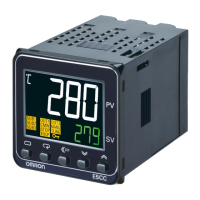
If the SP is being held on your Omron Temperature Controller, check the HOLD indicator. If it is lit, change the Hold parameter to OFF.

What to do if the SP is being held on my Omron Temperature Controller?
If the SP is being held on your Omron Temperature Controller, check the HOLD indicator. If it is lit, change the Hold parameter to OFF.
How to fix communication errors with Omron E5CC-T?
If you are unable to establish communication or are encountering communication errors with your Omron Temperature Controller, there are several potential causes. Ensure the communications wiring is correct and securely connected, and that the cable is not broken or excessively long (the total cable length for RS-485 should be 500 m max). Verify that you are using a shielded, AWG24 to AWG18 twisted-pair cable. If using 1:N communications, ensure no more than 32 nodes are connected, including the host. Confirm that terminating resistance is set at each end of the line. Ensure the Controller is receiving the specified power supply voltage. All devices on the communications line must use the same baud rate, protocol, data length, stop bits, and parity. Check the host device programming with a ...

| Model | E5CC-T |
|---|---|
| Type | Digital Temperature Controller |
| Display Type | LCD |
| Display Digits | 4 |
| Input Type | Thermocouple, RTD, Analog |
| Alarm Output | Yes |
| Dimensions | 48 x 48 x 78 mm |
| Mounting | Panel Mount |
| Ambient Operating Temperature | 0 to 55 °C |
| Output Type | Relay, Voltage, Current |
| Power Supply | 100-240 VAC |
| Control Method | ON/OFF |
| Communication | RS-485 |
| Alarm Output Points | 2 |
| Setting Resolution | 0.1°C |
Describes the physical appearance, key features, and functions of the E5@C-T controllers.
Details the input/output configuration and how to interpret model numbers for E5@C-T series.
Covers essential steps for installing the controller, including dimensions and panel cutouts.
Explains how to connect sensors, outputs, power supply, and options using the terminal blocks.
Illustrates the electrical insulation between different parts of the controller for safety.
Details how to connect and use the setup tool port for controller configuration via computer.
Outlines the fundamental workflow for operating the digital controller from power on to starting operation.
Describes the procedure and expected displays when the digital controller is powered ON.
Details the names and functions of the controller's parts and explains the different setting levels.
Provides a step-by-step guide for initial setup operations after the power supply is turned ON.
Explains how to navigate through different setting levels like Operation, Initial Setting, and PID Setting.
Provides practical examples for initial setup using step time and rate of rise programming.
Guides on how to set the input type parameter to match the connected sensor.
Explains how to select the temperature unit (°C or °F) for display and operation.
Describes how to select between PID and ON/OFF control methods for the controller.
Details how to set control periods, direct/reverse operation, and assigned output functions.
Explains how to create and configure programs, including segments, timing, and patterns.
Guides on setting a fixed set point (SP) for specific operational purposes like autotuning.
Explains how to determine PID constants through autotuning or manual setup.
Describes how to configure alarm outputs, types, and values for process monitoring.
Explains how to set alarm hysteresis to stabilize ON/OFF switching and manage standby sequences.
Details the setup and usage of Heater Burnout (HB) and Heater Short (HS) alarms.
Explains how to configure and use ON/OFF control, including hysteresis and set point adjustments.
Guides on how to customize the Process Value (PV) and Set Point (SP) display contents.
Describes how to adjust PV slope coefficient and input shift for sensor input compensation.
Explains how to set scaling limits and decimal points for analog inputs.
Details how to configure and execute heating/cooling control using outputs and auxiliary assignments.
Explains how to assign functions to event inputs for controlling operation status and parameters.
Describes how to set the set point limiter to define upper and lower boundaries for the set point.
Explains how to use key protect levels to restrict access to parameters and operations.
Details how to hide parameters to simplify configuration or prevent incorrect settings.
Explains how to use integrated alarms to combine multiple alarm conditions into a single output.
Describes how to set ON and OFF delays for alarms to prevent false triggers.
Explains how to configure the Loop Burnout Alarm (LBA) to detect control loop failures.
Guides on how to perform manual control of the MV and outputs.
Details how to use the transfer output function to send PV, SP, or MV data.
Explains how to set up and use multiple PID sets for different control scenarios.
Describes the process of autotuning all PID sets simultaneously for automatic calculation and setting of PID constants.
Covers various program-related functions like advance, hold, wait, links, and time signals.
Details functions for adjusting output limits, MV at reset, and MV at PV error.
Explains how to use the square root extraction parameter for certain analog inputs like flow meters.
Guides on setting the MV change rate limit to control the speed of MV variation.
Explains how to assign functions to the PF Key for quick access to operations.
Describes how to configure the PV and SV status displays for different information.
Details how to control valves using position-proportional, close, or floating control methods.
Explains how to use the CX-Thermo software for logic operations and work bit assignments.
Guides on using the CX-Thermo software for creating and managing controller programs.
Explains conventions used for icons, parameter displays, and order of parameters in the section.
Details the four levels of protection: operation/adjustment, initial setting/communications, setting change, and PF Key.
Describes how to perform control operations, run/reset programs, and monitor values.
Explains how to set set points, times, rates of rise, and other parameters for each program.
Provides access to basic controller parameters for PID and heating/cooling control, including AT execution.
Allows setting PID values for each PID set and MV limits.
Explains how to display monitor/setting items using the PF Key, allowing custom views.
Details how to enter manual mode and adjust the Manual MV parameter.
Used to set basic specifications like input type, set point limits, alarm modes, and other operations.
Used for optimizing controller performance, including various advanced settings and functions.
Covers settings for communication protocols, baud rates, data length, and other communication parameters.
Explains the user calibration process for temperature input and analog input, with caveats.
Illustrates the hierarchical structure of parameters within the calibration mode.
Details the procedure for calibrating thermocouple inputs, including preparations and wiring.
Guides on calibrating resistance thermometer inputs using a precision resistance box.
Explains the calibration process for current and voltage analog inputs.
Details the procedure for calibrating the transfer output signal for 4-20mA and 1-5V signals.
Describes how to check the indication accuracy after input calibration for various sensor types.
Provides detailed specifications for supply voltage, power consumption, sensor inputs, outputs, and more.
Details the specifications and dimensions for current transformers (CTs) used with the controller.
Provides specifications and diagrams for the USB-Serial conversion cables used for PC connection.
Lists common error codes displayed by the controller and suggests actions to take to resolve them.
Offers guidance on diagnosing and resolving common problems encountered during controller operation.
Lists parameters by level (Operation, Program Setting, Adjustment, PID Setting, Initial Setting, etc.) with their characters, settings, and pages.
Details the setting, indication, and control ranges for various sensor input types.
Provides a visual diagram illustrating the different setting levels and how to navigate between them.
Shows the flow and relationships between parameters across different setting levels.