BATTERY REPLACEMENT
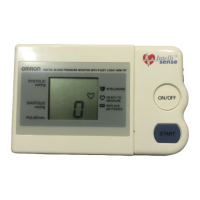
When the Low Battery Indicator appears on the display screen, turn the
monitor off and remove all the batteries. Replace with four new batteries
at the same time.
WARNING
If battery fluid should get in your eyes, immediately rinse with plenty
of clean water. Contact a physician immediately.
NOTES: • Turn the unit off before replacing the batteries. If the batteries
are removed while the unit is still on, the date and time will
be reset to that of the previous use. However, the
measurement results are not deleted.
• When the batteries are replaced, you may need to reset the
date and time. If the year is flashing on the display screen,
refer to “Setting the Date and Time”.
• The supplied batteries may have a shorter life.
CAUTION
Dispose of the device, components and optional accessories
according to applicable local regulations. Unlawful disposal may
cause environmental pollution.
BATTERY INSTALLATION
15
Low Battery Indicator


 To Next Page
 Loading...