EasyManua.ls Logo

Omron HBP-1100 - User Manual

Omron HBP-1100
88 pages
Print Icon
To Next Page IconTo Next Page
Loading...
Thank you for purchasing this OMRON Professional Blood
Pressure Monitor.
Please completely read this Instruction Manual before using the
monitor for the first time.
Read this manual to ensure the safe and accurate use of the
monitor.
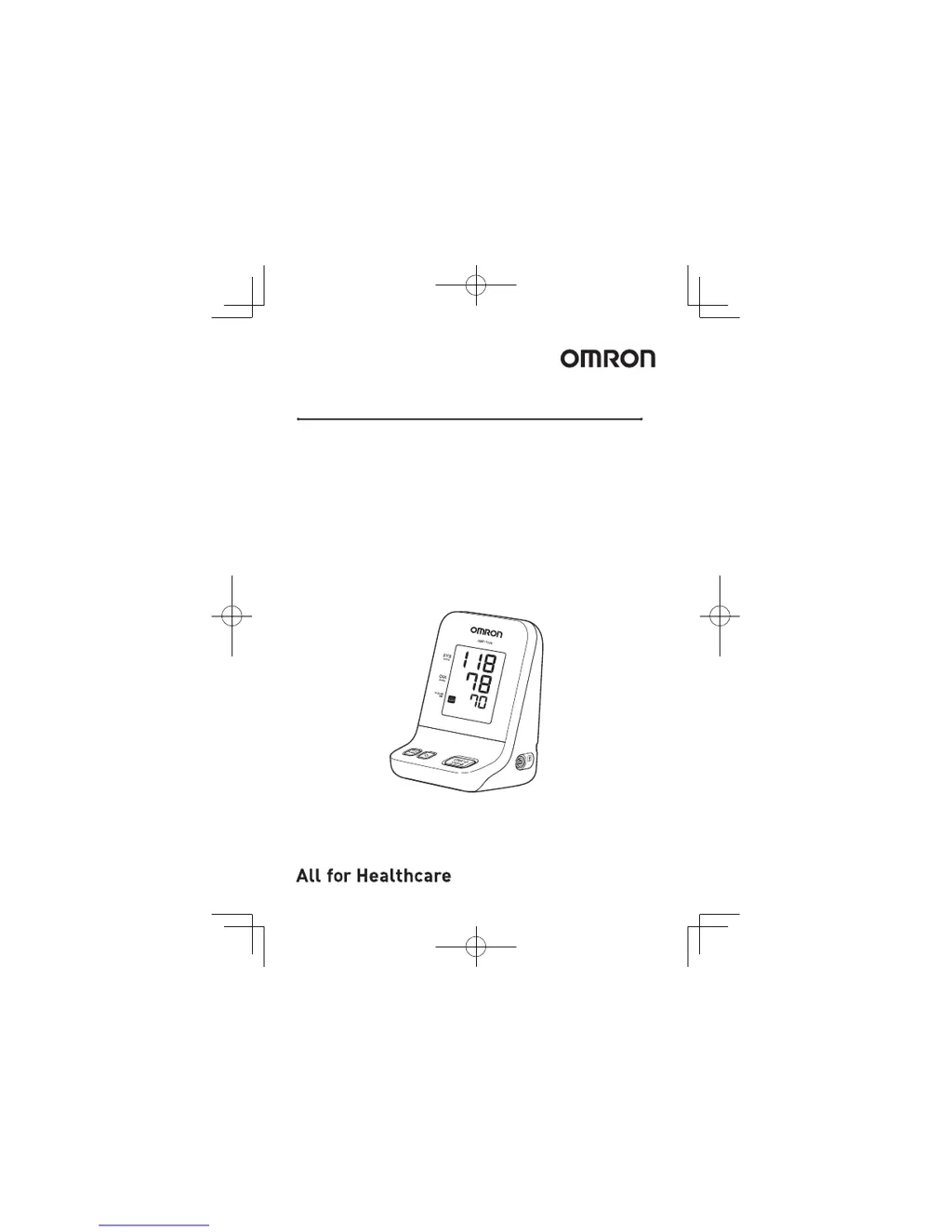
Professional Blood Pressure Monitor
HBP-1100
Instruction Manual
5339134-0 A

Table of Contents

Questions and Answers

  • J
    James DickersonAug 19, 2025
    Why is my Omron HBP-1100 Blood Pressure Monitor measurement value questionable?
    • F
      finleylisaAug 19, 2025
      Questionable measurement values on your Omron Blood Pressure Monitor can arise from several factors. It could be due to a loose cuff connection causing rapid deflation. Using an incorrect cuff size, wrapping the cuff over thick clothing, or improper seating posture (feet not flat on the floor, cuff not at heart level) can also affect readings. Furthermore, recent food or drink intake (caffeinated or alcoholic beverages) or physical exertion within 30 minutes before measurement can lead to inaccurate results. Ensure the cuff is correctly connected and appropriately sized, apply it to a bare arm, sit properly, and avoid eating, drinking, or exercising 30 minutes before taking a measurement.
  • M
    mitchelljoseAug 21, 2025
    What to do if Omron Blood Pressure Monitor cuff does not inflate?
    • J
      josephbrandyAug 21, 2025
      If the cuff on your Omron Blood Pressure Monitor isn't inflating when you press the START/STOP button, there are a few things to check: 1. Ensure the cuff tube is securely connected. 2. Inspect the cuff for any air leaks and replace the cuff if necessary. 3. If pressure is displayed, make sure the cuff tube isn't bent.
  • M
    Michael HoltAug 23, 2025
    How to fix Omron HBP-1100 that does not turn on?
    • B
      Bianca RodriguezAug 23, 2025
      If your Omron Blood Pressure Monitor isn't turning on, the issue might be with the power source. If you're using batteries, make sure they are correctly installed and not depleted; replace them if necessary. If you're using the AC adapter, ensure it's properly connected.
  • P
    pthompsonAug 26, 2025
    Why won't my Omron HBP-1100 Blood Pressure Monitor turn on?
    • R
      Rachel KimAug 26, 2025
      Your Omron Blood Pressure Monitor might not be turning on because the batteries are either not installed correctly or are depleted. Try inserting or replacing them with new batteries. Alternatively, if you're using the AC adapter, ensure it is properly connected. If neither of these solutions work, turn off the unit power, disconnect the AC adapter, remove the batteries, and contact your OMRON retail dealer or distributor.
  • N
    natalie25Aug 28, 2025
    Why is the cuff not inflating on my Omron HBP-1100 Blood Pressure Monitor?
    • G
      Gregory DayAug 28, 2025
      If the cuff on your Omron Blood Pressure Monitor isn't inflating, check the cuff tube connection to ensure it's not loose. Also, inspect the cuff for any air leaks and replace it if necessary. If pressure is displayed, make sure no part of the cuff tube is bent.
  • J
    John JohnsonAug 30, 2025
    What to do if the Omron HBP-1100 display does not operate?
    • S
      Stephen RodriguezAug 30, 2025
      Stop using the unit and contact your local OMRON representative.
  • T
    Tina AndersonSep 2, 2025
    Why does my Omron HBP-1100 get hot?
    • Z
      zsheppardSep 2, 2025
      Your Omron Blood Pressure Monitor might be getting hot because something is blocking its ventilation. Make sure the area around the monitor is clear. If it becomes too hot to touch, turn it off, disconnect the AC adapter, remove the batteries, and contact your local OMRON representative.
  • K
    Kimberly FieldsSep 4, 2025
    What to do if Omron HBP-1100 becomes hot?
    • J
      Julie MendezSep 4, 2025
      If your Omron Blood Pressure Monitor becomes hot, make sure that the area around the unit is free of objects. If this doesn't resolve the issue, turn off the unit, disconnect the AC adapter, remove the batteries, and contact your local OMRON representative.
  • J
    John BaileySep 8, 2025
    Why is my Omron HBP-1100 becoming hot?
    • M
      Michael CampbellSep 9, 2025
      Your Omron Blood Pressure Monitor might be getting hot because something is on top of it or right next to it. Make sure the area around the unit is free of objects. If this doesn't solve the issue, turn off the unit power, disconnect the AC adapter, remove the batteries, and contact your OMRON retail dealer or distributor.
  • T
    Theresa SweeneySep 12, 2025
    What to do if the unit display of Omron HBP-1100 Blood Pressure Monitor does not operate?
    • W
      Wayne JacobsSep 12, 2025
      Stop using the Omron Blood Pressure Monitor and contact your OMRON retail dealer or distributor.

Summary

Introduction

Intended Use

Details the medical purpose, intended user, patient population, and environment for the blood pressure monitor.

Features of the Monitor

Highlights key features like zero indicator, auscultation mode, cuff availability, cleaning, and motion stop function.

Notes on Safety

Safety Symbols

Explains warning and caution symbols used in the manual to ensure safe operation and prevent injury.

General Information and Setup Warnings

Provides general information and critical warnings for setting up and operating the monitor safely.

Using the Monitor

Monitor Components and Accessories

Lists the main unit and standard medical accessories included with the blood pressure monitor.

Monitor Features and Functions

Details the functions of buttons, connectors, and other symbols on the front and bottom of the monitor.

LCD Display Overview

Explains the meaning of each segment and icon displayed on the monitor's LCD screen during operation.

Setup Procedures

Covers installing batteries and connecting the AC adapter for the monitor's power supply.

Cuff Management

Guides on selecting the correct cuff size and connecting it properly to the monitor for accurate measurements.

Applying the Cuff

Provides step-by-step instructions on how to correctly wrap the cuff on the patient's arm for measurement.

Zero Indicator Function

Zero Calibration Process

Explains the monitor's zero calibration process that occurs before each measurement for accuracy.

Non-Invasive Blood Pressure (NIBP) Measurement

Normal Measurement Mode

Details the procedure for performing blood pressure measurement in the standard normal mode.

Auscultation Mode Measurement

Describes how to use the monitor in auscultation mode with a stethoscope for manual BP determination.

Measurement Control

Covers how to stop an ongoing measurement and notes related to auscultation mode functions.

Non-Invasive Pressure Measurement Principles

Oscillometric Method Explanation

Explains the scientific principles behind the oscillometric method used for blood pressure measurement.

Maintenance and Inspection

Safety Management and Monitor Care

Outlines daily checks, maintenance, cleaning, and disinfection procedures for the monitor and accessories.

Supply Management

Advises on managing essential supplies like cuffs and batteries for continuous operation.

Check Before Use

Pre-Operation Checks

Lists essential checks to perform on the monitor, AC adapter, and connections before powering on and after.

Checking Pressure Accuracy

Pressure Verification Procedure

Describes the steps to verify the pressure accuracy of the blood pressure monitor using a standard gauge.

Troubleshooting

Power and Display Issues

Addresses common problems like the monitor not turning on or the display not operating, with solutions.

Inflation and Measurement Errors

Provides solutions for issues like the cuff not inflating or measurements being impossible or abnormal.

Measurement Value Concerns

Discusses potential causes and solutions when measurement values are questionable or inaccurate.

List of Error Codes

System and NIBP Error Codes

Lists system and NIBP error codes (E1, E2, E3, E9, E40, E42) and their corresponding troubleshooting steps.

Disposal Guidelines

Environmental Disposal Procedures

Provides guidance on the proper disposal and recycling of the equipment and batteries according to regulations.

Specifications

Main Unit Specifications

Details the dimensions, weight, display type, safety standards, and protection class of the main monitor unit.

Power Supply and Battery Details

Covers specifications for the AC adapter, dry cell batteries, and environmental operating conditions.

Electromagnetic Compatibility (EMC) Information

EMC General Information

Explains the importance of EMC and precautions for using the device near other electronic equipment.

Manufacturers Declaration and Compliance

Electromagnetic Emissions and Immunity

Declares compliance with EMC standards regarding emissions, immunity, and recommended separation distances.

Optional Accessories

Available Medical Accessories

Lists optional medical accessories available for purchase, such as different cuff sizes and AC adapters.

Omron HBP-1100 Specifications

General IconGeneral
BrandOmron
ModelHBP-1100
CategoryBlood Pressure Monitor
LanguageEnglish

Related product manuals