EasyManua.ls Logo

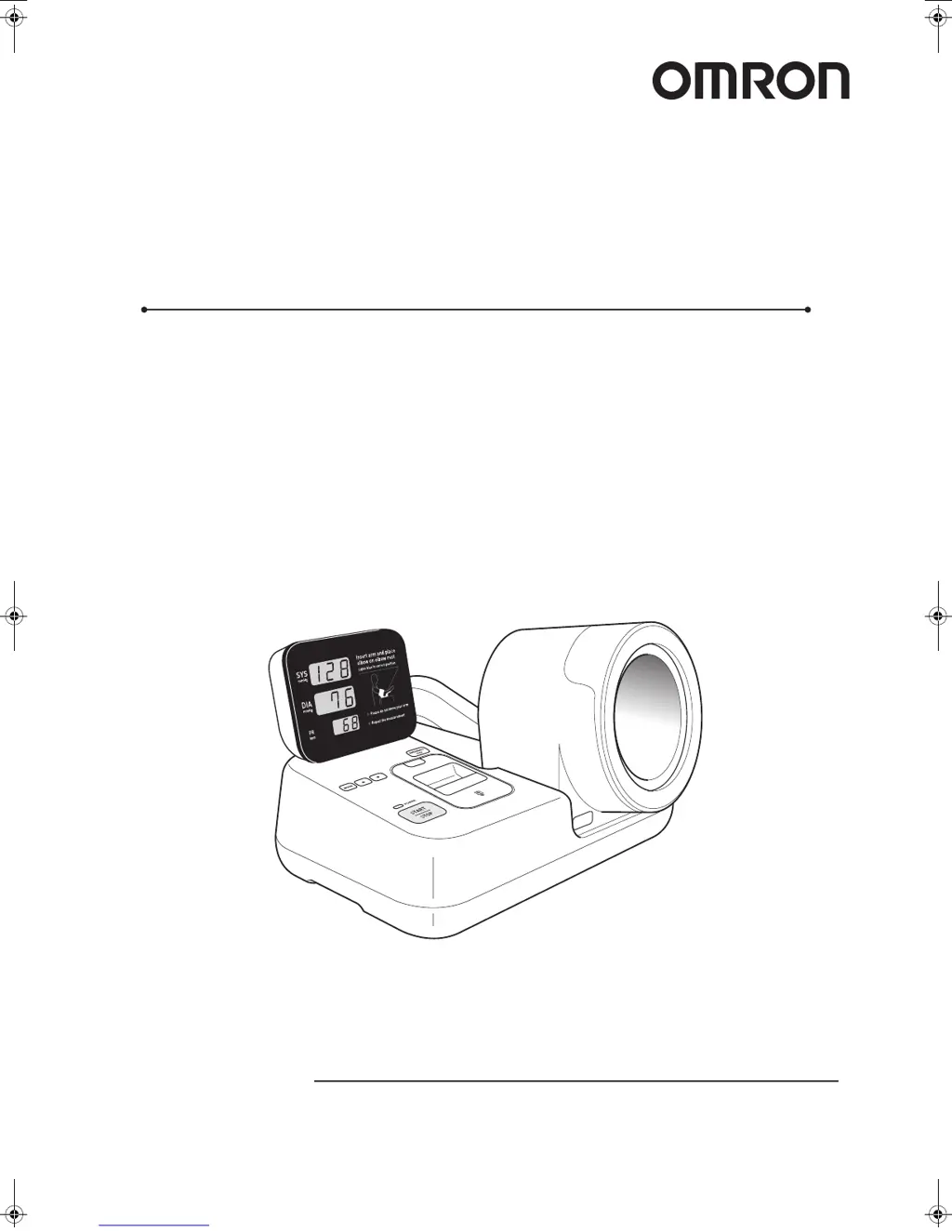
Omron HBP-9020 - User Manual

Omron HBP-9020
40 pages
Print Icon
To Next Page IconTo Next Page
Loading...
Thank you for purchasing the OMRON HBP-9020 unit.
Read all of the instructions in the manual before you operate the unit
and keep the manual near the unit at all times for future reference.
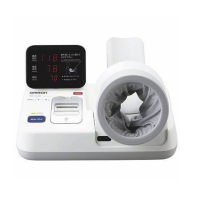
Automatic Blood Pressure Monitor
HBP-9020
Instruction Manual
HBP-9020.fm -1 ページ 2010年7月9日 金曜日 午前8時59分

Questions and Answers

  • D
    David BellJul 31, 2025
    Why does my Omron Blood Pressure Monitor inflate to a very high pressure?
    • W
      Wanda McdonaldJul 31, 2025
      If your Omron Blood Pressure Monitor inflates to an extremely high or low pressure, it might be due to incorrect arm placement. Ensure your elbow is placed on the elbow rest and repeat the measurement. Also, avoid moving your arm or body during inflation. If the issue persists for a specific user, it could be due to irregular pulse waves, in which case you should check the blood pressure by auscultation using a stethoscope.
  • M
    Melinda HowardAug 5, 2025
    Why won't my Omron Blood Pressure Monitor inflate?
    • R
      Robert MosleyAug 5, 2025
      If your Omron Blood Pressure Monitor does not inflate when the START/STOP switch is pressed, it may be displaying the date or time. Press the MODE switch to show the standby display, and then repeat the measurement.
  • S
    Steven RobertsAug 10, 2025
    What to do if Omron HBP-9020 measurement is not completed successfully?
    • D
      Dwayne AndersonAug 10, 2025
      If your Omron Blood Pressure Monitor measurement is not completed successfully or the measured values are abnormal, first consider the user's condition. Ensure the user remains still during measurement. If necessary, check the user by auscultation using a stethoscope. Also, make sure that the desk or chair is at the specified height. Ensure your elbow is placed on the elbow rest and repeat the measurement.
  • J
    Jeffrey BrennanAug 14, 2025
    How to fix printing issues with my Omron HBP-9020 Blood Pressure Monitor?
    • J
      John SanchezAug 14, 2025
      If printing is not possible on your Omron Blood Pressure Monitor, ensure that the [PRINT] switch is set to "ON". Also, check that the paper is loaded in the correct orientation. If the paper is jammed, turn off the power, open the printer cover, press the lock release button to open the paper cover, pull out the paper, and then correctly load the paper.
  • L
    Lauren SnyderAug 19, 2025
    What to do if my Omron HBP-9020 display is blank?
    • P
      Paige Horton MDAug 19, 2025
      If nothing appears on the display of your Omron Blood Pressure Monitor when the power switch is set to ON, ensure the power cord is correctly inserted into the electric outlet. If the issue persists, the fuse may have blown, and you should have the monitor serviced.
  • M
    michael31Aug 25, 2025
    How to turn on the volume for Omron HBP-9020 Blood Pressure Monitor?
    • C
      Christina KnappAug 26, 2025
      If there is no audio voice on your Omron Blood Pressure Monitor, the volume might be set to 0. Adjust the volume in function selection mode.

Summary

Notes on Safety

Safety Icons and Meanings

Explains danger, warning, caution icons and mandatory/forbidden signs.

General Safety Rules

Covers usage in hazardous environments and general warnings.

Power Safety

Details safe handling and use of the power cord and plug.

Cautionary Safety Rules

Outlines cautions for specific user conditions and device usage.

Features of the Product

Components of the Product; Options

Names and Functions of the Components

Main Unit Identification

Identifies and explains controls and indicators on the main unit.

How to Install the Monitor

How to Load Printer Paper

Checking the Unit Before Usage

How to Measure Blood Pressure

Initial Setup and Positioning

Steps for powering on, preparing the user, and arm placement.

Starting and Conducting Measurement

How to initiate measurement, wrap cuff, and monitor process.

Canceling and Emergency Stop

Procedures for stopping or aborting a measurement.

Printing the Measurement Data

List of Error Codes

Unsuccessful Measurement Errors

Codes E0-E3 and their causes/remedial actions.

Equipment and Printer Errors

Codes E9, HU, PE with causes and remedies.

Troubleshooting

Common Problems and Solutions

Addresses issues like no display, no inflation, and abnormal measurements.

Printing and Jammed Paper Issues

Solutions for printing not possible or paper jams.

Omron HBP-9020 Specifications

General IconGeneral
Measurement MethodOscillometric
Accuracy (Pressure)±3 mmHg
Accuracy (Pulse)±5%
InflationAutomatic
DeflationAutomatic
DisplayLCD
Automatic Shut-offYes
Irregular Heartbeat DetectionYes
WHO Hypertension IndicatorYes
Average MeasurementYes
Measurement Range (SYS)0 to 299 mmHg
Measurement Range (DIA)0 to 199 mmHg
Measurement Range (Pulse Rate)40 to 180 beats/min
Power Source4 x AA batteries or AC adapter
Cuff Size22 to 42 cm

Related product manuals