EasyManua.ls Logo

Omron HBP-1300 - User Manual

Omron HBP-1300
40 pages
Print Icon
To Next Page IconTo Next Page
Loading...
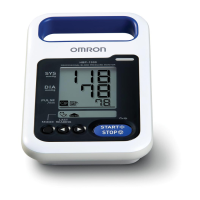
Professional Blood Pressure Monitor
HBP-1300
Instruction Manual
Table of Contents
Introduction
Intended Use.............................................. 1
Exemptions ................................................ 1
Notes on Safety ......................................... 2
Warnings and Cautions.............................. 3
Using the Unit
Components of the Product ..................... 10
Optional Accessories ............................... 10
Features of the Product ............................11
Features / Functions of Unit..................... 12
Installing the Optional Battery Pack......... 14
Connecting the AC Adapter...................... 15
System Settings
Menu Mode .............................................. 16
Utility Mode .............................................. 17
Non-Invasive Blood Pressure (NIBP)
Measurement
Non-Invasive Pressure Measurement Principles .....
18
Cuff Selection and Connection ................ 19
Applying the Cuff to Patient ..................... 20
Taking the Measurement in "Manual Mode" ....
21
Taking the Measurement in "Auscultation Mode" ...
22
Stopping the Measurement...................... 23
Displaying Last Reading .......................... 23
Maintenance
Maintenance Inspection and Safety Management ...
24
Managing Supplies .................................. 24
Device Maintenance ................................ 24
Accessory Care........................................ 24
Check before Use .................................... 25
Troubleshooting ....................................... 26
List of Error Codes ................................... 28
Disposal ................................................... 29
Limited Warranty
...................................... 30
Specifications
Factory Default Settings........................... 31
Specifications........................................... 31
Manufacturer's Declaration ...................... 33
Thank you for purchasing this OMRON Professional
Blood Pressure Monitor.
Please competely read this Instruction Manual before
using the monitor for the first time.
Read this manual to ensure the safe and accurate
use of the monitor.
For Professional Use
KEEP THIS INSTRUCTION MANUAL
NEAR THE BLOOD PRESSURE
MONITOR FOR FUTURE REFERENCE
Caution: Federal (USA) law restricts this device to sale by or on the order of a physician or licensed
healthcare practitioner
HBP-1300.book Page -1 Wednesday, March 7, 2012 9:28 AM

Other manuals for Omron HBP-1300

Questions and Answers

  • D
    David RamirezAug 18, 2025
    How to fix Omron Blood Pressure Monitor when it does not turn on?
    • J
      Julia YangAug 18, 2025
      If your Omron Blood Pressure Monitor isn't turning on, here are a few things to check: * If using battery power, ensure the battery is correctly installed and has sufficient charge. Insert or replace with a new battery. * Verify the AC adapter is properly connected and functional. * If the issue persists, there may be an internal part failure. Disconnect the AC adapter and remove the battery.
  • C
    Charles GarnerAug 20, 2025
    What to do if the cuff doesn't inflate on my Omron HBP-1300 Blood Pressure Monitor?
    • E
      Evan RogersAug 20, 2025
      If the cuff on your Omron Blood Pressure Monitor isn't inflating, consider these potential causes: * Check the cuff tube connection to ensure it's secure. * Inspect the cuff for air leaks; if present, replace the cuff. * If pressure is displayed, verify that the cuff tube isn't bent or kinked.
  • J
    Jeremy KaneAug 22, 2025
    What to do if my Omron Blood Pressure Monitor cuff does not inflate?
    • H
      heatherjohnsonAug 22, 2025
      If the cuff on your Omron Blood Pressure Monitor isn't inflating, consider these possibilities: 1. Check for a loose cuff tube connection and ensure it's properly connected. 2. Inspect the cuff for any air leaks; if present, replace the cuff. 3. If pressure is displayed, ensure the cuff tube isn't bent or kinked.
  • J
    Justin HarveyAug 26, 2025
    Why won't my Omron HBP-1300 Blood Pressure Monitor turn on?
    • W
      whuertaAug 26, 2025
      If your Omron Blood Pressure Monitor isn't turning on, here's what to check: * If using battery power, ensure the battery is correctly installed or replace it with a new one. * A disconnected or loose AC adapter may be the problem. Also, the AC adapter or battery may be defective. * For internal part failure: disconnect the AC adapter, remove the battery, and contact OMRON HEALTHCARE Customer Service.
  • C
    Christopher MillerAug 27, 2025
    Why is my Omron HBP-1300 showing abnormal measurement values?
    • V
      Valerie NelsonAug 28, 2025
      An abnormal measurement value on your Omron Blood Pressure Monitor can be caused by several factors related to the patient. Check the patient by palpation and then repeat measurement if you notice: * Body movement (chills or trembling) * Arrhythmia * Noise in the cuff * Someone touched the patient * Cardiac massage was being performed.
  • K
    Kimberly PadillaSep 2, 2025
    What to do if I get an abnormal measurement value from my Omron Blood Pressure Monitor?
    • C
      Casey GarciaSep 2, 2025
      If you get an abnormal measurement value from your Omron Blood Pressure Monitor: * Check the patient by palpation and then repeat the measurement. * Consider factors like body movement (chills or trembling), arrhythmia, noise in the cuff, a nearby person touching the patient, or cardiac massage being performed.
  • D
    Douglas WatsonSep 4, 2025
    Why is my Omron HBP-1300 running on battery even when plugged in?
    • N
      Nicholas BrooksSep 4, 2025
      If your Omron Blood Pressure Monitor operates on battery even when connected to a power outlet, it indicates that AC power isn't being supplied. Please check the following: 1. Ensure the AC adapter is correctly connected to the unit. 2. Verify that the AC adapter is connected to a working power outlet. 3. Confirm the outlet is functional by testing it with another device.
  • F
    fschmidtSep 6, 2025
    Why does my Omron Blood Pressure Monitor get hot?
    • A
      Alexander NixonSep 6, 2025
      Your Omron Blood Pressure Monitor may become hot due to: * An object obstructing the unit. Keep the area around the unit free of objects. * If the unit becomes too hot to touch, it may indicate a problem. Turn off the power, disconnect the AC adapter, and remove the battery.
  • A
    Ashley HillSep 9, 2025
    What to do if my Omron HBP-1300 Blood Pressure Monitor is connected to a power outlet but runs on battery?
    • W
      wilsonmatthewSep 9, 2025
      If your Omron Blood Pressure Monitor is running on battery even when connected to a power outlet, try the following: * Ensure the AC adapter is properly connected to the unit. * Verify the AC adapter is connected to a working power outlet. * Test the outlet by plugging in a different device to confirm it's functioning correctly.
  • W
    William RodriguezSep 12, 2025
    Why is my Omron HBP-1300 getting hot?
    • H
      hoganemilySep 12, 2025
      If your Omron Blood Pressure Monitor is getting hot: * Ensure that no object is on top of or right next to the unit, obstructing ventilation. * If the unit becomes too hot to touch, turn off the power, disconnect the AC adapter, remove the battery, and contact OMRON HEALTHCARE Customer Service at 1-877-216-1336, as there may be an internal problem.

Summary

Introduction to OMRON HBP-1300

Intended Use and Patient Population

Describes the device's purpose, intended user, patient population, and measurement parameters.

Safety Symbols and General Notes

Understanding Safety Symbols

Explains the meaning of warning and caution symbols used in the manual for safe operation.

Setup Environment Warnings

Critical Setup Warnings

Lists critical warnings related to unit setup, installation locations, and environmental conditions.

Operational Warnings and Cautions

Warnings During Device Operation

Critical warnings regarding device operation, connections, preventing liquid contact, and avoiding noisy equipment.

Cautions Before Patient Measurement

Cautions related to patient conditions, unit inspection, and potential falling scenarios before use.

Battery Pack Safety Guidelines

Optional Battery Pack Warnings

Critical warnings for handling optional rechargeable batteries, including contact with eyes and disposal.

NIBP Measurement Safety

NIBP Cuff Infection Control

Warnings about cuff use on infected patients, sterilization, and connection types.

NIBP Measurement Best Practices

Cautions related to patient positioning, body movement, cuff application, and size.

OMRON HBP-1300 Components

HBP-1300 Key Features

LCD Display Information

Optional Battery Pack Installation

Battery Pack Handling and Features

Covers warnings, cautions, battery life, charging time, low battery indicators, and auto power off.

Battery Charging Status Indicators

System Settings - Menu Mode

System Settings - Utility Mode

NIBP Measurement Technology

Cuff Selection and Connection

Correct Cuff Sizing and Use

Guidance on selecting the correct cuff size based on arm circumference and handling used cuffs.

Applying the NIBP Cuff

Cuff Application Technique Guide

Steps for correctly wrapping the cuff on the patient's arm, aligning the artery mark.

Manual Measurement Procedure

Manual Measurement Steps and Results

Instructions for taking a measurement in manual mode and interpreting results, including error ranges.

Advanced Measurement Functions

Device Maintenance and Care

Pre-Operation Checks

Troubleshooting Common Issues

Power, Display, and Heating Problems

Solutions for issues like the unit not turning on, display not operating, or the unit becoming hot.

Inflation and Measurement Failures

Troubleshooting for cuff inflation failures and situations where measurement was not possible.

Troubleshooting Measurement Accuracy

Factors Affecting BP Readings

Explains causes for abnormal or questionable measurement values, including physiological effects and incorrect use.

Error Code Reference Guide

System and NIBP Error Codes

Lists error codes for System and NIBP, their priority, description, and points to check.

Electromagnetic Interference Guidance

Customer Support Information

Omron HBP-1300 Specifications

General IconGeneral
BrandOmron
ModelHBP-1300
CategoryBlood Pressure Monitor
LanguageEnglish

Related product manuals