EasyManua.ls Logo

Omron HEM-432C - User Manual

Omron HEM-432C
24 pages
Print Icon
To Next Page IconTo Next Page
Loading...
Manual Inflation
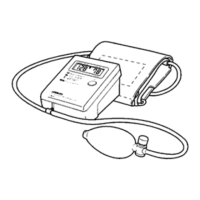
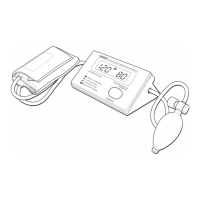
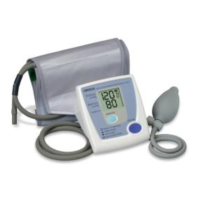
Blood Pressure Monitor
Model HEM-432C
INSTRUCTION MANUAL
ESPAÑOL
ENGLISH
FINAL.HEM-432CN2-IM 2/23/10 10:56 AM Page 1

Other manuals for Omron HEM-432C

Questions and Answers

  • D
    David ElliottJul 31, 2025
    Why are my Omron HEM-432C Blood Pressure Monitor readings too high or low?
    • J
      Jillian DownsJul 31, 2025
      Blood pressure naturally varies due to factors like stress, time of day, and cuff application. Refer to the 'Before Taking a Measurement' and 'Taking a Measurement' sections to ensure proper technique.
  • M
    Matthew PerezAug 14, 2025
    What to do if my Omron Blood Pressure Monitor has no power?
    • H
      Heather JonesAug 14, 2025
      If your Omron Blood Pressure Monitor is not displaying anything, try replacing the batteries or check that the batteries are installed correctly, paying attention to the correct placement of the battery polarities.

Summary

Introduction to Omron HEM-432 C

Save Instruction Manual

Emphasizes the importance of retaining the manual for future reference and guidance.

Important Safety Notes for Operation

Preparation Before Measurement

Know Your Omron Monitor Unit

Understanding the Unit Display

Battery Installation and Replacement

Battery Replacement Procedure

Covers the procedure for battery replacement and the low battery indicator.

Setting Date and Time on Monitor

Applying the Arm Cuff Correctly

How to Take a Blood Pressure Measurement

Using the Monitors Memory Function

Monitor Averaging Function

Describes how the monitor calculates an average reading from the three most recent measurements.

Displaying Average Blood Pressure

Instructions on how to view the calculated average blood pressure reading on the display.

Care and Maintenance of Monitor

Understanding Error Indicators

Troubleshooting Common Problems

Offers practical solutions for common problems encountered during the operation of the monitor.

FCC Compliance Statement

Omron Monitor Warranty Information

Contacting Customer Service

Provides contact information for obtaining warranty service and technical support.

Omron HEM-432 C Specifications

Omron HEM-432C Specifications

Measurement Specifications IconMeasurement Specifications
pressure measurement range0 - 280 mmHg
pulse measurement range40 - 200/minute
pressure accuracy±3 mmHg or 2 % of reading
pulse accuracy±5% of reading
Operating Environment IconOperating Environment
operating temperature50°F to 104°F (10°C to 40°C)
operating humidity30 to 85% RH maximum
storage temperature-4°F to 140°F (-20°C to 60°C)
storage humidity10 to 95% RH maximum
Power IconPower
power source4 “AAA” batteries
battery usageApprox. 300 usages
Weight and Dimensions IconWeight and Dimensions
unit weight1.0 lbs
unit dimensions5.13" x 3.5" x 6.88"
master weight14.25 lbs
master dimensions22" x 11" x 8.25"
monitor weightApproximately 8 oz (225 g)
cuff sizeApproximately 5 1/2" x 18 7/8" (140 mm x 480 mm)
cuff circumference9" to 13" (229 mm x 330 mm)

Related product manuals