12
2. Preparation
Battery Installation
Below connection process (step 4 and 5) can only be completed when
inserting batteries.
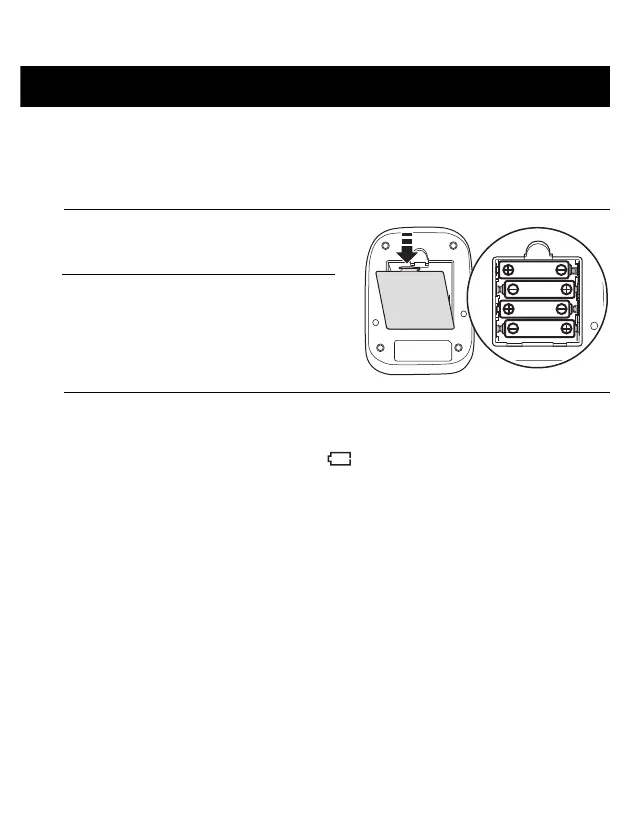
1. Remove the battery cover.
2. Insert 4 “AA” batteries as
indicated, into the battery
compartment.
3. Replace the battery cover.
Notes:
• When the depleted battery symbol “ ” appears on the display, turn the
monitor off and remove all the batteries. Replace with 4 new batteries at the
same time. Long life alkaline batteries are recommended.
• The measurement values continue to be stored in memory even after the
batteries are replaced.
• The supplied batteries may have a shorter life than new batteries.
• Disposal of used batteries should be carried out in accordance with the
national/local regulations for the disposal of batteries.



 To Next Page
 Loading...