22
4. Error Messages and Troubleshooting
4.1 Error Messages
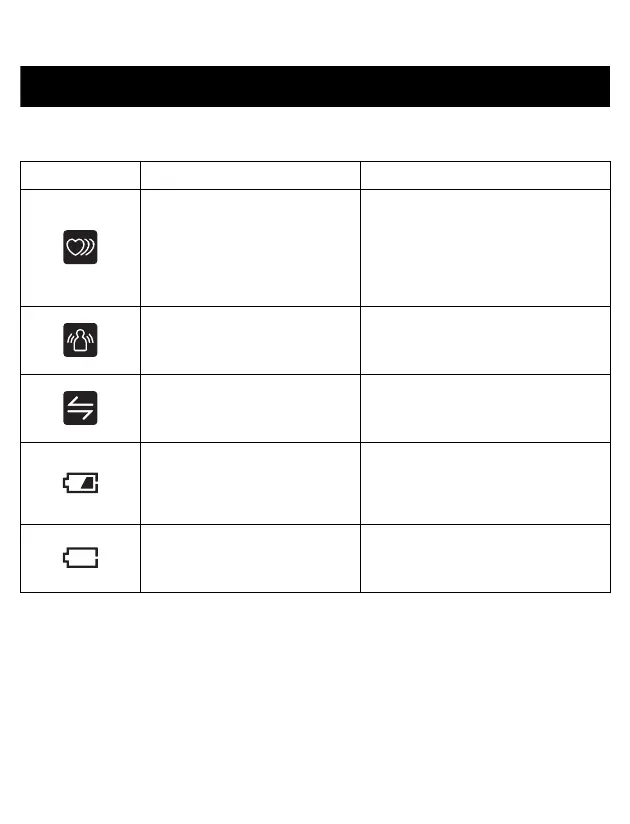
Error Display Cause Solution
Irregular heartbeat is
detected.
Remove the arm cuff. Wait 2 - 3
minutes and then take another
measurement. Repeat the steps
in section 3.3. If this error
continues to appear, contact
your physician.
Movement during
measurement.
Carefully read and repeat the
steps in section 3.3.
Connection failure. /
Data is not being
transmitted.
Refer to “Connection failure. /
Data is not being transmitted.” in
section 4.2.
The batteries are low.
Recommend to replace 4
batteries with new ones at this
time.
Refer to chapter 2.
The batteries are depleted.
Immediately replace the 4
batteries with new ones.
Refer to chapter 2.














 To Next Page