5
MAINTENANCE CONTENTS BEFORE USING INSTRUCTIONS MAINTENANCEContents BEFORE USING InstructIons
INSERTING THE BATTERY
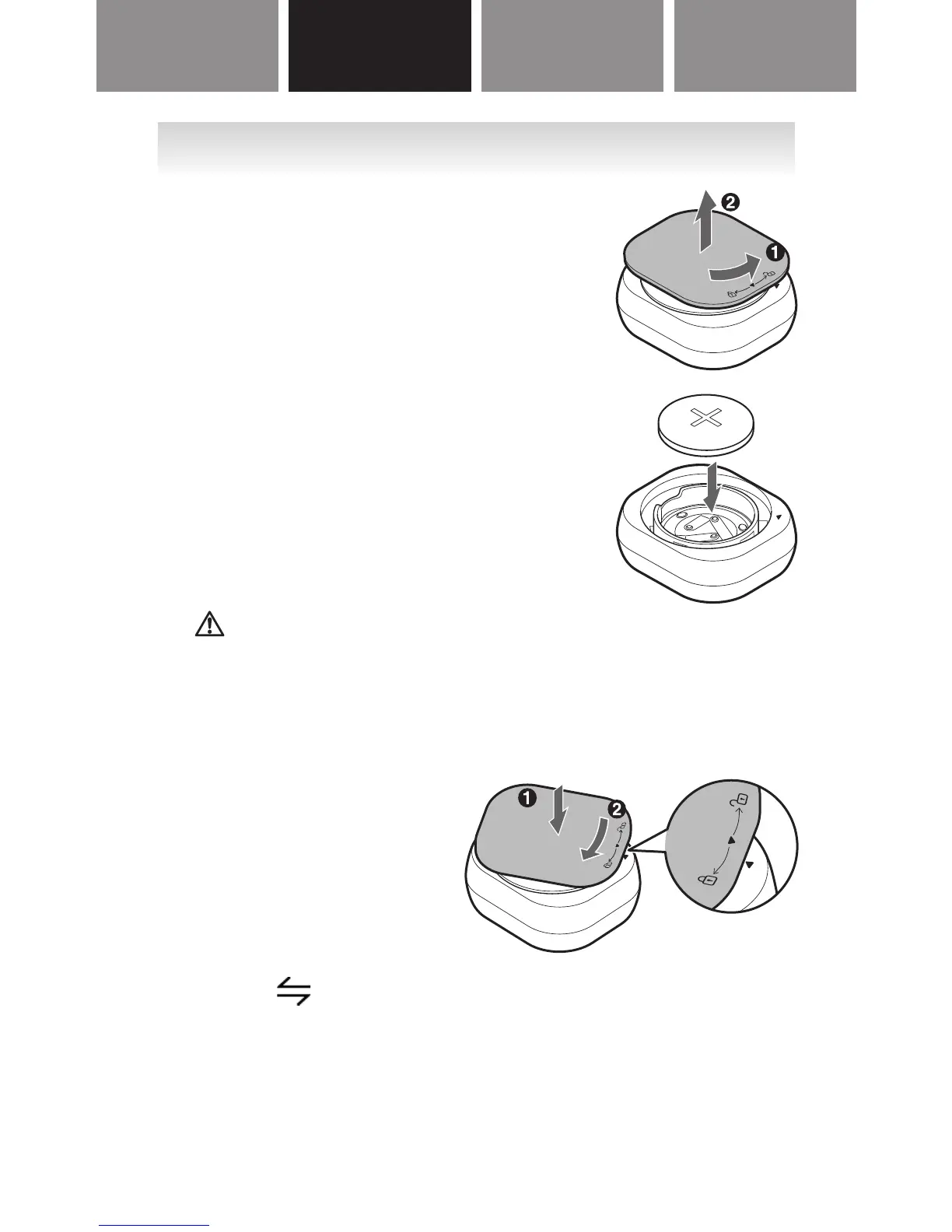
1. Remove the battery cover
from the tracker.
(1) Rotate the battery cover
counter-clockwise.
(2) Lift the battery cover off of
the tracker.
2. Insert the battery (CR2032)
with the positive side (+)
face up.
Caution:
Do not insert the battery with the polarities in
the wrong direction.
3. Replace the battery cover.
(1) Align two
▼
marks
and press the
battery cover down.
(2) Rotate the cover
clockwise.
When is displayed on the tracker’s screen,
proceed to “PAIRING THE TRACKER WITH
SMARTPHONE”.



 To Next Page
 Loading...