28
INSTALLING THE SOFTWARE
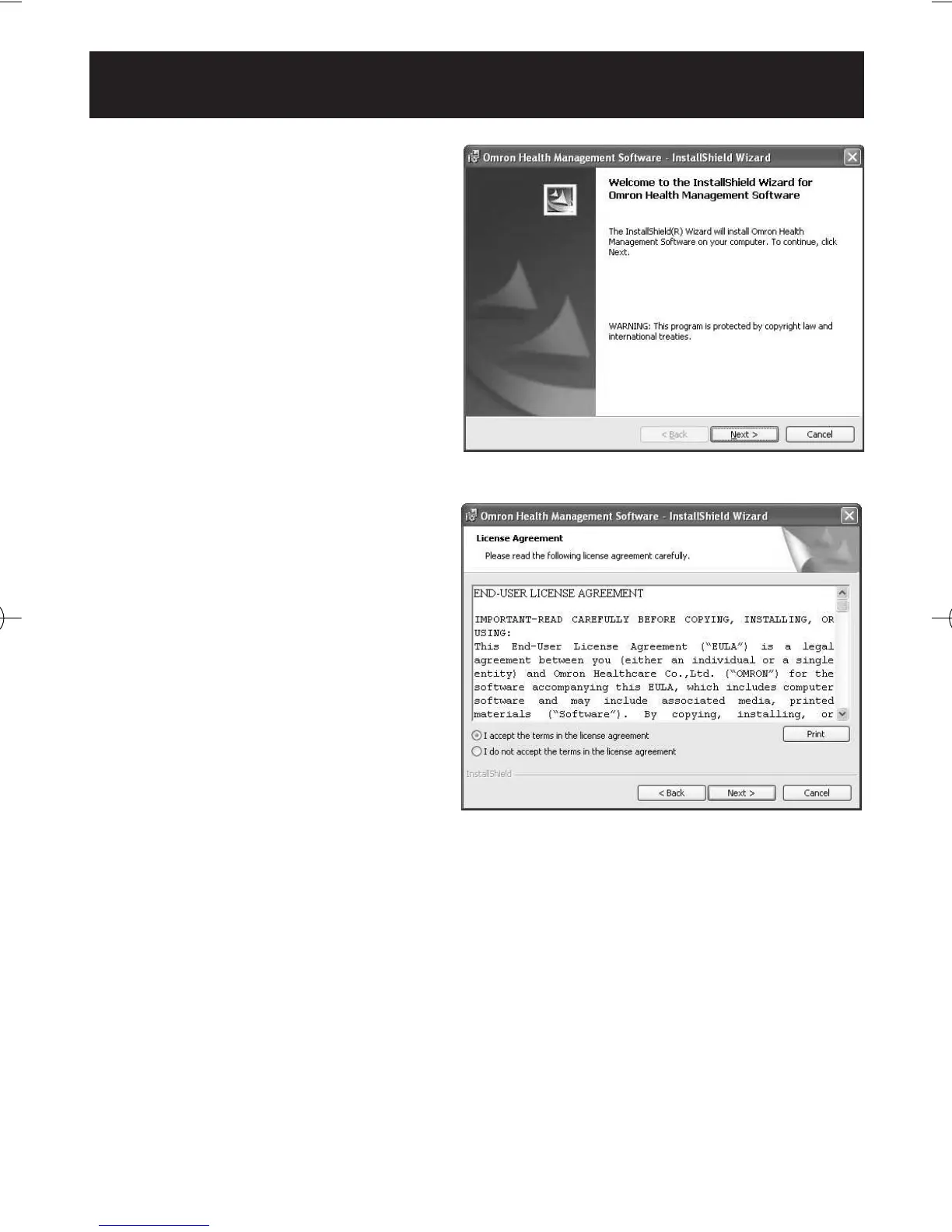
8. The software installation
guide screen of Omron Health
Management Software
appears. Click [Next >] to
continue installation.
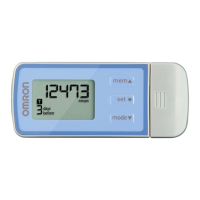
9. The License Agreement of
Omron Health Management
Software appears.
Read the License Agreement
thoroughly and if you agree
with it, select [I accept the
terms....] and click [Next].
NOTE: The program will not
be installed if you
disagree with the
License Agreement.
HJ-720ITC-IM English Final.qxd 1/4/07 3:21 PM Page 28



 To Next Page