29
INSTALLING THE SOFTWARE
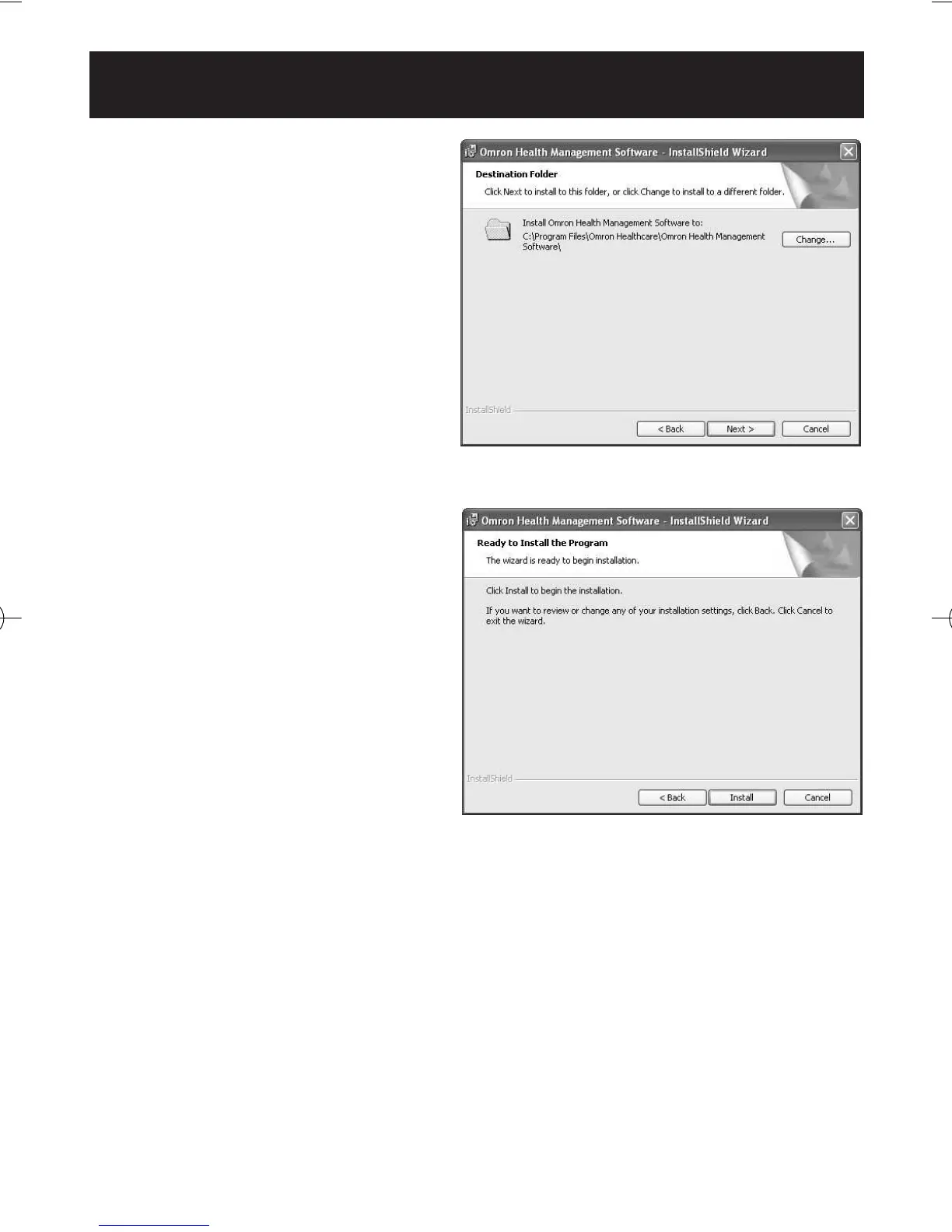
10.The installation folder
selection screen appears.
Check the installation
destination folder, and click
[Next >]. To change the
installation destination, click
[Change...] and select a folder
for installation.
11.The installation confirmation
screen appears. To continue
installation, click [Install].
HJ-720ITC-IM English Final.qxd 1/4/07 3:21 PM Page 29



 To Next Page