30
INSTALLING THE SOFTWARE
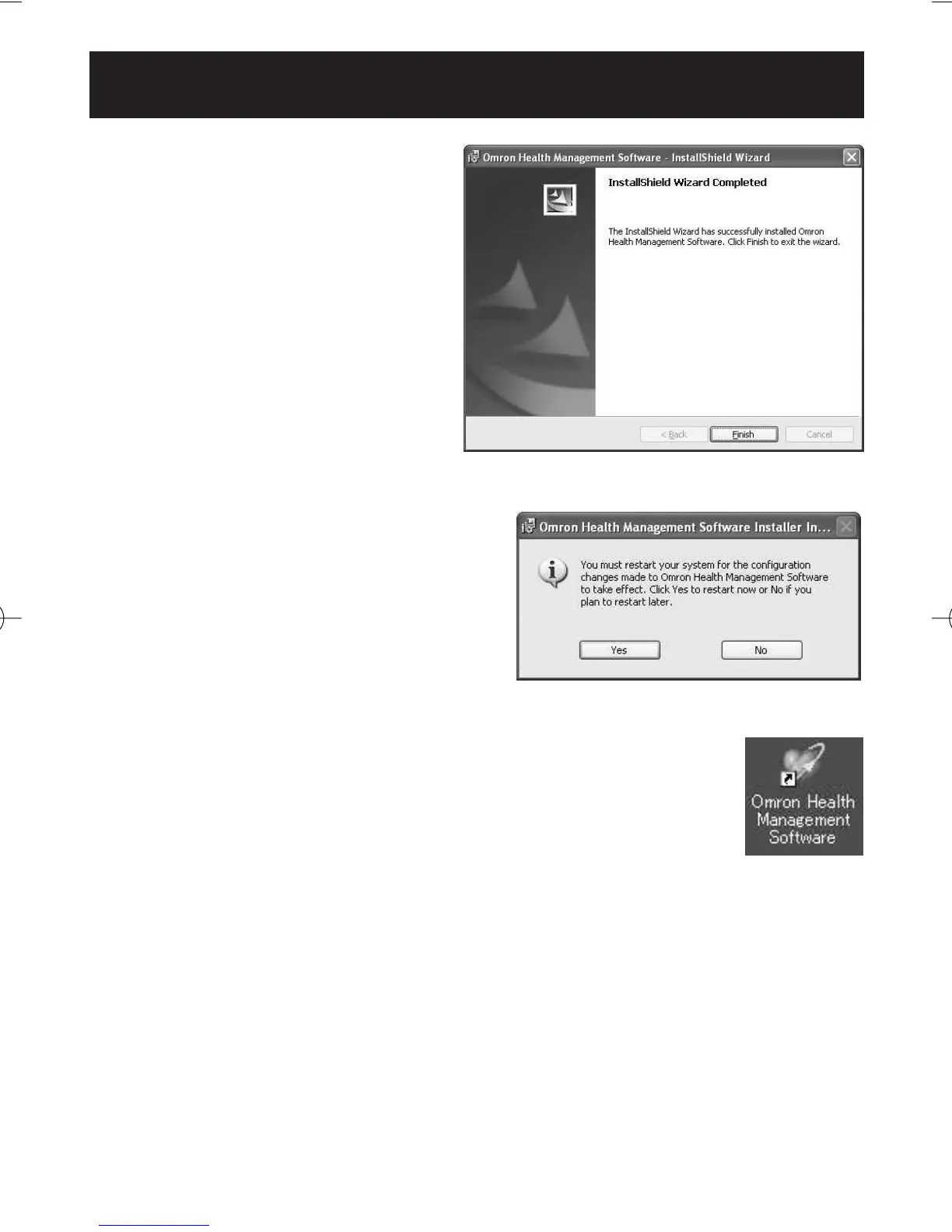
12.The InstallShield Wizard
Completed screen appears.
Click [Finish].
NOTE: This screen below appears
when your PC must be
restarted. Click [Yes] to
restart your PC.
13.The Omron Health Management Software shortcut icon
is created on the desktop.
14.Remove the CD-ROM disc from the CD drive.
15.Enable anti-virus software, if it had been disabled before you
installed this software.
HJ-720ITC-IM English Final.qxd 1/4/07 3:21 PM Page 30



 To Next Page