Oper at o r Pan el V O L UM E T R I C D O SER M AC H I NE – M o d. DV G 5 00R P – OM R O N N B 5 Q 19/24
RECIPE SELECTION
RECIPE means the ensemble of parameters which define the behaviour of
the
machine to obtain or handle a particular kind of product.
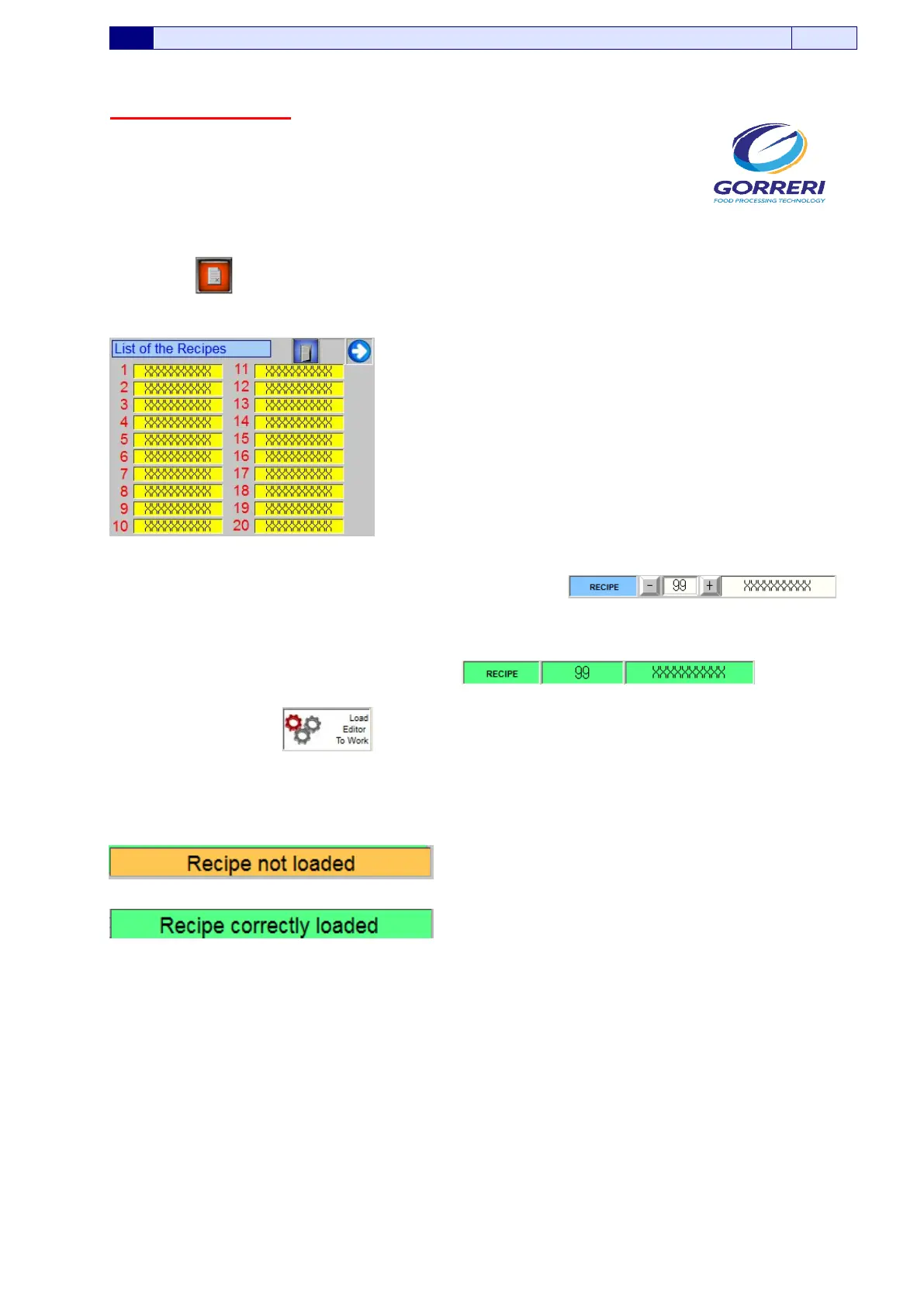
The button allows to display the recipes list
Once the recipe is selected in the field “RECIPES EDITOR ”
It is possible to load it into “ACTUAL RECIPE”
by pressing the button .
The result of this operation is displayed by the messages that appear on the screen:
(another recipe is running)
(the loading has succedeed –it is possile to activate the
machine)
NECCESSARY CONDITIONS IN ORDER TO LOAD THE RECIPE:
1) Selector in “Manual mode”
2) Actual recipe reset






 To Next Page