Oper at o r Pan el V O L UM E T R I C D O SER M AC H I NE – M o d. DV G 5 00R P – OM R O N N B 5 Q 12/24
5.5 MANUAL CONTROLS
In the Manual Controls pages, it is possible to set up and execute the
Machine maintenance.
N.W.: the production selector must be on MAN (Manual) and the cycle stop!
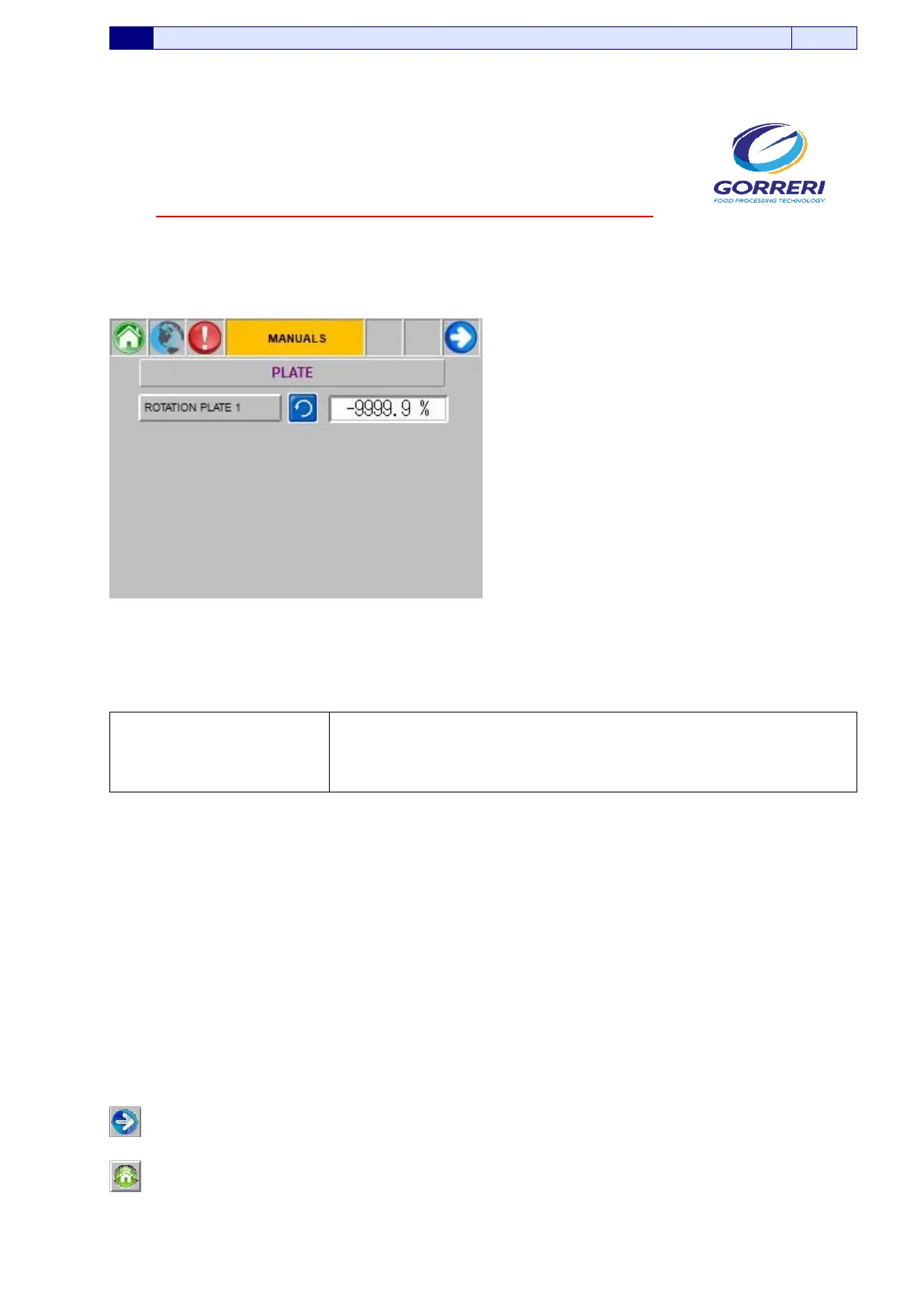
5.5.1 MANUAL CONTROLS – PLATE
Pic. 5.5.1
Information indicated in the Manual Controls – Plate, are carefully explained as follows:
ROTATION PLATE 1
If you press the proper button you activate or deactivate manually
the Rotation Plate 1
In the cell on the side, it is possible to set up its speed (expressed
in percentage)
If you press this button, you go to the following panel
If you press this button, you enter the Main Page Menu.






 To Next Page