EasyManua.ls Logo

Omron R88M-W - User Manual

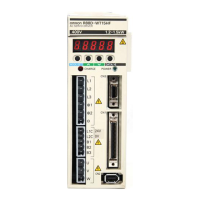
Omron R88M-W
477 pages
Print Icon
To Next Page IconTo Next Page
Loading...
USER’S MANUAL
MODELS R88M-Wj
(AC Servomotors)
MODELS R88D-WTj
(AC Servo Drivers)
AC SERVOMOTORS/SERVO DRIVERS
OMNUC W SERIES
Cat. No. I531-E1-09

Table of Contents

Questions and Answers

  • V
    Vanessa SalazarSep 18, 2025
    What to do if Omron Servo Drives have missing phase detected?
    • A
      Angela CaldwellSep 18, 2025
      If your Omron Servo Drives are showing a missing phase, it means the main circuit power supply is not connected, a main circuit power supply phase is missing, or a wire is burned out. Check the main circuit power supply wiring.
  • L
    lmckinneyAug 26, 2025
    How to fix regeneration error on Omron Servo Drives?
    • X
      xclarkAug 27, 2025
      A regeneration error on Omron Servo Drives could be due to: * An error in the regenerative circuit parts. Replace the Servo Driver. * The External Regeneration Resistor is burned out. Replace the External Regeneration Resistor. * Apart from a short-circuit between B2 and B3, the external circuit resistor is not connected. Correctly connect the external circuit resistor (between B1 and B2).
  • C
    Chelsea CollinsAug 27, 2025
    What to do if Omron Servo Drives show overspeed?
    • L
      Laurie HarrisAug 27, 2025
      If you're encountering an overspeed error with your Omron Servo Drives, consider the following potential causes and solutions: * If the encoder signal between controllers is wired incorrectly, rewire correctly. * If the Servomotor power line is wired incorrectly, rewire correctly. * If the input command values are too large, input command values correctly. * If Pn300 (speed command scale), and Pn202 and Pn203 (electronic gear) settings are too large, set the parameters correctly. * If the speed limit is not performed during torque control, set Pn407 (speed limit). * If the rotation limit has been exceeded due to overshooting, adjust the gain. Lower the maximum specified speed.
  • A
    Alyssa CollierAug 28, 2025
    Why Omron Servo Drives are overheating?
    • J
      Jessica HarrisonAug 28, 2025
      If your Omron Servo Drives are overheating, possible causes include: * Control panel error. Replace the Servo Driver. * Ambient Servo Driver temperature exceeds 55°C. Lower the Servo Driver’s ambient temperature to 55°C or less. * Radiation shield sink air convection is poor. Mount according to mounting conditions. * The fan has stopped. Replace the Servo Driver. * Operating above rated output. Lighten the load.
  • A
    angeladelacruzSep 18, 2025
    Why Omron Servo Drives show motor current error?
    • C
      Charles CampbellSep 18, 2025
      A motor current error in Omron Servo Drives can occur due to: * Servomotor power line is not connected. Correct the wiring. * Servomotor power line is wired incorrectly or the connection is defective. Check the Servomotor power line and correct the wiring. * Servomotor power line is broken or defective, preventing current from flowing correctly to the Servomotor. Check the conduction and resistance value, and replace the power line if it is defective. * Servomotor is defective. Replace the Servomotor. * Servo Driver is defective. Replace the Servo Driver.
  • D
    Douglas SimsNov 24, 2025
    What causes Omron Servo Drives to show overvoltage?
    • K
      Kimberly KhanNov 24, 2025
      An overvoltage error in Omron Servo Drives can occur due to: * Main circuit power supply voltage being outside the tolerance range. Change the main circuit power supply voltage to within the tolerance range. * Load inertia being too great, resulting in a deceleration time that is too long. Calculate the regenerative energy and connect an external Regeneration Resistor with the required regeneration absorption capacity. * Main circuit power supply voltage exceeding the tolerance range. Reduce the main circuit power supply voltage to within the tolerance range. * Gravitational torque being too large during descent (vertical axis). Add a counterbalance to the machinery to lower gravitational torque. Slow the descent speed. Calculate the regenerative energy, and connect and external R...
  • E
    estradajoseSep 10, 2025
    What causes Omron Servo Drives encoder overheating (ABS)?
    • H
      Hannah KimSep 10, 2025
      Encoder overheating (ABS) in Omron Servo Drives can be caused by: * Encoder is defective. Replace the Servomotor. * Ambient Servomotor temperature exceeds 40°C. Lower the ambient temperature to 40°C or less. * Servomotor spring mounting clip is too small. Use a spring mounting clip the same dimensions or greater than those of the radiation shield indicated in the Servomotor efficiency specifications. * Operating above rated output. Lighten the load.
  • M
    Michelle DavisSep 12, 2025
    What to do if Omron Servo Drives have command input reading error?
    • C
      Christina SpencerSep 12, 2025
      If your Omron Servo Drives are showing a command input reading error, it could be due to command input reader misoperation. Reset the alarm, then re-start the operation. If the issue persists, it might be because the command input reader is broken, and you should replace the Servo Driver.
  • S
    Steven MccarthySep 4, 2025
    How to fix Omron Servo Drives main circuit detection error?
    • J
      Jenna HornSep 4, 2025
      If your Omron Servo Drives are showing a main circuit detection error due to main circuit detection data error, replace the Servo Driver.
  • M
    Marie Curtis MDSep 2, 2025
    What causes Omron Servo Drives inrush resistance overload?
    • M
      Marc ThompsonSep 2, 2025
      An inrush resistance overload in Omron Servo Drives can occur if the inrush current when the main circuit power supply is turned ON exceeds inrush resistor tolerance. Reduce the frequency by which the main circuit power supply is turned ON and OFF. If the issue persists, replace the Servo Driver.

Summary

Chapter 1. Introduction

1-1 Features

Overview of the W-series AC Servomotors and Servo Drivers, highlighting key capabilities and benefits.

1-3 Servo Driver Nomenclature

Explains the naming conventions and identifies the parts and connectors of the OMNUC W-series Servo Driver.

Chapter 2. Standard Models and Specifications

2-4 Servo Driver Specifications

Lists general specifications, performance, and terminal block details for OMNUC W-series AC servo drivers.

2-5 Servomotor Specifications

Details general specifications and performance data for OMNUC W-series AC servomotors, including different series and types.

Chapter 3. System Design and Installation

3-1 Installation Conditions

Details environmental conditions, mounting directions, and ambient temperature requirements for servo drivers and servomotors.

Chapter 4. Operation

4-1 Operational Procedure

Outlines the step-by-step procedure for mounting, wiring, preparing, checking, and operating the servo system.

4-2 Preparing for Operation

Details checks before turning on power, terminal block wiring, Servomotor, Encoder, and Control connectors.

4-4 User Parameters

Explains how to set and check user parameters, including parameter tables and changing settings.

4-5 Operation Functions

Details various functions like position control, speed control, torque control, and gain switching for OMNUC W-series AC servo drivers.

Chapter 5. Troubleshooting

5-1 Measures when Trouble Occurs

Provides preventive checks, analysis tools, and troubleshooting steps for common issues.

5-2 Alarms

Lists and explains various alarm codes detected by the Servo Driver, their causes, and countermeasures.

5-3 Troubleshooting

Guides on diagnosing errors using alarm display and troubleshooting based on operating status.

Omron R88M-W Specifications

General IconGeneral
BrandOmron
ModelR88M-W
CategoryServo Drives
LanguageEnglish

Related product manuals