9
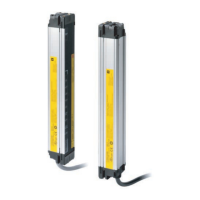
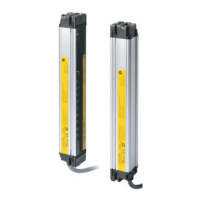
F3SJ-B-02TS
Quick Installation Manual
3. Attach the top/bottom brackets to the case.
4. Fix the unit on the wall.
Wall-mounting screws are not included.
Rotate
Tighten lightly
<Side mounting>
<Backside mounting>
Tighten lightly
Tighten
securely
Hexagon socket head cap screws (M3 x 6)
(Recommended tightening torque: 0.54Nm)
Top/Bottom
Mounting Bracket
Tighten
securely
Hexagon socket head cap screws (M3 x 6)
(Recommended tightening torque: 0.54Nm)
Top/Bottom
Mounting Bracket
Anti-rotation hexagon
socket head cap screw
(M3 x 8)
Loosen
Anti-rotation hexagon
socket head cap screw
(M3 x 8)
Loosen
Wall-mounting screw (M5)
Wall-mounting screw (M5)
Wall-mounting screw (M5)
Wall-mounting screw (M5)
Wall-mounting screw (M5)
Wall-mounting screw (M5)
Tighten
securely
Hexagon socket head cap screw
(M3 x 12)
(Recommended tightening
torque: 0.54Nm)
Hexagon socket head cap screw
(M3 x 12)
(Recommended tightening
torque: 0.54Nm)
Hexagon socket head cap screw
(M3 x 12)
(Recommended tightening
torque: 0.54Nm)
Adjust to the
mounting position
<Side mounting><Backside mounting>
Tighten
securely
Tighten
securely
Tighten the screws to secure
the Intermediate Bracket (3)
and the wall.
Tighten the screws to secure
the Top/Bottom Brackets
and the wall.
Check
position
Step1
Mount
Step2
Align
beams
Step3
Mounting/Beam Alignment
Wiring
Function Selection
Pre-Operation Checklist /
Maintenance Checklists



 To Next Page
 Loading...