1
F3SJ-B-02TS
Quick Installation Manual
Introduction
Thank you for purchasing the F3SJ-BP25-02TS Series Safety Light Curtain (hereinafter referred to
as the "F3SJ-B-02TS").
This document is a brief description from wiring to pre-operation checklists / maintenance checklists of F3SJ-B-02TS.
For details, download and read F3SJ-B-02TS operation manual and user's manual from Omron's website.
https://industrial.omron.us/en/home
Table of Contents
1. What is Included ................................................................................................................................ 1
2. System Components .........................................................................................................................2
3. Light Curtain Setup Flow ...................................................................................................................2
4. Function Selection Flow Chart .......................................................................................................... 3
5.Wiring Examples ................................................................................................................................4
5-1. EDM not used, auto reset mode, external test used, muting function not used, PNP output ...4
5-2. EDM used, auto reset mode, external test used, muting function not used, PNP output .........4
6. Mounting and Beam Alignment .........................................................................................................5
6-1. Mutual Interference Prevention .................................................................................................5
6-2. Distance from Reflective Surfaces ............................................................................................5
6-3. Safety Distance .........................................................................................................................5
6-4. External dimensions to attach the top/bottom brackets (F39-LJB1) and intermediate brackets (F39-LJB2) ... 6
6-5. Mounting and Beam Alignment .................................................................................................8
7. Pre-Operation Checklists / Maintenance Checklists........................................................................11
Suitability for Use/Contact Information ................................................................................................13
1. What is Included
For ratings/specifications, input/output circuit, LED indicator status and troubleshooting, refer to Safety Light Curtain F3SJ-B-
02TS Series User's Manual.
Product Pcs & Details
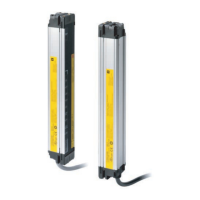
F3SJ-BP25-02TS main unit Emitter x 1, Receiver x 1
*1 Vs here means the voltage value under use environment.
For details, refer to F3SJ-B-02TS series user's manual.
Operation Manual 3
Quick Installation Manual (this document) 1
Functional Settings
Function Setting
External Test Enabled when Vs-3V to Vs*1 applied
External Device
Monitoring (EDM)
Switching between enable/disable is available by wiring
Auxiliary Output
In case of Basic System
Control Output Information (Output Inversion Function:
Enabled)
In case of Muting System
Muting/Override Output Information (external indicator
connected)
Muting
Enabled when muting Key Cap F39-CN10 attached
Override
Enabled when muting Key Cap F39-CN10 attached



 To Next Page
 Loading...