3
EN
4 Know your unit
5 Settings
5.1 Determine your stride length
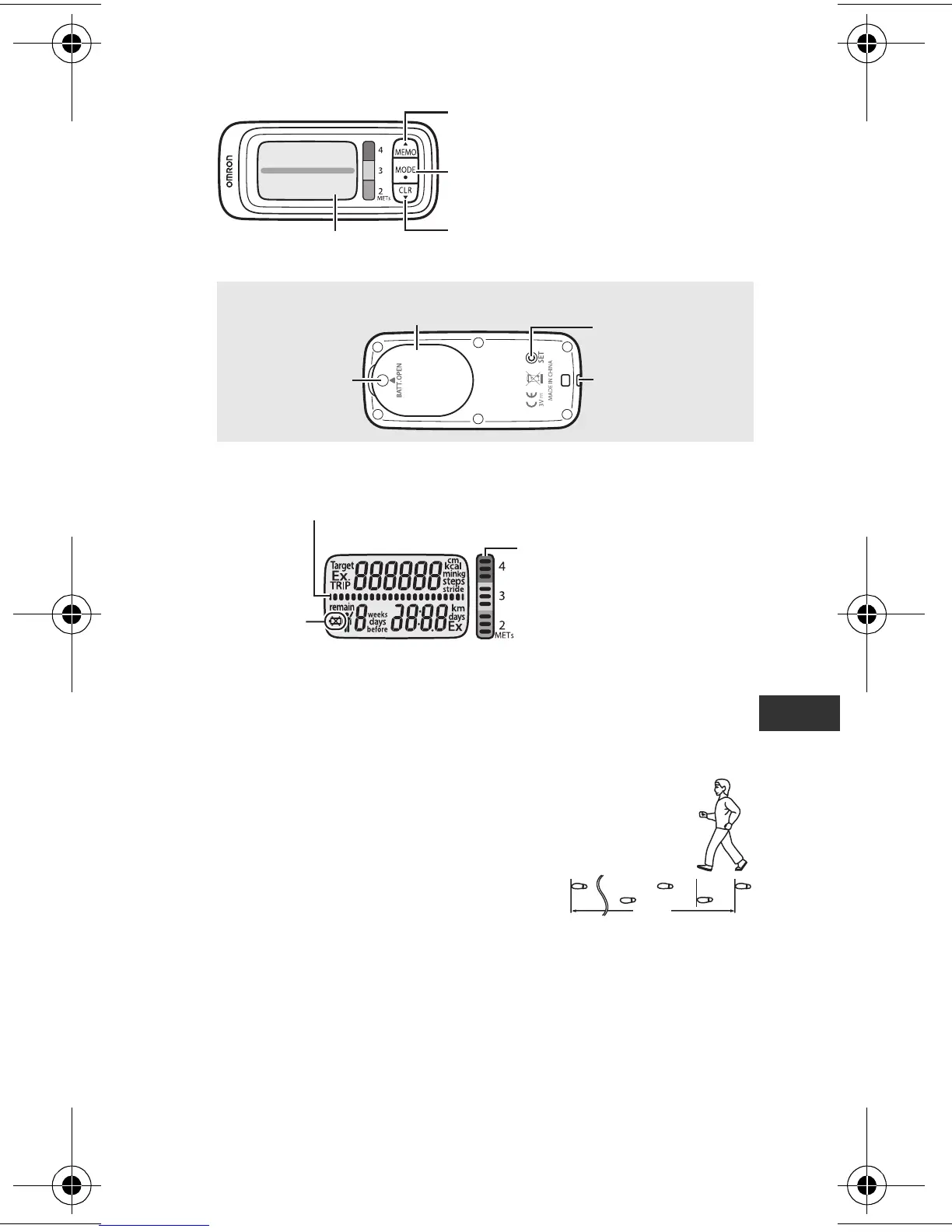
Measure your stride length first for
accurate measurement.
How to measure your stride length?
Correct stride length is from a tip of your
foot to another one. To measure the
correct average stride length, divide the total length of 10
steps you walked by the number of steps (10).
Calculate the stride length as shown in the following formula.
Example: When you walk 5.5 meters, 5.5 m (total length) /
10 (number of steps) = 0.55 m (55 cm)
Strap
attachment
(Back of unit)
Battery cover
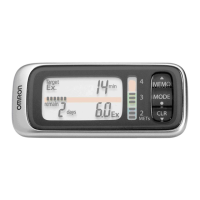
SET button
MEMO (Memory) button
Display
MODE button
CLR (Clear) button
■
Display
Remaining Ex required indicator
(Refer to Chapter 7.2)
Battery low
indicator
Walking intensity (METs)
indicator
(Refer to Chapter 7.2)
Note:
This illustration displays all items.
Battery cover
screw
■
Main Unit
2
10
1
5.5 m
3
HJ-304-E_EN-FR-DE-IT.book Page 3 Tuesday, August 5, 2008 11:46 AM









 To Next Page