
 Need help?
Do you have a question about the One Control Tire Linc and is the answer not in the manual?
Press the Alert Indicator button to power up and check LED status.
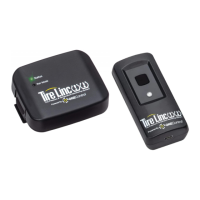
Hold the Repeater's Pair Mode button until its Status LED blinks rapidly.
Release Repeater button, hold indicator button until specific sounds confirm successful link.
Understand LED colors for range, connection, faults, and blink counts for battery status.
Details how tire data is transmitted and how the indicator scans for events.
Explains the indicator's role in sending audio and visual alerts for tire events.
Notes that Repeater's LED indicates conditions and battery status.
Instructions on how to place the Alert Indicator into deep sleep mode.
Provides contact details, website, and app information for assistance.
 General
| Connectivity | Bluetooth |
|---|---|
| Power Source | Battery |
| Function | Monitors tire pressure and temperature |
| Type | Tire Pressure Monitoring System (TPMS) |
| Mobile App | Yes |
| Sensor Type | Tire Pressure Sensor |
| Installation | Easy, DIY |
| Alerts | Real-time notifications for pressure and temperature changes |

 To Next Page