OWNER’S MANUAL
Table of Contents 1
TABLE OF CONTENTS
Introduction . . . . . . . . . . . . . . . . . . . . . . . . . . . . . . . .1
Features and Functions . . . . . . . . . . . . . . . . . . . . . . .2
Key Charts . . . . . . . . . . . . . . . . . . . . . . . . . . . . . . .3
Device Table. . . . . . . . . . . . . . . . . . . . . . . . . . . . . .5
Installing Batteries . . . . . . . . . . . . . . . . . . . . . . . . . . .6
Programming Device Control . . . . . . . . . . . . . . . . . . .6
Programming DVD Player/ VCR Combo . . . . . . . . . . .8
Searching for Your Code. . . . . . . . . . . . . . . . . . . . . . .8
Checking the Codes . . . . . . . . . . . . . . . . . . . . . . . . . .9
Programming Master Power. . . . . . . . . . . . . . . . . . . .9
Programming the POWER Key for Master Power .9
Operating Master Power . . . . . . . . . . . . . . . . . . . .9
Clearing Master Power . . . . . . . . . . . . . . . . . . . .10
Using Keymover. . . . . . . . . . . . . . . . . . . . . . . . . . . . .10
Programming Keymover . . . . . . . . . . . . . . . . . . .10
Restoring Keymoved Keys to Default Settings. . .10
Restoring a Single Keymoved Key . . . . . . . . .10
Restoring All Keymoved Keys in a Single Mode .
11
Re-assigning Device Keys. . . . . . . . . . . . . . . . . . . . .11
Changing Volume Lock . . . . . . . . . . . . . . . . . . . . . . .11
Locking Volume Control to One Mode (Global
Volume Lock) . . . . . . . . . . . . . . . . . . . . . . . . . . . .11
Unlocking Volume Control for a Single Device
(Individual Volume Unlock) . . . . . . . . . . . . . . . . .12
Unlocking All Volume Control (Restoring Default
Setting). . . . . . . . . . . . . . . . . . . . . . . . . . . . . . . . .12
Troubleshooting. . . . . . . . . . . . . . . . . . . . . . . . . . . . .12
About Upgrading . . . . . . . . . . . . . . . . . . . . . . . . . . . .13
Upgrade Exclusions . . . . . . . . . . . . . . . . . . . . . . .14
Customer Support. . . . . . . . . . . . . . . . . . . . . . . . . . .14
Instructions to the User . . . . . . . . . . . . . . . . . . . . . .14
Limited Warranty. . . . . . . . . . . . . . . . . . . . . . . . . . . .14
Additional Information . . . . . . . . . . . . . . . . . . . . . . .15
Manufacturer’s Codes (Códigos del Fabricante) . . .34
Setup Codes for Audio Receivers (Códigos de
Configuración para Receptores de Audio) . . . . .34
Setup Codes for Cable Boxes (Códigos de
Configuración para Cajas/Convertidores de Cable)
34
Setup Codes for CD Players (Códigos de
Configuración para Reproductores de CDs) . . . .35
Setup Codes for DVD Players (Códigos de
Configuración para Reproductores DVD) . . . . . .36
Setup Codes for DVD/VCR Combos (Códigos de
Configuración para Aparatos Combinados DVD/
Videograbadora) . . . . . . . . . . . . . . . . . . . . . . . . .36
Setup Codes for PVR/DVRs (Códigos de
Configuración para PVR/DVRs, Grabadores
Personales en Disco Duro) . . . . . . . . . . . . . . . . .37
Setup Codes for PVR/DVR/Satellite Receivers
Combos (Códigos de Configuración para Aparatos
Combinados PVR/DVR/Receptores de Satélite) . 37
Setup Codes for Satellite Receivers (Códigos de
Configuración para Receptores de Satélite) . . . 37
Setup Codes for TVs (Códigos de Configuración
para Televisores) . . . . . . . . . . . . . . . . . . . . . . . . 38
Setup Codes for TV/DVD Player Combos (Códigos
de Configuración para Aparatos Combinados TV/
DVD) . . . . . . . . . . . . . . . . . . . . . . . . . . . . . . . . . . 40
Setup Codes for TV/VCR Player Combos (Códigos
de Configuración para Aparatos Combinados TV/
VCR) . . . . . . . . . . . . . . . . . . . . . . . . . . . . . . . . . . 40
Setup Codes for VCRs (Códigos de Configuración
para Videograbadoras). . . . . . . . . . . . . . . . . . . . 41
INTRODUCTION
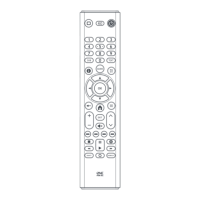
The One For All 6-Device PVR Universal
Remote Control (URC-6131nw) is designed
to remotely operate up to six home
entertainment devices and features intuitive
and easy-to use buttons to operate PVR
(Personal Video Recorder)/DVR (Digital
Video Recorder) and DVD components. Its
sophisticated technology will allow you to
consolidate all of your original home
entertainment remote controls into one
easy-to-use product. Advanced features
include:
• Intuitive buttons to allow easy access
to your PVR/DVR functions and
menus
• Direct code setup for easy device
programming
• Step and Set code setup and Code
Verification for an alternate way to
program devices
• Master Power function for master on/
off control of all of your equipment
with a single keystroke
• Volume Lock to lock volume controls
to one mode or individual modes
PVR 6 Owners Manual.fm Page 1 Monday, December 20, 2004 11:17 AM









 To Next Page