OWNER’S MANUAL
Features and Functions 5
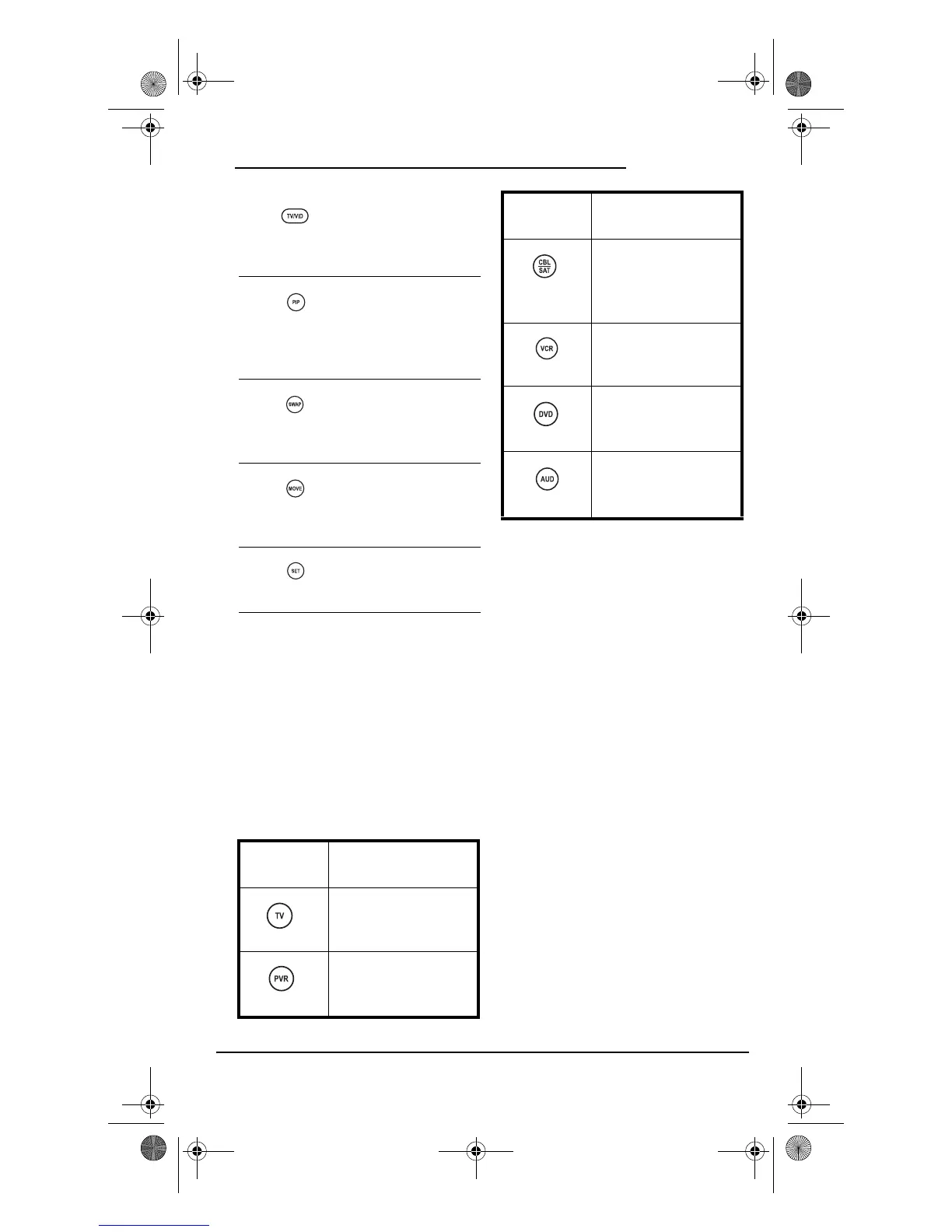
DEVICE TABLE
NOTE: Please refer to the table below when
performing the instructions in
“Programming Device Control” on page 6 or
“Programming DVD Player/ VCR Combo” on
page 8.
After programming, the One For All 6-
Device PVR Universal Remote Control
(URC-6131nw) will be able to control the
following types of devices:
NOTE: Audio Receiver/DVD Player Combos
(i.e.,Home Theater In A Box) are listed in
“Setup Codes for Audio Receivers (Códigos de
Configuración para Receptores de Audio)” on
page 34.
Use TV/VID to switch
the TV’s input to view
TV or video
programs.
Use PIP to switch the
Picture-In-Picture
feature on or off (if
available on your
TV).
Use SWAP to switch
images and sound
between the main
and window pictures.
Use MOVE to move the
window picture to
different positions in
the main picture.
Use SET for all
programming
sequences.
DEVICE KEY CONTROLS THESE
DEVICES
Tel e v isions
PVR/DVRs (Personal
Video Recorders/Digital
Video Recorders)
Cable Boxes (Converters),
Satellite Receivers, or
Satellite/PVR/DVR
Combos
VCRs or TV/VCR
Combos
DVD Player, DVD Player/
VCR Combos, or TV/
DVD Player Combos
Audio Receivers or CD
Players
DEVICE KEY CONTROLS THESE
DEVICES
PVR 6 Owners Manual.fm Page 5 Monday, December 20, 2004 11:17 AM







 To Next Page