EasyManua.ls Logo

One for All PVR 6 - Page 5

One for All PVR 6
45 pages
Print Icon
To Next Page IconTo Next Page
To Previous Page IconTo Previous Page
Loading...
ONE FOR ALL 6-DEVICE PVR UNIVERSAL REMOTE CONTROL
4 Features and Functions
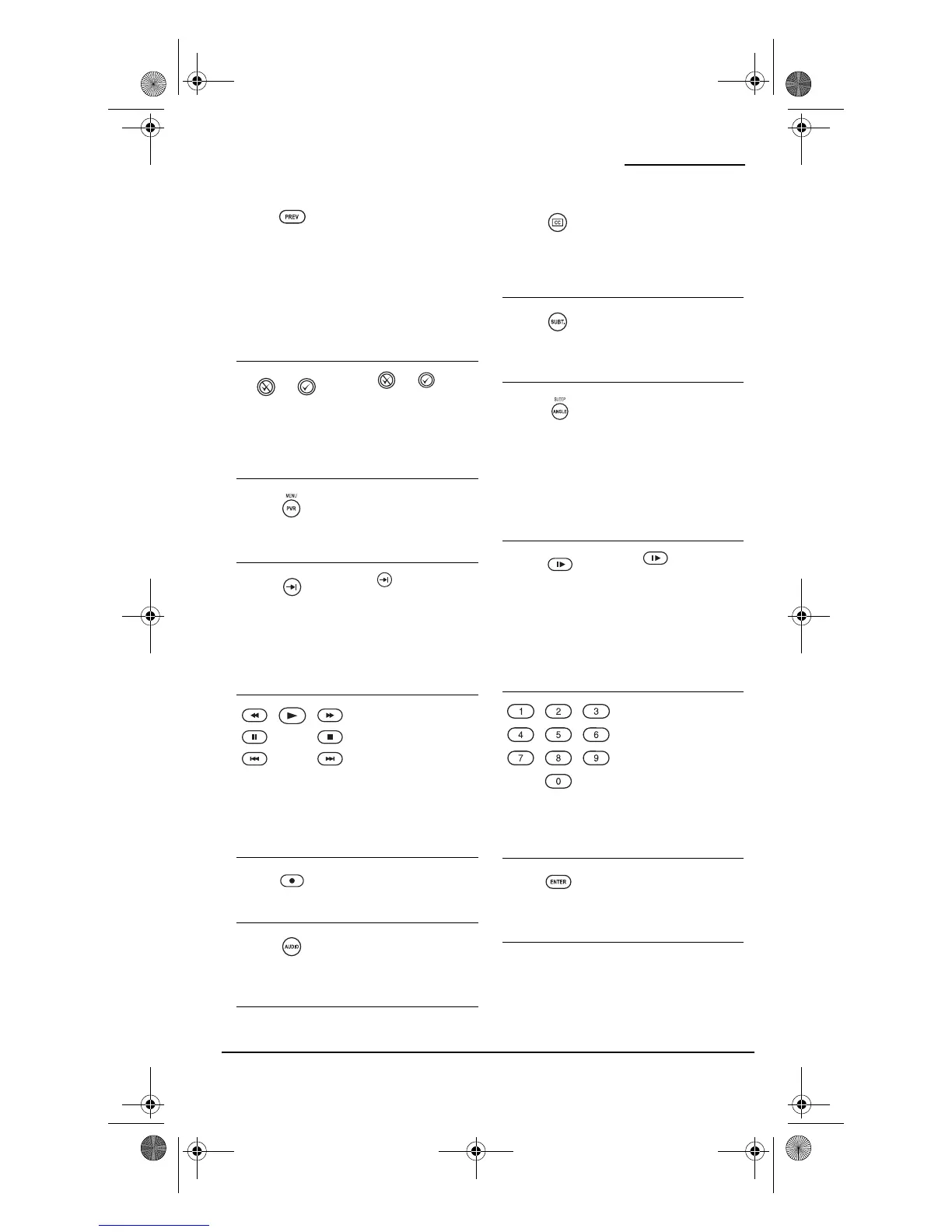
Press PREV once to
recall the last viewed
channel and to page
back one screen on
the main menu.
In the AUD mode, use
PREV to select the
receiver band.
Use or to
perform the Thumbs
Down or Thumbs Up
feature on your Tivo/
PVR/DVR device.
Press PVR MENU once
to turn the PVR/
DVRs main menu on
or off.
Use to command
your PVR/DVR to
skip or advance
through a recorded
program scene or
commercial.
Use the Transport
Keys to control your
VCR, PVR/DVR, DVD
player, or VOD (Video
On Demand) if
available on your
cable or satellite
service.
Press REC twice to
record a PVR/DVR or
VCR program.
Use AUDIO to select
an alternate audio
channel (e.g.,
Spanish).
Use CC to select
closed captions, if
available on your
cable/satellite service
or DVD.
Press SUBT. once to
turn subtitles on or
off, if available.
Use ANGLE/SLEEP to
perform the angle
function on your
DVD player or to set
the sleep timer on a
selected device if
equipped with this
feature.
Use for slow
motion playback on a
VCR, PVR/DVR, or
DVD player equipped
with this feature.
Press PLAY to cancel
slow motion.
Use the keypad (1 ~ 9
and 0) to directly
select channels (e.g.,
009 or 031).
In the AUD mode, use
the keypad (1 ~ 9
and 0) to select audio
sources 1 through 10.
Press ENTER once
after entering the
channel numbers on
some TVs.
PVR 6 Owners Manual.fm Page 4 Monday, December 20, 2004 11:17 AM

Table of Contents

Related product manuals