25
OneScreen
TL6
All your collaboration tools are right here
Sr. Icon Function
6.
7.
This button allows you to change the volume of the OneScreen unit.
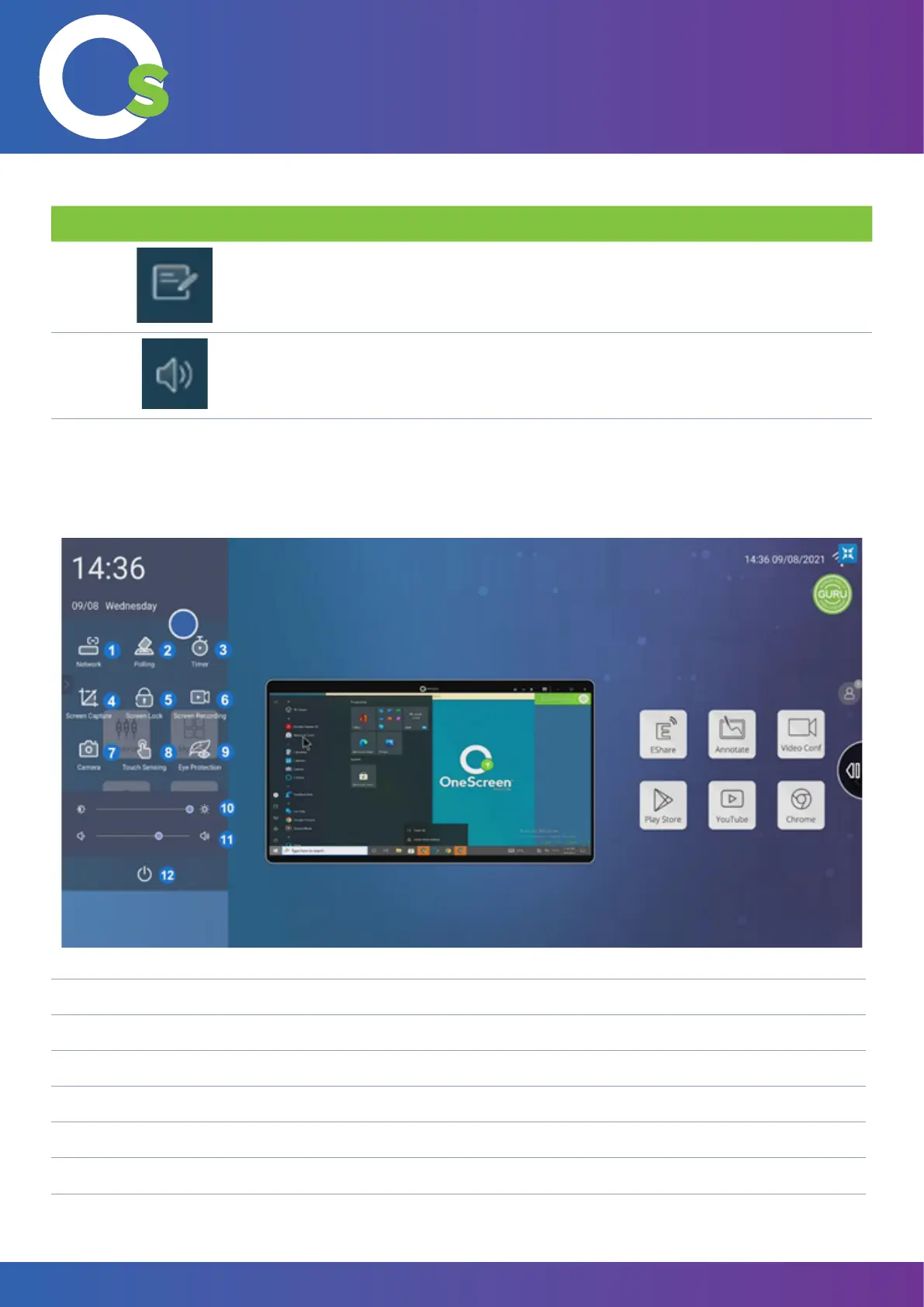
7.2.3 Side Swipe Menu
Swiping on the left/right of the unit, bring the swipe menu bar.
1. Network Settings Shortcut 7. Camera
2. Polling Tool 8. Touch Sensing
3. Timer 9. Eye Protection On/Off
4. Screen Capture/Screenshot 10. Brightness Slider
5. Screen Lock/Unlock 11. Volume Slider
6. Screen Recording 12. Power Off
This button opens up the annotation (OneScreen write) application, and allows you to
Write on any surface on the OneScreen.



 To Next Page