50
Using the timer (remote controller only)
The sleep timer automatically turns off the
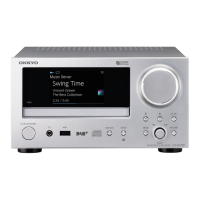
CR-N1 after a specified amount of time.
1 Turn on the CR-N1 and play a CD, radio
station, or other source.
2 Press the SLEEP button repeatedly to set
the required sleep time (the SLEEP indi-
cator appears).
The sleep time can be set from 10 to 90
minutes in 10-minute steps.
After the specified sleep time has elapsed,
the CR-N1 will automatically enter
Standby mode.
You can check the remaining sleep time
by pressing the SLEEP button.
The sleep timer can be turned off by
pressing the SLEEP button repeatedly
until the SLEEP indicator disappears.
Using the sleep timer
SLEEP
MIN
SLEEP



 To Next Page
 Loading...