26
Getting Started
—Continued
The basic playback controls for playing DVD,
CD, Video CD and WMA/MP3/JEPG discs are covered
here.
Playing discs
1
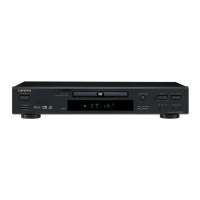
If the player isn’t already on, press
DVD player’s STANDBY/ON or the
remote controller’s ON to switch it
on.
If you’re playing a DVD or Video CD,
also turn on your TV and make sure that
it is set to the correct video input.
2
Press
OPEN/CLOSE to open the
disc tray.
RETURN SETUP
TOP MENU MENU
C
U
R
S
O
R
P
U
S
H
T
O
E
N
T
E
R
ANDBY
ST
OFF
ON
STANDBY/ON
POWER
DISPLAY PLAY MODE
DIMMER CLEAR
STOP
PLAYPAUSE
ON STANDBY
REPEAT
A
-
B
RANDOM
PLAY MODE
DISPLAY
DIMMER
MENU
SETUP
TOP MENU
RETURN
AUDIO
TV CONTROL
TV/VIDEO CHANNEL
ANGLE SUBTITLE ZOOM
CLEAR
OPEN/
CLOSE
ENTER
123
6
789
0
45
STANDBY/ON
ON
OPEN/
CLOSE
PLAY
ANDBY
ST
STANDBY/ON
ON
Remote
controller
OPEN/
CLOSE
Remote
controller
3
Load a disc.
Load a disc with the label side facing up,
using the disc tray guide to align the disc
(if you’re loading a double-sided DVD
disc, load it with the side you want to
play face down).
4
Press
(play) to start playback.
If you’re playing a DVD or Video CD, a
menu may appear. See “DVD-Video disc
menus” on page 28 and “Video CD PBC
menus” on page 28 for more on how to
navigate these.
If you’re playing an WMA/MP3 disc, it
may take a few seconds before playback
starts, depending on the complexity of
the file structure on the disc.
If you loaded a CD/CD-R/RW contain-
ing JPEGs, a slideshow will start. See
“Viewing JPEG discs” on page 40 for
more on playing these discs.
• See also “PhotoViewer” on page 49 if
the disc contains both WMA/MP3
audio files and JPEG picture files (by
default, you will not be able to play the
WMA/MP3 files).
DV-SP501En.book Page 26 Tuesday, May 20, 2003 4:17 PM



 To Next Page
 Loading...