EasyManua.ls Logo

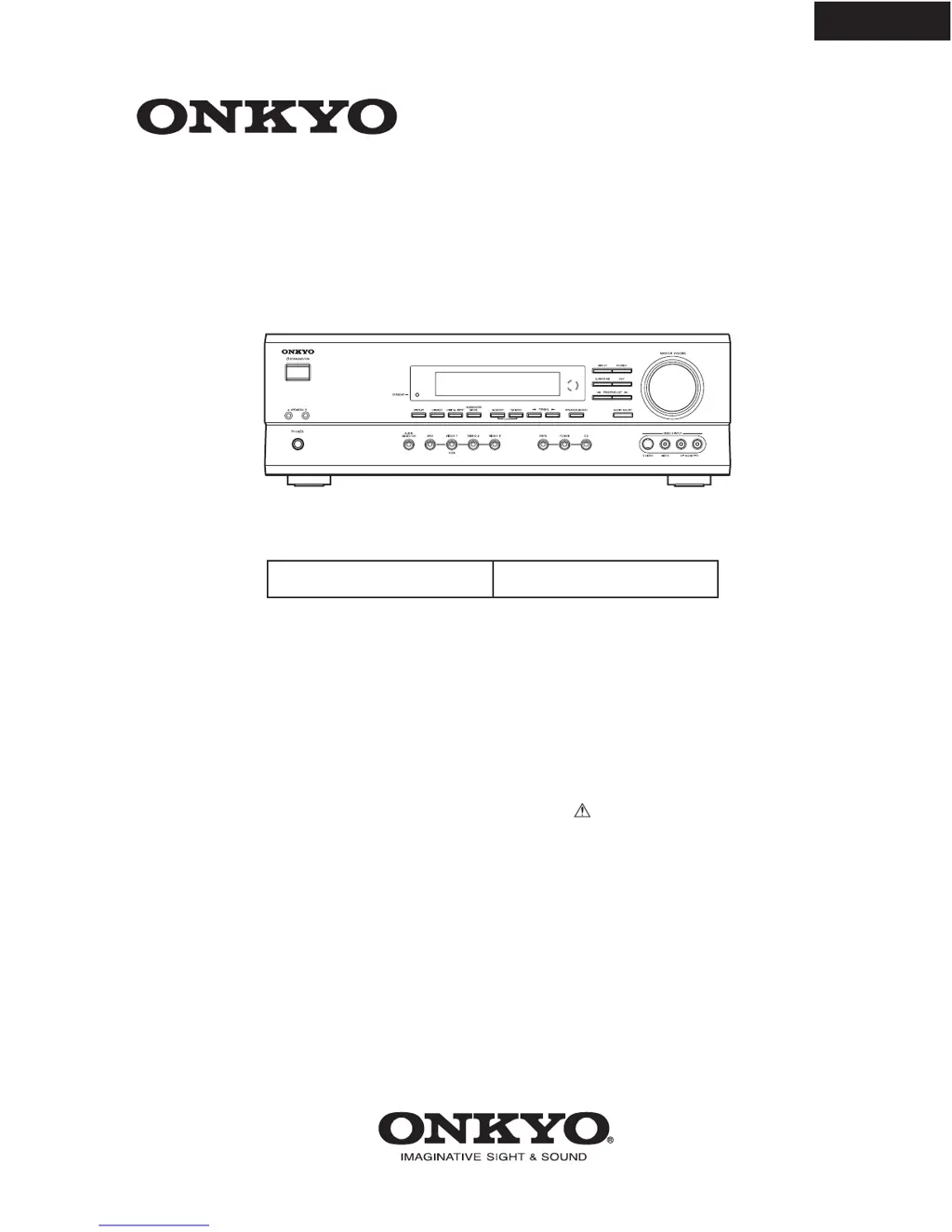
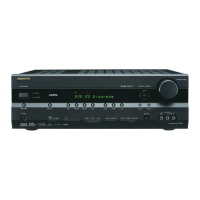
Onkyo HT-R500 - Service Manual

Onkyo HT-R500
40 pages
Print Icon
To Next Page IconTo Next Page
Loading...
HT-R500
SERVICE MANUAL
SERVICE MANUAL
Ref. No. 3728
042002
120V AC, 60Hz
AV RECEIVER
MODEL
HT-R500
Black models
BMDD
SAFETY-RELATED COMPONENT
WARNING!!
COMPONENTS IDENTIFIED BY MARK ON THE
SCHEMATIC DIAGRAM AND IN THE PARTS LIST ARE
CRITICAL FOR RISK OF FIRE AND ELECTRIC SHOCK.
REPLACE THESE COMPONENTS WITH ONKYO
PARTS WHOSE PART NUMBERS APPEAR AS SHOWN
IN THIS MANUAL.
MAKE LEAKAGE-CURRENT OR RESISTANCE
MEASUREMENTS TO DETERMINE THAT EXPOSED
PARTS ARE ACCEPTABLY INSULATED FROM THE
SUPPLY CIRCUIT BEFORE RETURNING THE
APPLIANCE TO THE CUSTOMER.

Other manuals for Onkyo HT-R500

Questions and Answers

  • M
    mollykruegerAug 19, 2025
    How to fix an Onkyo Receiver that doesn’t switch on?
    • P
      pattyhensonAug 19, 2025
      If your Onkyo Receiver doesn't switch on, first check the connection of the power cord to ensure it is properly connected. If the power cord is connected correctly, there may be external noise interfering with the receiver's circuits; try disconnecting the power cord and then reconnecting it.
  • P
    Paul BaileyAug 21, 2025
    What to do if there is no sound reproduced on my Onkyo HT-R500?
    • J
      Jennifer RodriguezAug 21, 2025
      If no sound is being reproduced by your Onkyo Receiver, first ensure that the muting function is deactivated. Check all connections to the AV receiver to make sure they are properly connected. Also, verify that the input selector is set to the correct input source. If headphones are connected, decrease the volume and then disconnect them. Finally, ensure that the input signal format is not set to “PCM”; if it is, change it to “Auto”.
  • D
    Donna SmithAug 25, 2025
    What to do if my Onkyo HT-R500 shuts off immediately after powering on?
    • M
      Mary ParkerAug 25, 2025
      If the power shuts off immediately after powering on your Onkyo Receiver, the amplifier protection circuitry has been activated. Contact your Onkyo Service Center.
  • A
    Andrew WestAug 26, 2025
    Why don't the buttons on my Onkyo Receiver and remote operate?
    • B
      Brittany JonesAug 26, 2025
      If the buttons on your Onkyo Receiver's remote controller and the AV receiver itself are not operating, disconnect the power cord and then reconnect it. Power supply fluctuations or static electricity may interrupt correct operation.
  • E
    Eric SimsAug 28, 2025
    Why do the buttons on my Onkyo AV receiver operate, but the remote doesn't?
    • F
      Francisco StarkAug 28, 2025
      If the buttons on your Onkyo AV receiver operate, but the buttons on the remote controller do not, ensure you press the appropriate mode control button. Check if batteries are inserted in the remote controller, and if so, replace them with new ones. Point the remote controller at the remote sensor of the AV receiver and make sure you are within 16 feet (5 m) of the AV receiver.
  • M
    Mr. Kenneth HooverAug 29, 2025
    Why is there no sound or very low volume from my Onkyo HT-R500 Receiver's subwoofer?
    • S
      sfisherAug 30, 2025
      If you are experiencing no sound or very low volume from the subwoofer on your Onkyo receiver, check the subwoofer mode setting. It may be set to “Off” or an improper setting.
  • M
    mathewhubbardAug 31, 2025
    Why is the sound of the playback source not heard on my Onkyo HT-R500 Receiver?
    • J
      James LaneAug 31, 2025
      If you are not hearing the sound of the playback source on your Onkyo Receiver, select the appropriate input source.
  • A
    Ashley HolmesSep 2, 2025
    Why is there no sound from the center speaker on my Onkyo HT-R500 Receiver?
    • T
      Timothy JosephSep 2, 2025
      If you experience no sound or very little sound from the center speaker of your Onkyo Receiver, check the speaker connections to ensure they are properly connected. Note that no sound is reproduced from the center speaker when the listening mode is “Stereo” or “Orchestra.” Adjust the volume level of the center speaker. Also, check that the selected speaker configuration includes the center speaker.
  • M
    Mark KellySep 4, 2025
    What to do if no picture appears on the TV screen when using my Onkyo Receiver?
    • R
      Ronald Rivera MDSep 5, 2025
      If no picture is appearing on your TV screen when using your Onkyo Receiver, ensure that the TV is set to the AV receiver’s input. Also, check that the video cable is securely connected between the AV receiver and the TV. If you are only using an S video connection, make sure to also establish a video connection and verify both the TV's video input and the AV receiver's output signal.
  • L
    leslie84Sep 6, 2025
    How to reduce hum or low-frequency noise on my Onkyo HT-R500 Receiver?
    • E
      Elizabeth LinSep 6, 2025
      If you are getting a hum or low-frequency noise from your Onkyo receiver, adjust the placement of the audio connection cables on the rear panel to reduce hum.

Summary

Service Manual Introduction

Safety-Related Component Warning

Critical components identified by mark require careful replacement to prevent fire and shock.

Service Procedures

Replacing Fuses

Guidance on replacing fuses with the correct type to maintain fire hazard protection.

Unit Initialization

Procedure to reset the microprocessor and restore factory settings for the unit.

Safety Check Out

Essential safety check for U.S.A. models before returning the unit to the customer.

Component Identification

Exploded View Diagram

Visual representation of the unit's components and their physical layout.

Detailed Parts List

Comprehensive list of all part numbers and descriptions for the unit's components.

System Diagrams

Block Diagram 1: Signal Flow

Diagram illustrating input signals, DSP processing, and output signal paths.

Block Diagram 2: Audio and Power Stages

Schematic overview of audio signal processing, power amplification, and control circuits.

Circuit Schematics

Schematic Diagram 1: Display Section

Detailed circuit schematic for the display and control interface components.

Schematic Diagram 2-1: DSP Section

Circuit diagram detailing the Digital Signal Processing (DSP) functions and components.

Schematic Diagram 2-2: DSP Section Details

Further circuit details for the DSP section, including microprocessors and interfaces.

Schematic Diagram 3: Video Section

Circuit diagram illustrating video input, output, and processing components.

Schematic Diagram 4-1: Power Amplifier Section 1

Circuit diagram for the first part of the power amplifier stage.

Schematic Diagram 4-2: Power Amplifier Section 2

Circuit diagram for the second part of the power amplifier stage.

Schematic Diagram 5-1: Power Amplifier Section 3

Circuit diagram for the third part of the power amplifier stage.

Schematic Diagram 5-2: Power Amplifier Section 4

Circuit diagram for the fourth part of the power amplifier stage.

Power Supply Schematics

Schematic Diagram 6: Power Supply Section

Circuit diagram detailing the power supply unit and its voltage regulation.

Speaker Terminal Schematics

Schematic Diagram 7: Speaker Terminal Section

Circuit diagram for the speaker output terminals and protection circuits.

Wiring Diagrams

Wiring View

Overview of internal wiring connections between various PC boards and components.

Wiring View (Continued)

Additional wiring connections illustrating the integration of different modules.

Printed Circuit Board Layouts

PCB View 1: NADIS-7403 (Soldering Side)

Soldering side layout of the NADIS-7403 Display circuit PC board.

PCB View 1-2: NADIS-7403 & NAETC-7405 (Soldering Side)

Soldering side layout for Display and Headphone boards.

PCB View 2-1: NADG-7401 (Soldering Side)

Soldering side layout of the NADG-7401 DSP circuit PC board.

PCB View 2-2: NADG-7401 (Soldering Side)

Soldering side layout of the NADG-7401 DSP circuit PC board (continued).

PCB View 6: NASW-7404 & NAETC-7406 (Soldering Side)

Soldering side layout for Standby Switch and Front Video PC boards.

PCB View 4-1: NAAF-7417 (Soldering Side)

Soldering side layout of the NAAF-7417 Power amplifier PC board.

PCB View 4-2: NAAF-7417 (Soldering Side)

Soldering side layout of the NAAF-7417 Power amplifier PC board (continued).

PCB View 5-1: NAETC-7412 & NAETC-7410 (Soldering Side)

Soldering side layout for Speaker Terminal and Regulator PC boards.

PCB View 5-2: Multiple Boards (Soldering Side)

Soldering side layout for Primary, Secondary, and Terminal PC boards.

Parts Lists

Parts List 1: NADG-7401 DSP Circuit

Component parts list for the NADG-7401 DSP circuit PC board.

Parts List 1 (Continued): Components

Detailed parts list including transistors, diodes, capacitors, and resistors for various boards.

Parts List 2: Various Boards

Component parts list for Power Amplifier Driver, Headphone, Video, Connector, and Regulator boards.

Parts List 3: Secondary, Speaker, and Power Amplifier

Component parts list for Secondary, Speaker Terminal, and Power Amplifier boards.

Parts List 4: Power Supply and Video Boards

Component parts list for Primary, Thermal Detector, Terminal, and Video Terminal boards.

Microprocessor Diagrams

Main Microprocessor Connection Diagram

Diagram showing connections and I/O functions of the main microprocessor (UPD784225).

Sub-Microprocessor Connection Diagram

Diagram illustrating connections and I/O functions of the sub-microprocessor (UPD70232GC).

Terminal Descriptions

Main Microprocessor Terminal Descriptions

Detailed explanation of each terminal's function and I/O for the main microprocessor.

Sub-Microprocessor Terminal Descriptions

Detailed explanation of each terminal's function and I/O for the sub-microprocessor.

Adjustment and Confirmation Procedures

Idling Current Adjustment

Procedure for adjusting idling current for front, center, and surround channels.

Protection Circuit Confirmation

Testing the operation of speaker relays and DC detection circuit for protection.

Current Detection Circuit Confirmation

Procedure to confirm current detection by testing speaker relay and protect indicator.

Voltage Sensor Confirmation

Testing the voltage sensor by applying signals and checking FM STEREO light.

Packing Procedures

Assembly and Packing Instructions

Step-by-step guide for assembling and packing the unit for shipment.

Onkyo HT-R500 Specifications

Amplifier Section IconAmplifier Section
continuous average power output (FTC)100 watts per channel at 8 ohms
dynamic power output at 3 ohms230 watts × 2
dynamic power output at 4 ohms170 watts × 2
dynamic power output at 8 ohms115 watts × 2
total harmonic distortion0.08% at rated power
damping factor60 at 8 ohms
Input and Output Impedance IconInput and Output Impedance
digital input (optical 1, 2)0.5 Vp-p, 75 ohms
digital input (coaxial)0.5 Vp-p, 75 ohms
line (CD, VIDEO 1, 2, 3, TAPE)200 mV, 50 kohms
multichannel input (DVD FRONT L/C/R, SURR L/R)200 mV, 50 kohms
subwoofer input36 mV, 50 kohms
rec out (TAPE, VIDEO 1)200 mV, 470 ohms
pre out (subwoofer)1 V, 470 ohms
Tuner Section IconTuner Section
FM tuning range87.5-108.0 MHz
FM usable sensitivity (mono)11.2 dBf, 1.0 µV (75 ohms, IHF)
FM usable sensitivity (stereo)17.2 dBf, 2.0 µV (75 ohms, IHF)
FM signal-to-noise ratio (mono)76 dB, IHF
FM signal-to-noise ratio (stereo)70 dB, IHF
AM tuning range530-1, 710 kHz
AM usable sensitivity30 µV
AM signal-to-noise ratio40 dB
General IconGeneral
power supplyAC 120 V, 60 Hz
power consumption5.5 A
dimensions (W × H × D)17-1/8” × 5-7/8” × 14-13/16”
dimensions in mm (W × H × D)435 × 150 × 376 mm
weight21.4 lbs.
weight in kg9.7 kg

Related product manuals