26
Precautions for handling
the MiniDisc (MD)
The MD is housed in a cartridge, so you can handle it without wor-
rying about dust and fingerprints. Even so, a dirty or warped car-
tridge may cause malfunction. Always remember the following
precautions so you can enjoy high-quality sound for a long time.
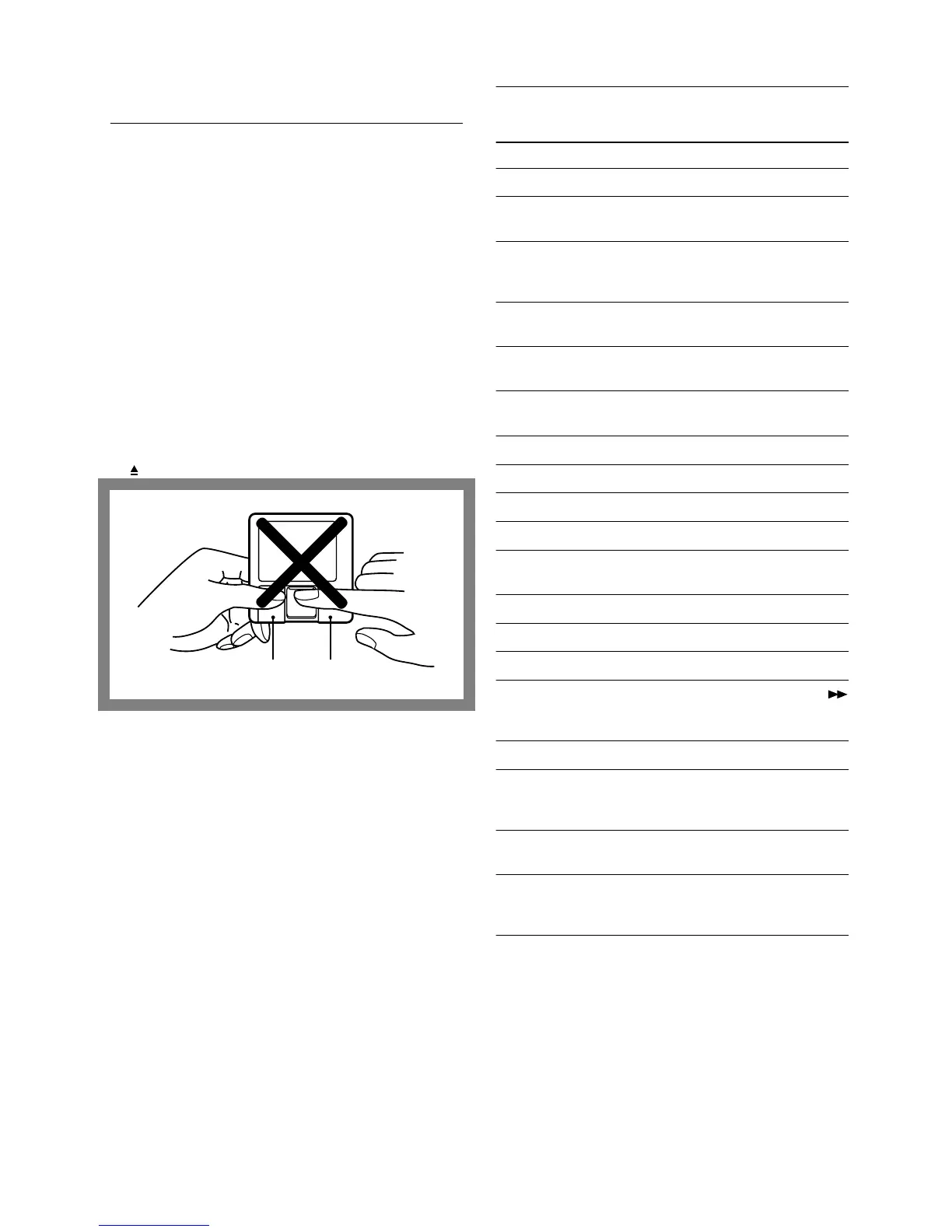
Do not touch the disc in the cartridge directly with your fingers.
Do not open the shutter by hand. Doing so may damage the disc.
Storage location
Avoid storing MDs in a place subject to direct sunlight, high tem-
perature, or high humidity.
When the unit is not to be used for an extended period
Remove the MD from the unit to avoid dust entering the MD car-
tridge. When the MD is in the unit, the shutter of the MD cartridge
remains open.
Regular care
Wipe off dust and dirt accumulated on the cartridge surface using a
dry cloth.
Removing a halfway-inserted MD
If the “self-rock function” is activated and the MD cannot be
removed, push the MD further into the MD recorder and then press
the button to remove the MD.
Message list
The following table explains the various messages that appear in
the display.
Message Meaning
All Erase!! An attempt was made to record onto a faulty MD.
Blank Disc A new recordable MD or a recordable MD without
disc or track names is inserted.
Cannot Copy An attempt was made to make a second copy from
a digitally dubbed MD (see “Rules for Digital
Recording” on page 28, 29).
Cannot Edit An attempt was made to edit the disc during MEM-
ORY or RANDOM play.
Cannot Rec An attempt was made to record onto a premastered
(read-only) disc.
D. In Unlock The digital equipment (CD player, DAT, etc.) has
not been connected properly.
Disc Error The disc is abnormal (scratched or missing a TOC).
Disc Full The disc is full (see “System Limitations” on page 29).
Impossible The disc could not be edited.
Memory Full An attempt was made to record a 26th track.
Name Full The number of characters has reached the limit for
input to one MD.
No Change The disc or track name was not changed.
No Disc There is no disc in the unit.
No Track The inserted disc has a disc title but no tracks.
Over In pause mode (when playing is paused), the
(Fast Forward) button was pressed to the end of the
disc.
Protected The inserted disc is record-protected.
Retry The first recording attempt failed due to a distur-
bance or scratch on the MD, and a second record-
ing is being made.
Retry Error The recording attempt failed due to a consecutive
disturbance or scratches on the MD.
Sorry Am attempt was made to combine tracks that can-
not be combined or to divide a track at the begin-
ning.
Shutter Cartridge


 To Next Page