19
> Before Start > Part Names > Install > Initial Setup >Playback
Supplementary information | Advanced Setup | Others
Entering text
Text entry, for passwords, etc., uses the following
procedure.
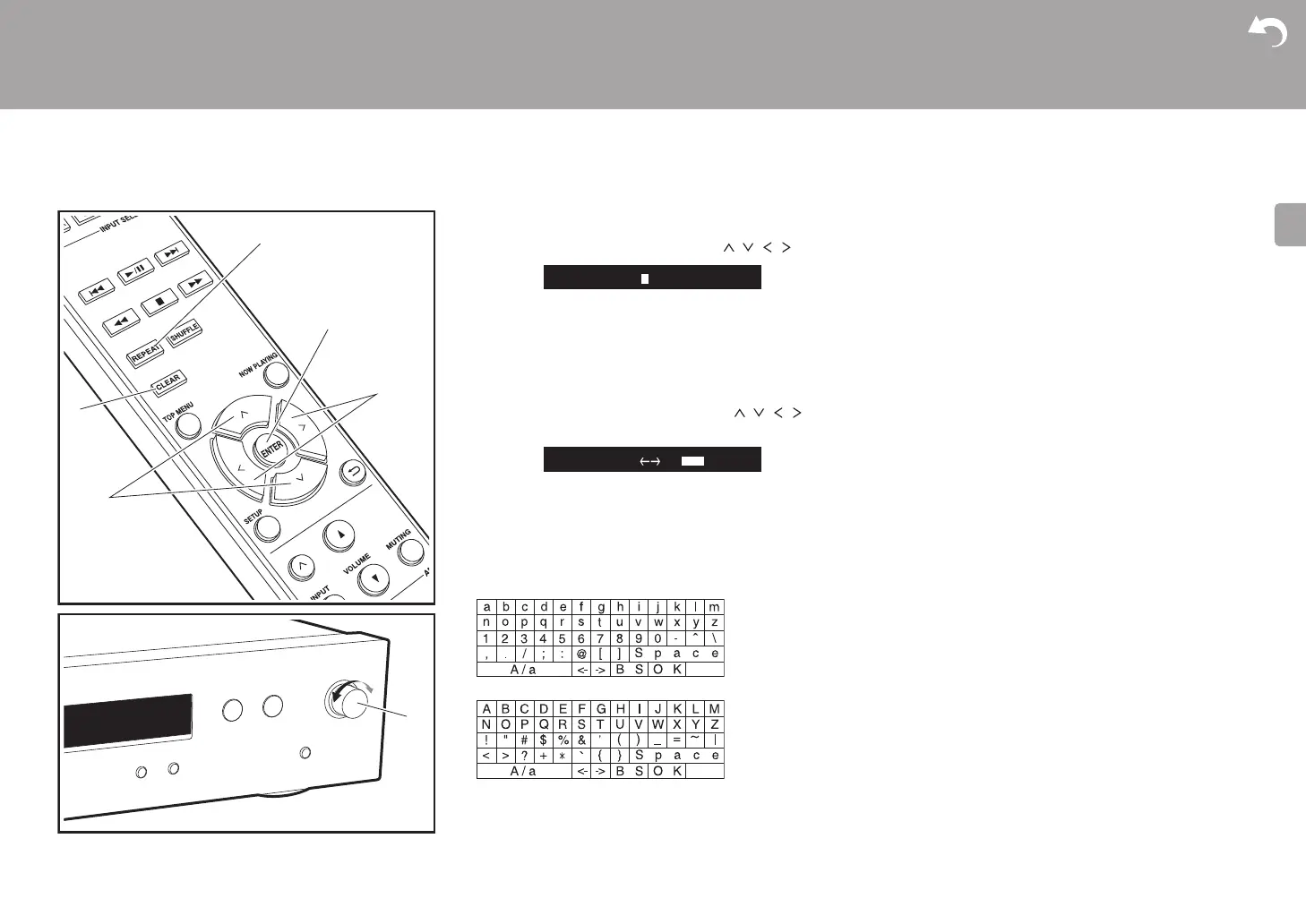
1. Select the characters or symbols with / / / (b).
2. Press ENTER (d) to confirm the selected character.
Repeat this to enter text.
0 Press REPEAT (c) to change the characters to be
enter, for example to switch between upper and lower
case.
0 Press CLEAR (a) to delete all the input characters.
3. After completing input, select "OK" with /// (b)
and press ENTER
(d)
.
0 Turn MENU/ENTER (e) on the main unit to the left and
right to select the item, then press the dial to confirm.
Characters that can be entered
Space: A single space the size of a character is entered.
A/a: Switches between characters displayed. (a A)
(left) / (right) : Select to move the cursor.
BS (backspace): Removes a character on the left of the
cursor. The cursor moves left.
OK: Confirms the entered content.
A
/
a B
S
O
K


 To Next Page
 Loading...