EasyManua.ls Logo

Onkyo TX-NR696 - User Manual

Onkyo TX-NR696
159 pages
Print Icon
To Next Page IconTo Next Page
Loading...
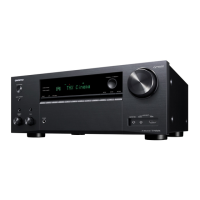
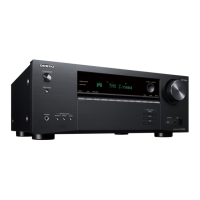
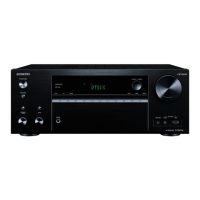
Front Panel Rear Panel Remote
AV RECEIVER
Instruction Manual
TX-NR696
En
Table of contents
Connections
- Connecting Speakers
Playback
Setup
Troubleshooting
Appendix
Supplementary Information

Table of Contents

Other manuals for Onkyo TX-NR696

Questions and Answers

Summary

Whats in the box

Additional Function (Firmware Update)

Update Information of the firmware

Details on latest firmware contents and version availability.

Operation of added new functions

Information on new or changed functions post-firmware update.

Firmware Update Procedure

Step-by-step guide to update the unit's firmware via network or USB.

Part Names

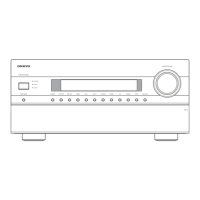
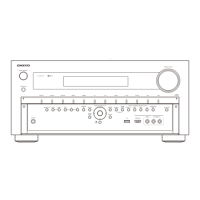
Front Panel

Identification and description of front panel components.

Display

Explanation of the unit's display indicators and their meanings.

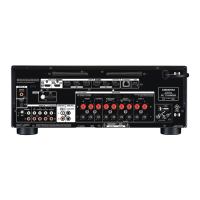
Rear Panel

Identification and description of rear panel connection terminals.

Remote Controller

Description of the functions of each button on the remote controller.

Connections

Connecting speakers

Guide on how to connect speakers to the unit, covering various configurations.

Connecting the TV

Instructions for connecting the TV to the unit, differentiating between ARC and non-ARC.

Connecting Playback Devices

Connecting external AV components like Blu-ray players via HDMI.

Connecting an AV Component in a Separate Room (Multi-zone Connection)

Setting up AV components for multi-zone audio output to a separate room.

Connecting ZONE B

Connecting audio output for ZONE B for simultaneous playback with ZONE A.

Connecting Antennas

Connecting AM/FM antennas for radio reception.

Network Connection

Steps for connecting the unit to a wired or wireless network.

Connecting the Power Cord

Instructions for connecting the power cord after all other connections are made.

Playback

AV Component Playback

Playing audio from AV components like Blu-ray players through the unit.

BLUETOOTH Playback

Wireless audio playback from Bluetooth-enabled devices like smartphones.

Internet Radio

Accessing and playing internet radio services like TuneIn Radio.

Spotify

Instructions for using Spotify with the unit via phone, tablet, or computer.

AirPlay

Wireless music playback from iOS devices (iPhone, iPod touch, iPad) via Wi-Fi.

DTS Play-Fi

Using DTS Play-Fi for wireless audio streaming and group playback.

FlareConnectTM

Group playback feature with FlareConnect enabled devices using the Onkyo Controller app.

USB Storage Device

Playing music files stored on a USB storage device.

Playing back files on a PC and NAS (Music Server)

Streaming music files from PCs and NAS devices over the network.

Play Queue

Managing and playing music playlists using the Onkyo Controller app.

Amazon Music

Using the Amazon Music service for playback via the Onkyo Controller app.

Connecting the Sonos System for Playback

Connecting and setting up a Sonos system for playback through the unit.

Listening To the AM;FM Radio

Tuning into AM and FM radio stations using the unit's built-in tuner.

Multi-zone

Enjoying audio in separate rooms (ZONE 2) simultaneously or independently.

ZONE B Playback

Outputting audio to ZONE B for simultaneous playback with ZONE A.

Convenience functions

Features for enhanced user convenience, like displaying video while playing music.

Listening Mode

Selecting and configuring optimal audio listening modes for movies, TV, music, and games.

Inputting Characters

How to input characters or symbols on the TV screen for settings like Wi-Fi passwords.

Setup

Setup Menu

Accessing and configuring advanced settings for optimal user experience.

Menu operations

How to navigate and make settings within the Setup menu using the remote.

Troubleshooting

Before starting the procedure

General advice and preliminary steps for troubleshooting.

When the unit is operating erratically

Steps to take when the unit behaves unexpectedly.

Resetting the unit (this resets the unit settings to the default)

Restoring unit settings to factory defaults to resolve issues.

Power

Troubleshooting issues related to power and the unit turning off.

Audio

Troubleshooting issues related to sound output and quality.

Video

Troubleshooting issues related to video display and image quality.

Linked operation

Troubleshooting issues with HDMI linked operations and CEC devices.

Appendix

Reducing the Power Consumption in Standby State

Tips to reduce power consumption in standby mode.

About HDMI

Explanation of HDMI interface and its compatible functions.

General Specifications

Technical specifications of the amplifier and tuner sections.

Summary

Whats in the box

Additional Function (Firmware Update)

Update Information of the firmware

Details on latest firmware contents and version availability.

Operation of added new functions

Information on new or changed functions post-firmware update.

Firmware Update Procedure

Step-by-step guide to update the unit's firmware via network or USB.

Part Names

Front Panel

Identification and description of front panel components.

Display

Explanation of the unit's display indicators and their meanings.

Rear Panel

Identification and description of rear panel connection terminals.

Remote Controller

Description of the functions of each button on the remote controller.

Connections

Connecting speakers

Guide on how to connect speakers to the unit, covering various configurations.

Connecting the TV

Instructions for connecting the TV to the unit, differentiating between ARC and non-ARC.

Connecting Playback Devices

Connecting external AV components like Blu-ray players via HDMI.

Connecting an AV Component in a Separate Room (Multi-zone Connection)

Setting up AV components for multi-zone audio output to a separate room.

Connecting ZONE B

Connecting audio output for ZONE B for simultaneous playback with ZONE A.

Connecting Antennas

Connecting AM/FM antennas for radio reception.

Network Connection

Steps for connecting the unit to a wired or wireless network.

Connecting the Power Cord

Instructions for connecting the power cord after all other connections are made.

Playback

AV Component Playback

Playing audio from AV components like Blu-ray players through the unit.

BLUETOOTH Playback

Wireless audio playback from Bluetooth-enabled devices like smartphones.

Internet Radio

Accessing and playing internet radio services like TuneIn Radio.

Spotify

Instructions for using Spotify with the unit via phone, tablet, or computer.

AirPlay

Wireless music playback from iOS devices (iPhone, iPod touch, iPad) via Wi-Fi.

DTS Play-Fi

Using DTS Play-Fi for wireless audio streaming and group playback.

FlareConnectTM

Group playback feature with FlareConnect enabled devices using the Onkyo Controller app.

USB Storage Device

Playing music files stored on a USB storage device.

Playing back files on a PC and NAS (Music Server)

Streaming music files from PCs and NAS devices over the network.

Play Queue

Managing and playing music playlists using the Onkyo Controller app.

Amazon Music

Using the Amazon Music service for playback via the Onkyo Controller app.

Connecting the Sonos System for Playback

Connecting and setting up a Sonos system for playback through the unit.

Listening To the AM;FM Radio

Tuning into AM and FM radio stations using the unit's built-in tuner.

Multi-zone

Enjoying audio in separate rooms (ZONE 2) simultaneously or independently.

ZONE B Playback

Outputting audio to ZONE B for simultaneous playback with ZONE A.

Convenience functions

Features for enhanced user convenience, like displaying video while playing music.

Listening Mode

Selecting and configuring optimal audio listening modes for movies, TV, music, and games.

Inputting Characters

How to input characters or symbols on the TV screen for settings like Wi-Fi passwords.

Setup

Setup Menu

Accessing and configuring advanced settings for optimal user experience.

Menu operations

How to navigate and make settings within the Setup menu using the remote.

Troubleshooting

Before starting the procedure

General advice and preliminary steps for troubleshooting.

When the unit is operating erratically

Steps to take when the unit behaves unexpectedly.

Resetting the unit (this resets the unit settings to the default)

Restoring unit settings to factory defaults to resolve issues.

Power

Troubleshooting issues related to power and the unit turning off.

Audio

Troubleshooting issues related to sound output and quality.

Video

Troubleshooting issues related to video display and image quality.

Linked operation

Troubleshooting issues with HDMI linked operations and CEC devices.

Appendix

Reducing the Power Consumption in Standby State

Tips to reduce power consumption in standby mode.

About HDMI

Explanation of HDMI interface and its compatible functions.

General Specifications

Technical specifications of the amplifier and tuner sections.

Onkyo TX-NR696 Specifications

General IconGeneral
Impedance6 Ω
Receiver typeSurround
Audio output channels7.2 channels
Power output per channel (20-20KHz@8 Ohm)175 W
HDMI in7
AC (power) inYes
Digital audio optical in1
Number of HDMI outputs2
Phono inputs (RCA)4
Connectivity technologyWired & Wireless
Speakers connectivity type6.35 mm/3.5 mm
Audio formats supportedAIFF, ALAC, DSD, FLAC, WAV
AM band range522 - 1611 kHz
FM band range87.5 - 108 MHz
Supported radio bandsAM, FM
Preset stations quantity40
Internet radio services supportedAmazon Music, Deezer, Spotify, Tidal, TuneIn
Optical drive includedNo
Card reader integrated-
DisplayTFT
HDCP version2.2
Product colorBlack
Audio decodersDTS-HD Master Audio, DTS:X, Dolby Atmos, Dolby TrueHD
Volume controlRotary
USB 2.0 ports quantityUSB 2.0 ports have a data transmission speed of 480 Mbps, and are backwards compatible with USB 1.1 ports. You can connect all kinds of peripheral devices to them.

AC input voltage220 - 240 V
AC input frequency50 - 60 Hz
Power consumption (standby)0.15 W
Power consumption (typical)570 W
Weight and Dimensions IconWeight and Dimensions
Depth468 mm
Width534 mm
Height265 mm
Weight12500 g

Related product manuals