V 1.9.1 Page 2 of 4
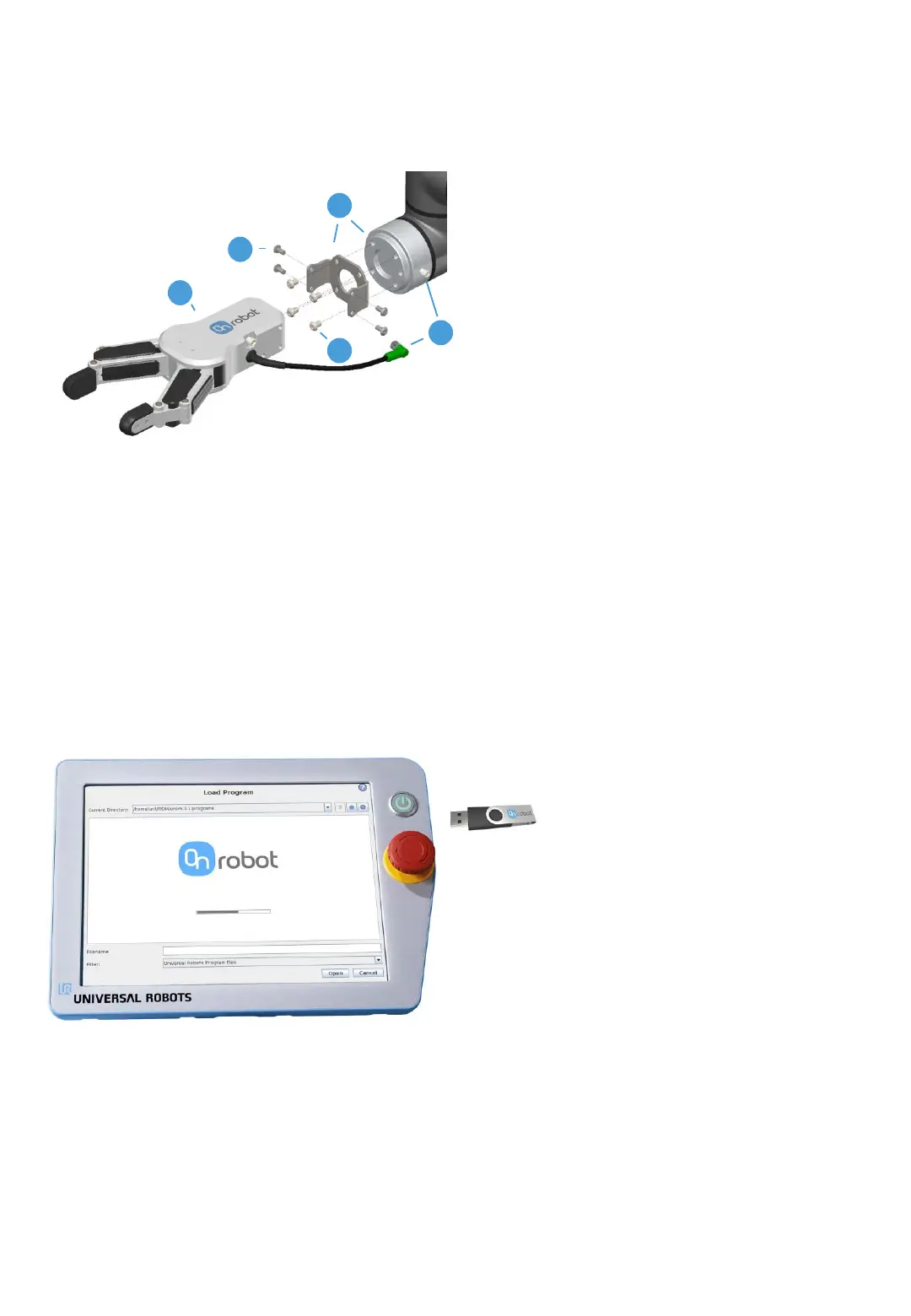
1. Place the bracket on the robot flange
2. Tighten M6 screws (4 pcs)
3. Place RG6 on the bracket with the desired
angle
4. Tighten M4 screws (6pcs)
5. Plug RG6 cable in the robot’s flange
connector
1. With the system powered on, insert
the USB stick in the teach pendant
2. Wait for system to reboot
3. Press “Go to initialization screen”
4. Press “ON”
5. Press “START”
6. Press “OK”
1
5
2
4
3
1 Mount RG6
2 Install RG6 Software Package
Copyright © 2015 - 2019 by OnRobot A/S. All rights reserved



 To Next Page