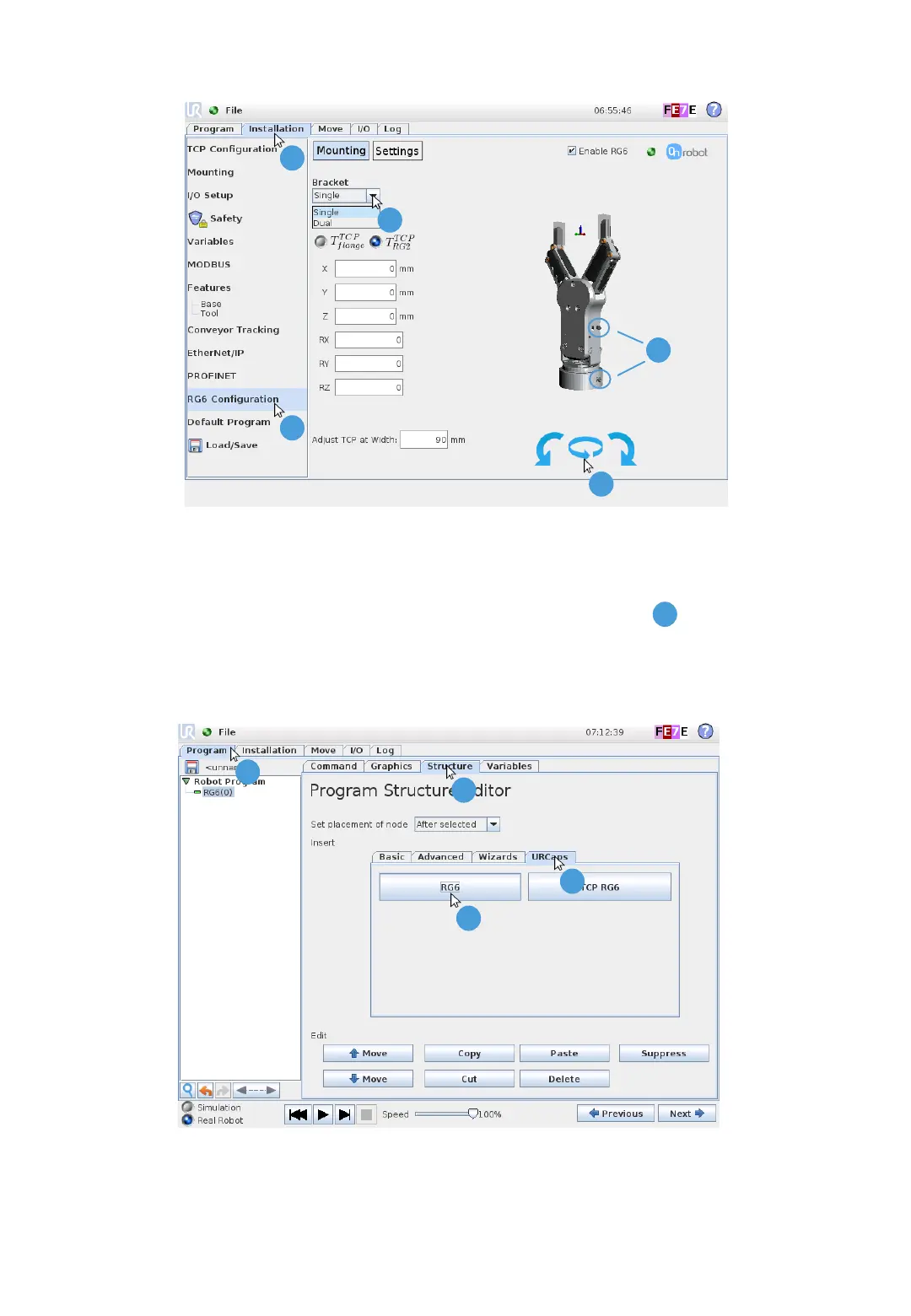
3 Configure RG6 Mount
1. Press the “Installation” tab
2. Press “RG Configuration”
3. Select the “Bracket” type
4 Add RG6 Node
1. Press the “Program” tab
2. Press the “Structure” tab
1
V 1.9.1 Page 3 of 4
3. Press the “URCaps” tab
4. Press “RG6”
4. Set the relative orientation for RG6 and the
robot flange by pressing the blue arrows
(use the pin guides as reference)
2
3
4
1
2
3
4
Copyright © 2015 - 2019 by OnRobot A/S. All rights reserved
A
A



 To Next Page