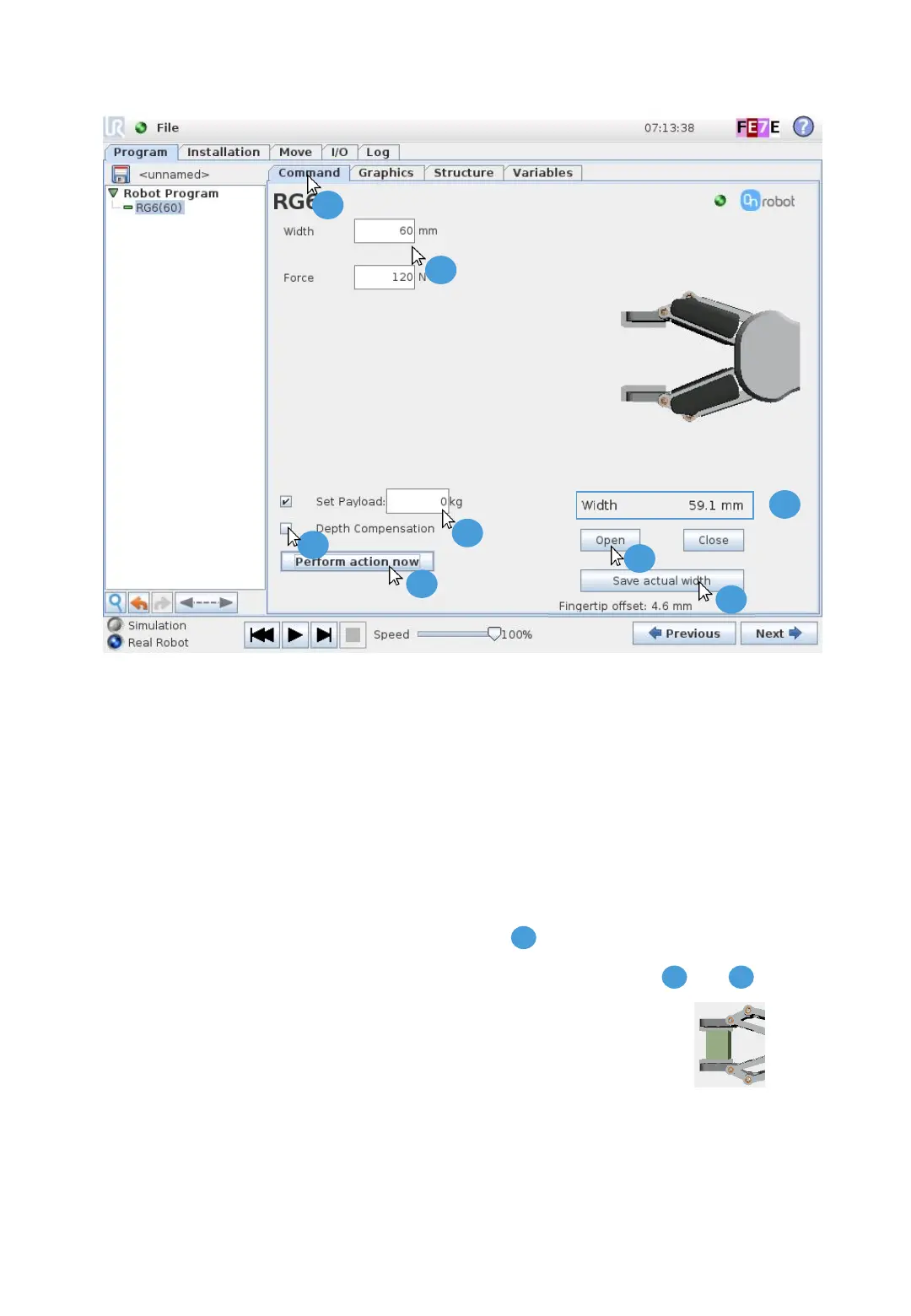
1. Press the “Command” tab
2. Set the RG6 Width and Force
3. Set the Payload (workpiece weight)
4. Enable or disable “Depth Compensation”
5. “Open” and “Close” the RG6 by using the buttons (hold-to-run)
6. RG6 Width can be read online
7. “Save actual width” will save the width value in this node
8. “Perform action now”, the physical RG6 will move according to and
9. An “Object detection” image will appear when grasping an object
5 Configure RG6 Node
V 1.9.1 Page 4 of 4
1
2
3
4
5
7
8
6
2 4
6
Copyright © 2015 - 2019 by OnRobot A/S. All rights reserved



 To Previous Page