Battery Replacement
Should your batter become depleted, you can purchase and install a new one.
To replace the old battery pack:
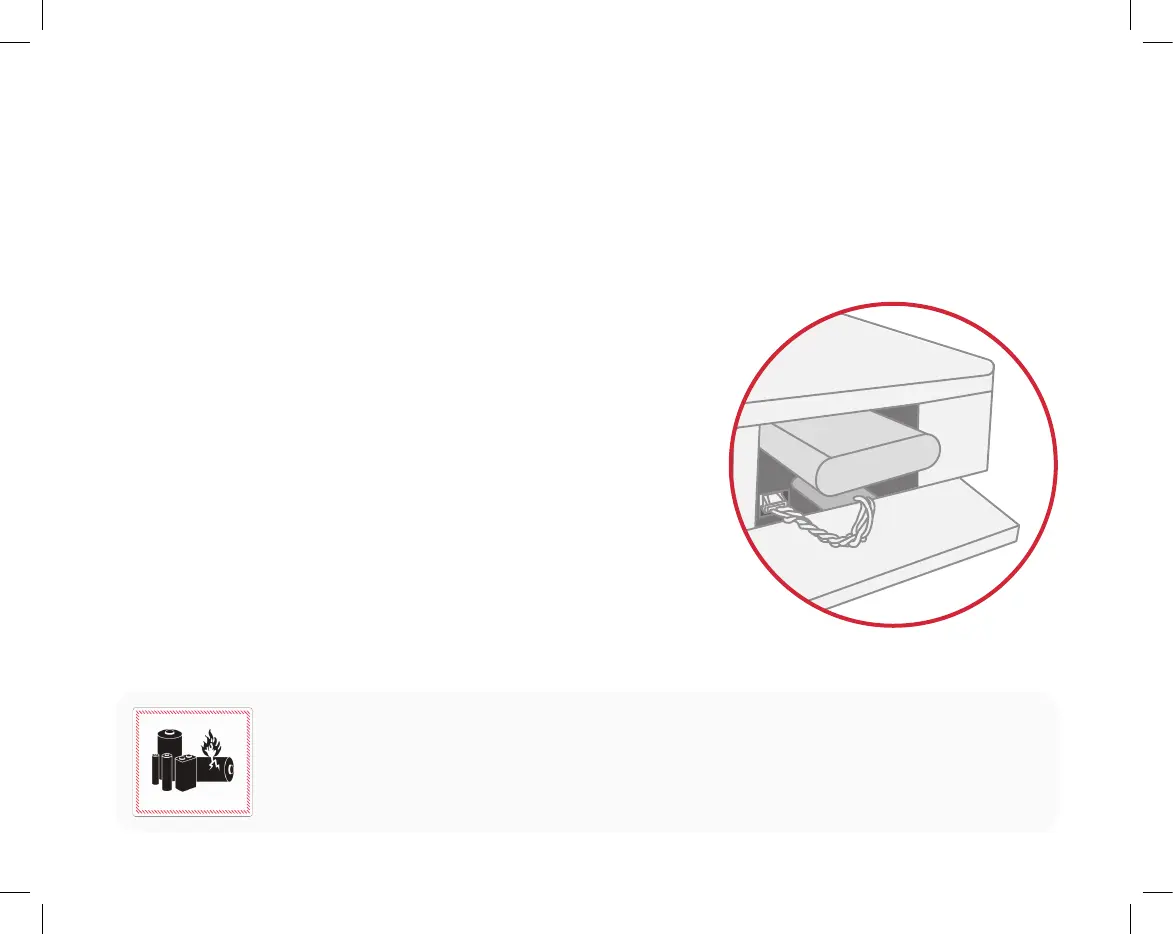
1. Open the door on the right side of the device.
2. Remove the screw that holds the battery cover in place.
3. Disconnect the battery from the white electrical connector:
• Depress the top locking tab.
• Hold the wires firmly to secure them as you disconnect the connector.
• If disconnecting the battery is difficult, carefully move the wires back
and forth within 15 degrees of the connection point.
4. Remove the old battery.
5. Insert the new battery.
6. Connect the battery cable to the in the white electrical connector by inserting
the socket straight into the header with the locking tab up until it clicks.
7. Reinsert the battery cover, secure it with the screw removed in Step 2,
and close the access door.
BATTERY WARNING: The battery used in this device may present a risk of fire or chemical burn
if mistreated. Do not disassemble, heat, or incinerate. Replace battery with Ooma authorized
replacement pack only. Use of another battery may present a risk of fire or explosion.
Dispose of battery properly. Keep away from children. Do not disassemble and do not dispose of in fire.
13


 To Next Page