EasyManua.ls Logo

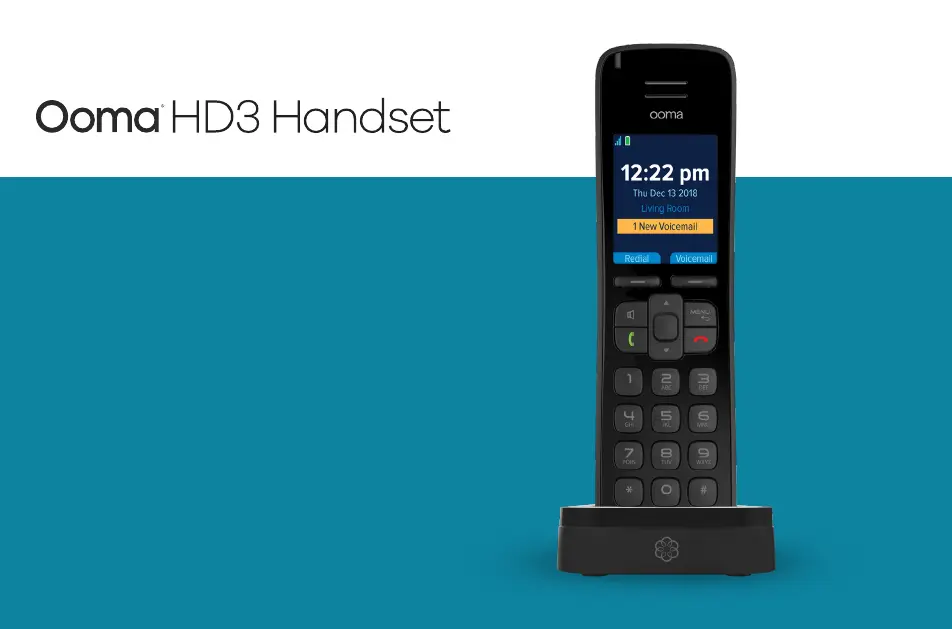
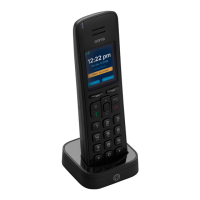
ooma HD3 - User Manual

ooma HD3
30 pages
Print Icon
To Next Page IconTo Next Page
Loading...
Quick Start Guide

Other manuals for ooma HD3

Questions and Answers

Summary

Getting Started

Insert Batteries

Instructions for opening the handset and correctly inserting the rechargeable AAA batteries.

Charge the Handset

Steps to connect the AC adapter and charging cradle, and place the handset to begin charging.

Register the Handset

Procedure for pairing the Ooma HD3 Handset with the Ooma Telo using the Page key.

Navigating the User Interface

Basic Operation

Placing and Receiving Calls

Explains the methods for initiating and answering phone calls on the handset.

Calling Features

Ooma Premier Features

Enhanced Calling Features

Details on Instant Second Line, Call Waiting, Three-way Conferencing, Virtual Numbers, and Personal Devices.

Troubleshooting

Common Issues and Solutions

Guides users through resolving problems like handset not working, no dialtone, no ring, or poor call quality.

Warranty, Safety and Legal Notices

Warranty Details

Outlines what the limited warranty covers, exclusions, and how to obtain service.

Safety Information

General Safety Precautions

Essential safety guidelines to reduce risks of fire, electric shock, and injury when using the handset and accessories.

Summary

Getting Started

Insert Batteries

Instructions for opening the handset and correctly inserting the rechargeable AAA batteries.

Charge the Handset

Steps to connect the AC adapter and charging cradle, and place the handset to begin charging.

Register the Handset

Procedure for pairing the Ooma HD3 Handset with the Ooma Telo using the Page key.

Navigating the User Interface

Basic Operation

Placing and Receiving Calls

Explains the methods for initiating and answering phone calls on the handset.

Calling Features

Ooma Premier Features

Enhanced Calling Features

Details on Instant Second Line, Call Waiting, Three-way Conferencing, Virtual Numbers, and Personal Devices.

Troubleshooting

Common Issues and Solutions

Guides users through resolving problems like handset not working, no dialtone, no ring, or poor call quality.

Warranty, Safety and Legal Notices

Warranty Details

Outlines what the limited warranty covers, exclusions, and how to obtain service.

Safety Information

General Safety Precautions

Essential safety guidelines to reduce risks of fire, electric shock, and injury when using the handset and accessories.

ooma HD3 Specifications

General IconGeneral
SpeakerphoneYes
Lines1
Caller IDYes
Call WaitingYes
VoicemailYes
Conference CallingYes
Power SourceAC adapter
AudioHD audio
CompatibilityOoma Telo
TypeCordless

Related product manuals