Blocking telemarketers
Call blocking lists are designed to help you filter out
telemarketers and other unwanted callers. To start
blocking calls, visit: my.ooma.com/preferences/
call_blocking
Choosing a virtual number
Select a number from almost any calling area for a
home office or to make it easy for friends and family
in another state to reach you. Get started at:
my.ooma.com/numbers
Identifying callers
Don’t recognize the number? Enhanced Caller-ID will
look up the caller’s name from a national database so
you’ll have more than just the number to go by.
Monitoring your calls
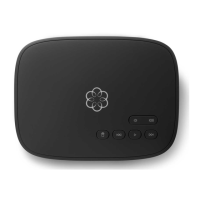
Listen in as your callers leave their voicemail. The
message will be played through the speaker in your
Base Station. If you decide to take the call, just pick
up the phone to interrupt the message.
Setting up 911 notifications
Gain some peace of mind by setting up your Ooma
system to send email or text message alerts whenever
someone dials 911 from your home phone. To set this
up, go to:my.ooma.com/911
Using Ooma on your smartphone
Use your Apple or Android smartphone to make phone
calls over any Wi-Fi or 3G/4G data connection with
the Ooma Mobile app. To get started, go to:
my.ooma.com/mobile
Turning off the ringer
Need some peace and quiet? Just press and hold the
button or dial
*
7
8
on your phone and all your
calls will roll straight to voicemail. To deactivate Do
Not Disturb, press and hold again or dial
*
7
9
.
And much, much more
Explore all the features and benefits of Ooma Premier:
my.ooma.com/premier
Ooma Premier Features
Ooma Premier is a bundle of enhanced calling
features that will get your home phone service
firing on all cylinders. Here are some of the
most popular features and benefits of a
Premier subscription:
Making two calls at once
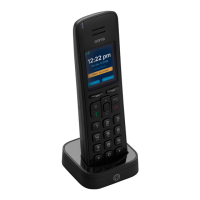
Use your Ooma HD3 Handset to activate the Instant
Second Line™ for a fresh dial tone while you have an
active call.
Forwarding your voicemail
Forward your voicemail to email so you can listen to
messages from your smartphone or computer. To set
this up, go to: my.ooma.com/voicemail
Staying connected on the go
Afraid to miss a call? Set up your Ooma account to
forward calls to your cell phone. Choose between
forwarding for all calls, forwarding only when your
Internet is down, or simultaneously ringing both
your cell phone and your home phone. Set this up at:
my.ooma.com/calling
Checking voicemail remotely
There are three ways to check voicemail remotely:
1. Phone: Dial your Ooma number. When the call rolls to
voicemail, press the
*
key and enter your PIN
2. Online: Listen to and manage your voicemail on the web
at: my.ooma.com/inbox
3. Email: Forward your voicemail as an MP3 file to your
email or mobile phone (requires Ooma Premier). Set up
forwarding at: my.ooma.com/voicemail
Changing voicemail settings
Pick up the phone connected to your Ooma Base
Station and press the key.
From the main menu, select OPTION 2: “Change your
settings,” then follow the instructions.
16 17


 To Next Page