6
10. Mute
To mute or unmute the dial chime, press the timer dial in for three seconds.
This will not mute the timer or the “temperature reached” sounds.
11. Troubleshooting
Error Codes - LEDs will Turn Red Depending on Error State
If an error occurs, contact Ooni customer service at support.ooni.com and
quote the error code.
If an error occurs, contact Ooni customer service at support.ooni.com
and quote the error code. Any other servicing should be performed by an
authorized service representative.
a. Error 1:
Cavity Thermal Probe Short
150 temperature dial LED illuminates red.
Alarm tone sounds.
b. Error 2:
Cavity Thermal Probe Open Circuit
200 temperature dial LED illuminates red.
Alarm tone sounds.
c. Error 3:
Oven Over Temperature
250 temperature dial LED illuminates red.
Alarm tone sounds
d. Error 4:
PCB Over Temperature
300 temperature dial LED illuminates red.
Alarm tone sounds.
e. Error 5:
PCB Temperature Sensor Short Circuit
350 temperature dial LED illuminates red.
Alarm tone sounds.
f. Error 6:
PCB Temperature Sensor Open Circuit
400 temperature dial LED illuminates red.
Alarm tone sounds.
g. Error 7:
PCB Communications Fault
450 temperature dial LED illuminates red.
Alarm tone sounds.
12. Care and Maintenance
Storing
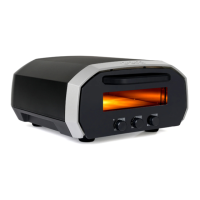
You can use Ooni Volt 12 outside. Store indoors in dry conditions when not
in use.
Only store the baking stone inside the oven — don’t store food or other items
in the oven cavity.
Do not lean on or put items on top of your Ooni Volt 12. Doing so could
damage your oven.


 To Next Page