5
4. Seasoning
4.1 | Step 1:
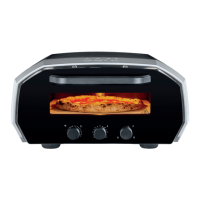
Before your first cook, run the oven for 20 minutes to season it. To heat
your oven, rotate the temperature dial to 450°C. Your oven will start to
heat immediately.
4.2 | Step 2:
Rotate the timer dial to 20 minutes. When the timer expires, switch o your
Ooni Volt 12 and allow it to cool.
5. Power Off
5.1 | Step 1:
Simply touch the power button on the front of the oven to power o the oven.
The oven will switch to standby mode.
WARNING Before turning o the power switch or disconnecting from
the outlet, let the oven cool down in standby mode. This will take around
10 minutes.
5.2 | Step 2:
Before moving the oven, leave to cool for 90 minutes.
6. Timer Dial
a. Turn the left-hand dial clockwise to increase the length of time of the timer
up to 20 minutes.
b. Turn anticlockwise to reduce the amount of time on the timer or rotate to
0 to cancel.
c. Once the timer is complete, a sound will play and the
icon will flash.
d. To stop the sound, press the timer dial.
2.8 | Step 8:
Turn on your Ooni Volt 12 with the power switch on the side. The oven will
enter standby mode.
2.9 | Step 9:
Touch the power button located on the left of the control dials to bring the
oven out of standby.
3. Dial Functions
a. Standby/Power
b. Timer Dial
c. Timer Icon
d. Temperature Dial
e. Temperature Icon
f. Maximum Temperature
g. Balance Dial
h. Balance Icon
i. Base Element
j. Top Element
- Pulsing LED
- Solid LED


 To Next Page